4 Keypad Operation
12 MAGNETEK HPV1000 AC Elevator Drive Technical Manual
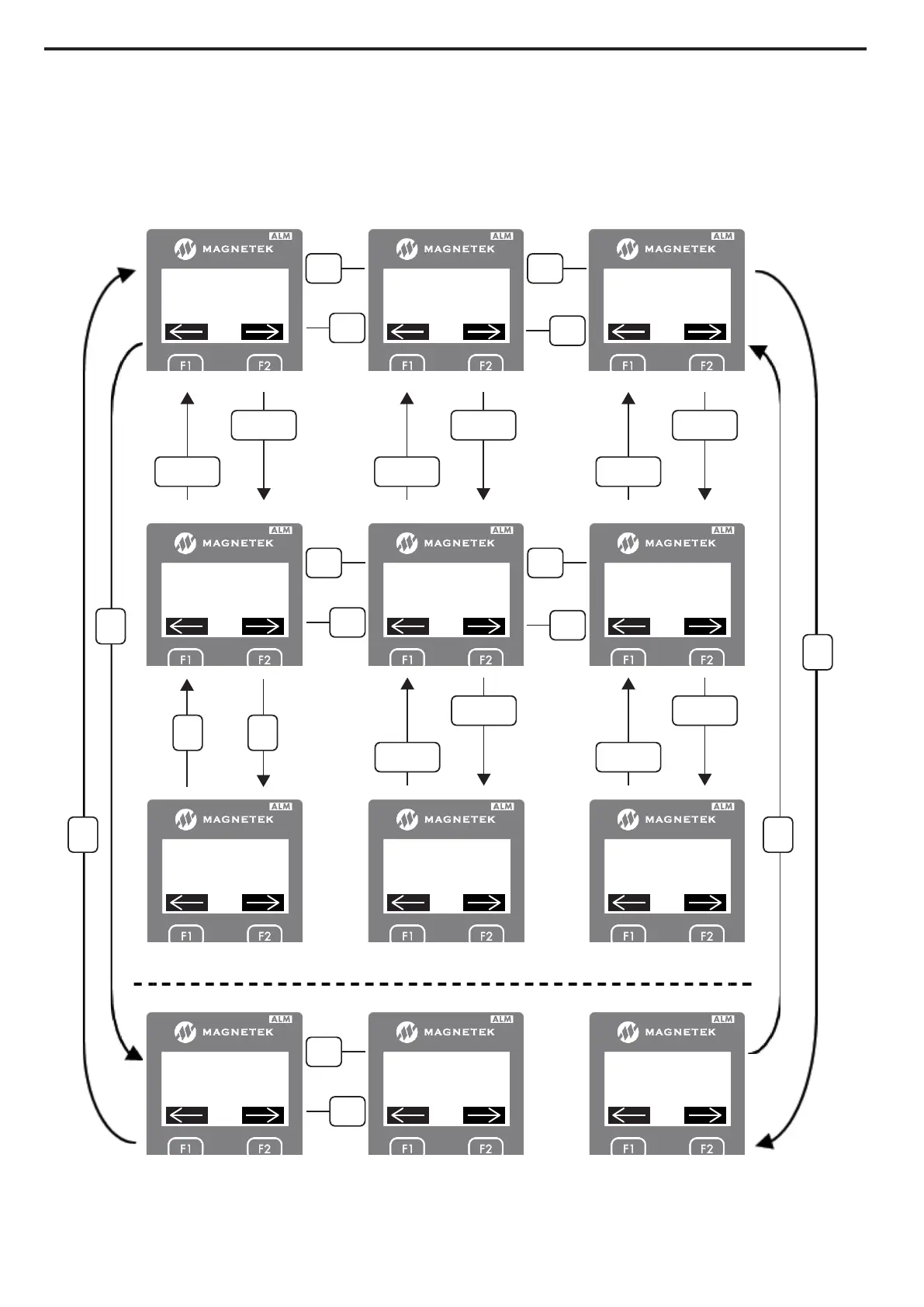
Navigation at the Entry Level
To access the entry level from the sub-menu level, press the “ENTER” key on the parameter while it is being displayed.
While in the entry level, the text “Ent” will be displayed in between the arrows on the screen as shown in Figure 7. At
the entry level, the functions of the keys are redefined. The “ESCAPE” key remains as the key used to move back to the
higher level (in this case to the sub-menu level). The left and right arrow keys are used as cursor positioning keys and the
up and down arrow keys are used as increment and decrement keys.
Figure 4
Figure 7 Operator Navigation
-INFO-
D0 DISPLAY 2
D1 ELEVATOR DATA
-INFO-
A0 ADJUST
A1 DRIVE
-INFO-
C0 CONFIGURE
C1 USER SWITCHES
< <
>
>
-INFO-
D0 DISPLAY 2
D2 POWER DATA
-INFO-
A0 ADJUST
A1 DRIVE
-INFO-
C0 CONFIGURE
C2 LOGIC INPUTS
<
>
D1
Speed Reference
0.0 m/s
- - - - - - - - - - - - - - - - - - - - -
A1
Contract Car Spd
2.0 m/s
C1
D1
Speed Command
0.0 m/s
- - - - - - - - - - - - - - - - - - - - -
A1
Contract Car Spd
2.0 m/s
- - - - - - - - - - - - - - - - - - - - -
C1
Spd Command Src
Multi-Step Speed
- - - - - - - - - - - - - - - - - - - - -
< <
>
>
<
>
<
<
>
>
READY/RUN
ESC
ENTER
READY/RUN
ESC
ENTER
READY/RUN
ESC
ENTER
READY/RUN
ESC
ENTER
READY/RUN
ESC
ENTER
SUB
SUB SUB
SUB Ent Ent
- - - - - - - - - - - - - - - - - - - - - - -
Min: 0.0
Max: 3000.0 <400.0>
Spd Command Src
Multi-Step Speed
- - - - - - - - - - - - - - - - - - - - - - -
Now: 0, Sel: 0
Default: < 0 >



 To Next Page