Chapter 1 - Basic info
24
Chapter 3 - Preparing the battery and compact flash card
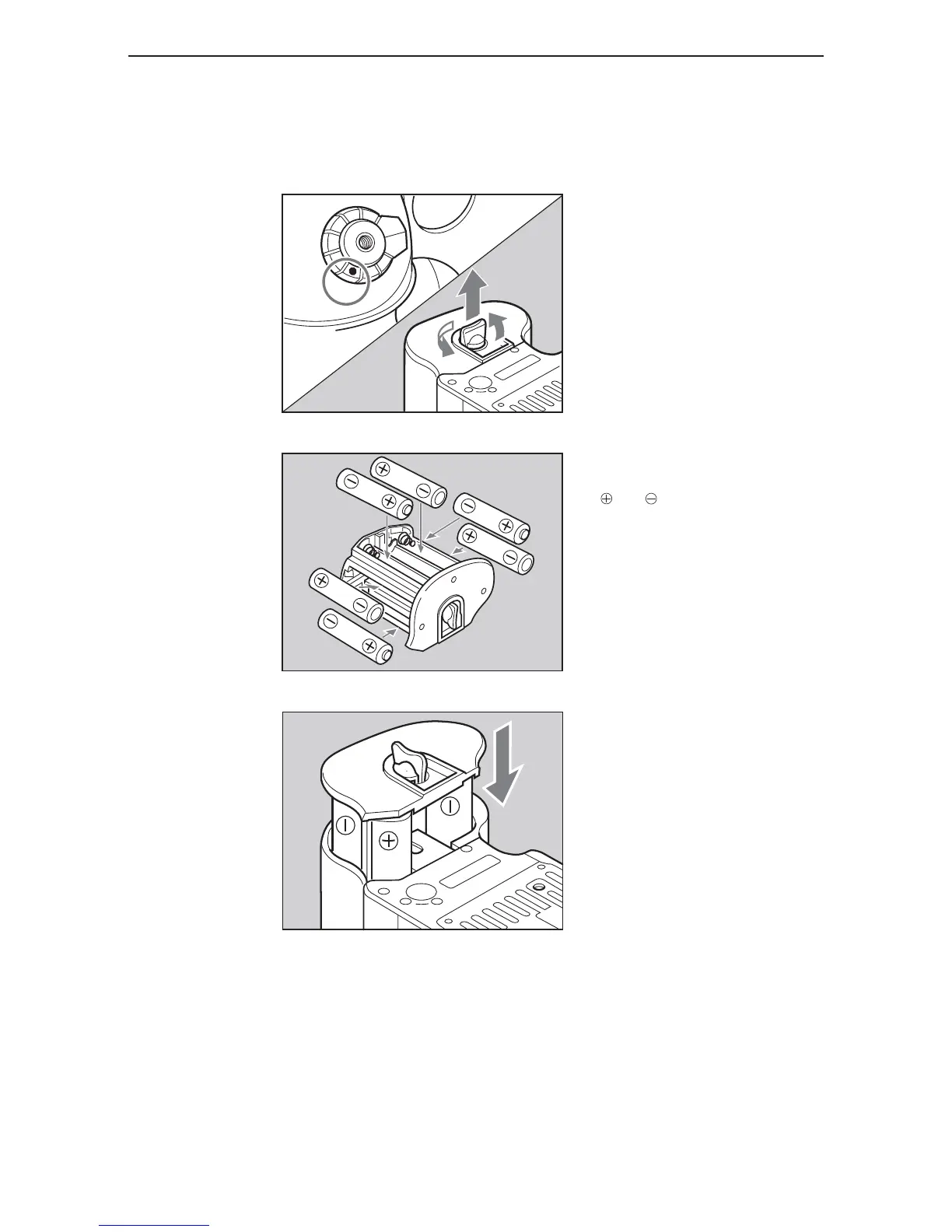
insertinG the camera batteries
1. Lift the battery case lock lever, turn
it counter clockwise and pull out the
battery holder.
2. Insert the batteries while ensuring
their polarities are properly aligned with
the and markings on the battery
case.
3. Return the battery holder to its
case and lock it by turning the lever
clockwise. Make sure it is fixed
firmly in place.
Set the drive dial to “L” to turn off the power.
Use six “AA” alkaline or lithium batteries.



 To Next Page