Chapter 1 - Basic info
31
Chapter 3 - Preparing the battery and compact flash card
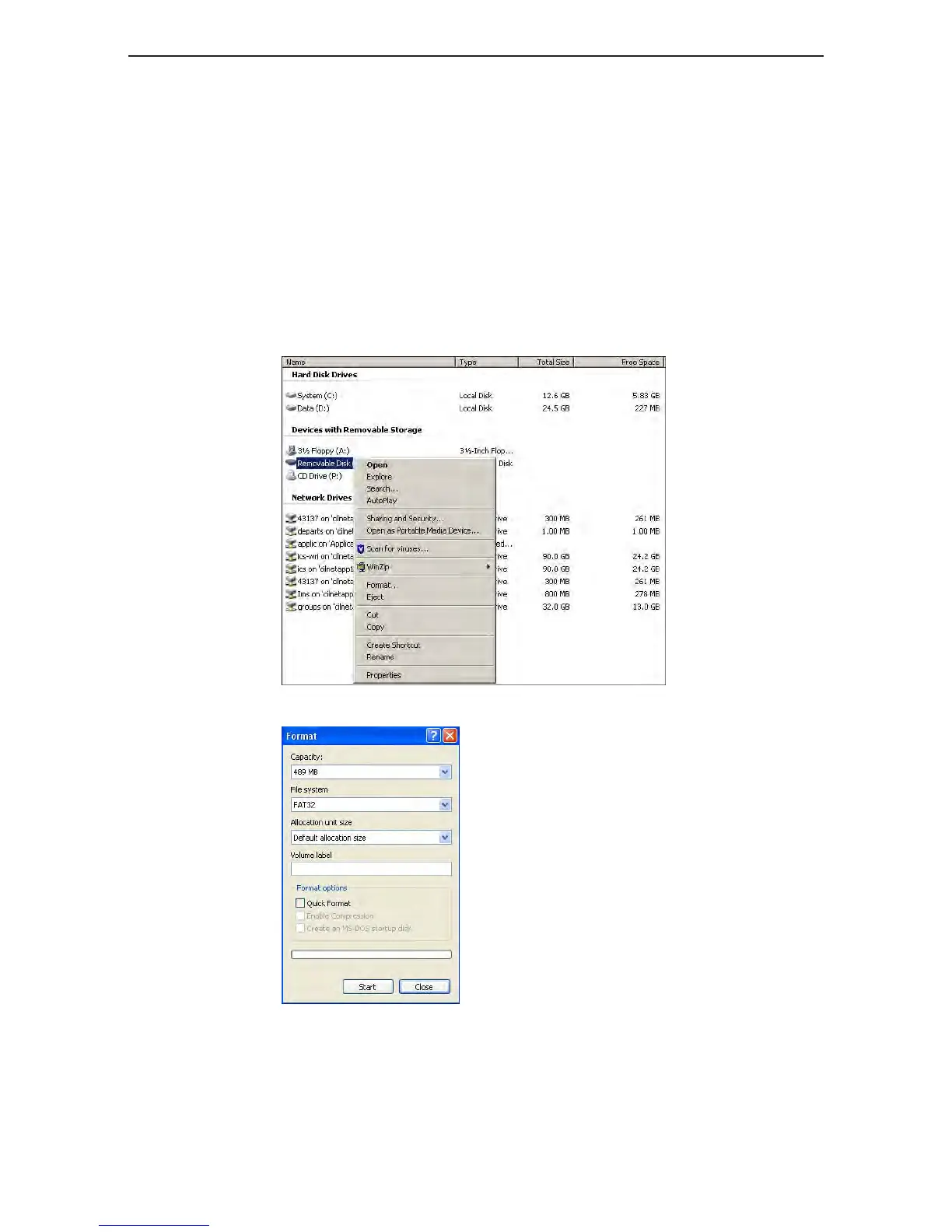
formattinG the compact flash card in windows
Formatting in Windows
1. Insert the compact flash card in a card reader.
2. On the desktop, click My Computer. Preparing a Compact Flash Card for Shoot 13
3. Right-click Removable Disk, and from the menu, select Format.
4. In the Format dialog box, in the File System box, select FAT32.
5. In the Volume label box, type MamiyaCF.
6. Click Start.
7. When the format procedure is complete, go to the desktop and click My Computer.
8. Right-click Removable Disk, and from the menu, select Eject.



 To Next Page