Chapter 1 - Basic info
54
Chapter 5 - Focusing the camera
usinG the focus lock function
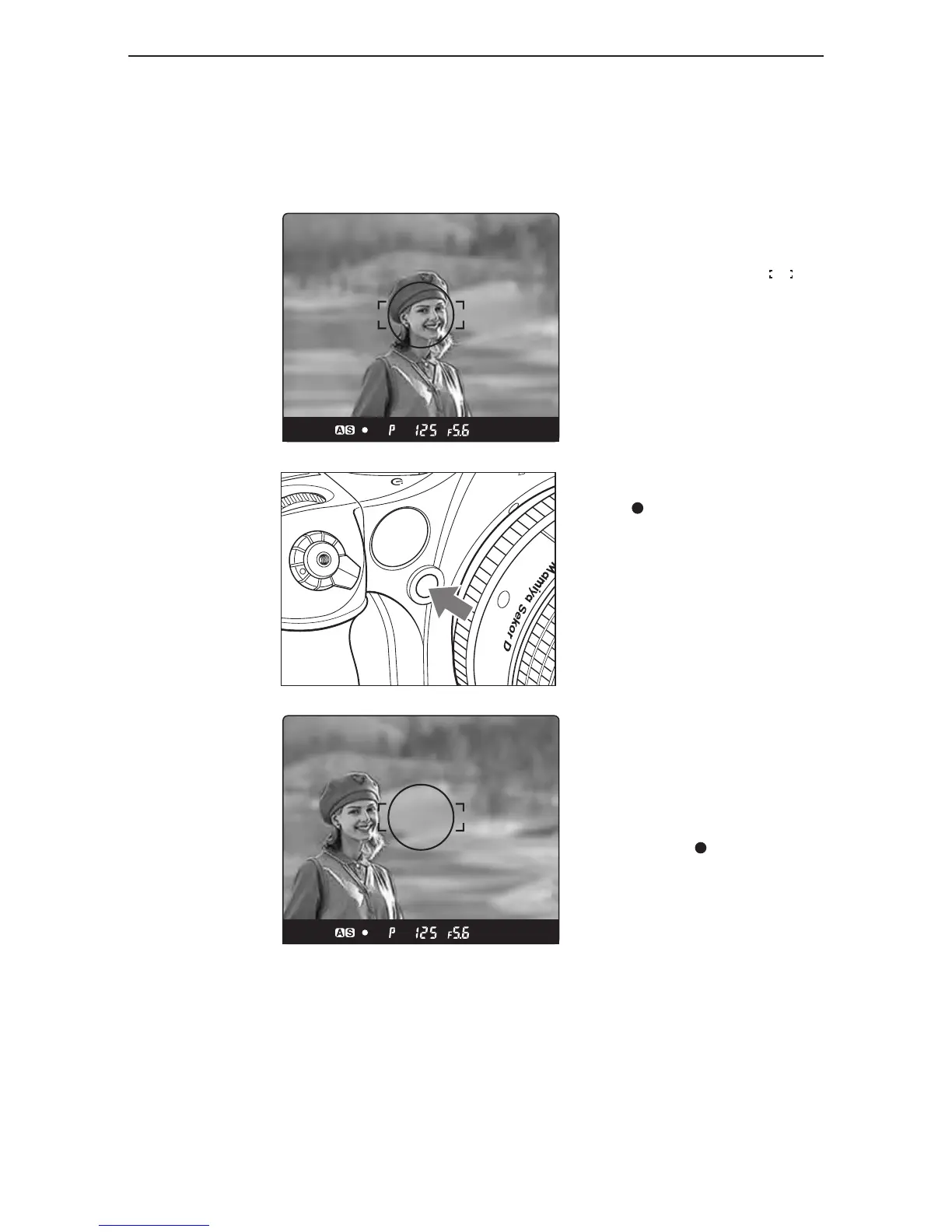
If the object to be focused on is not in the focus frame , the camera focuses on the background
at the center. In such cases use the focus lock function to lock the focus before releasing the
shutter.
1. Set the focus mode
selector lever to “S” or “C.”
Put the subject in the focus frame and
halfpress the shutter release button.
2. Lock the focus.
When the focus mark in the viewfinder
LCD is lit, press the AF lock button on the
front of the camera to lock the focus.
3. Adjust the composition.
With the shutter release button half-pressed,
slide the camera to achieve the desired
composition, and release the shutter.
When the focus mode is set at “S” (single
focus mode) and the focus mark is lit,
hold the shutter release button halfway down
to lock the focus.



 To Next Page