Chapter 1 - Basic info
27
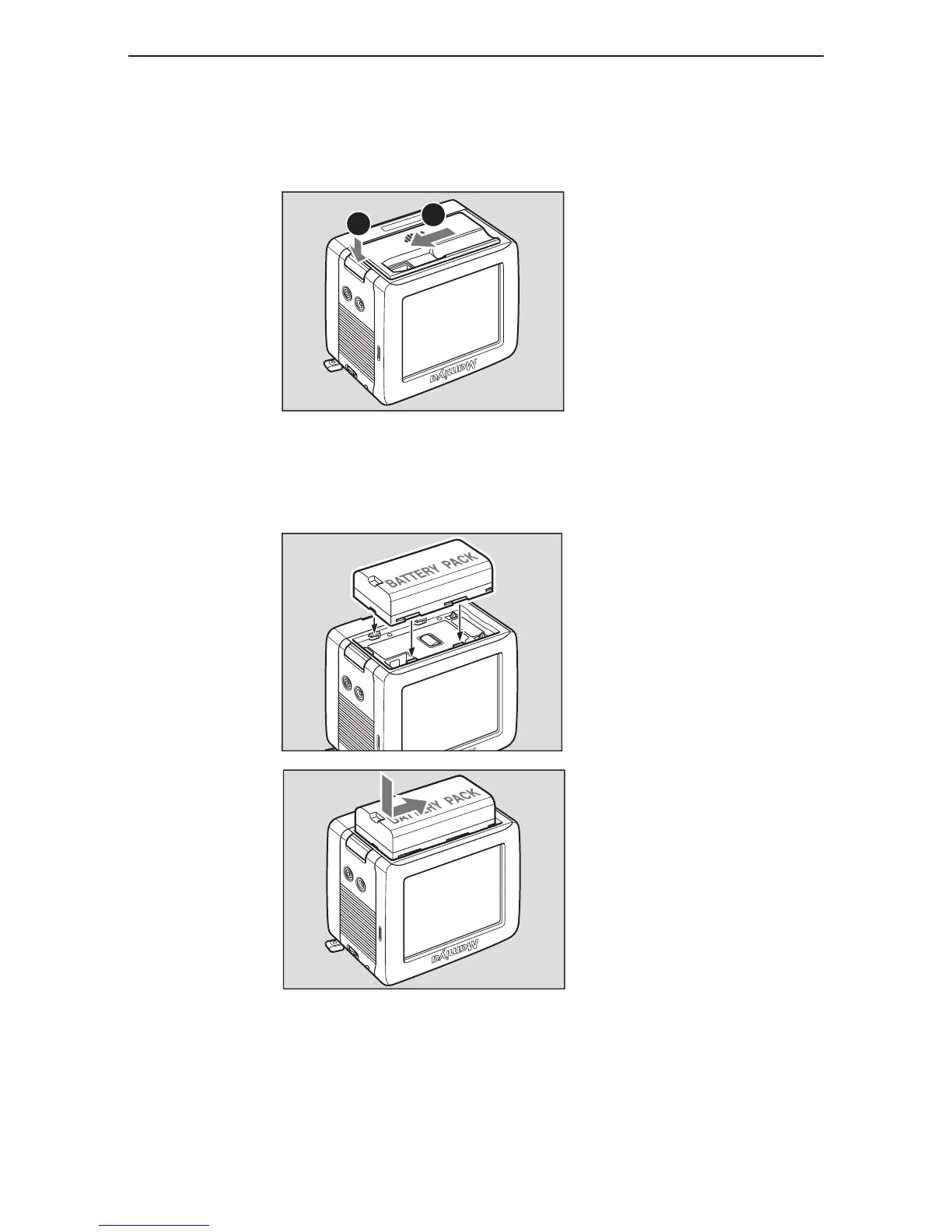
1. Press the button on the underside of the Mamiya DM digital back to remove the battery
slot cover.
Removing the battery slot cover
2. Press the battery into the recess on the bottom of the Mamiya DM System digital back,
and then slide it across until it snaps into place.
Inserting the battery
Chapter 3 - Preparing the battery and compact flash card
insertinG and removinG the diGital back battery
2
1



 To Next Page