Chapter 1 - Basic info
36
2
1
Chapter 3 - Preparing the battery and compact flash card
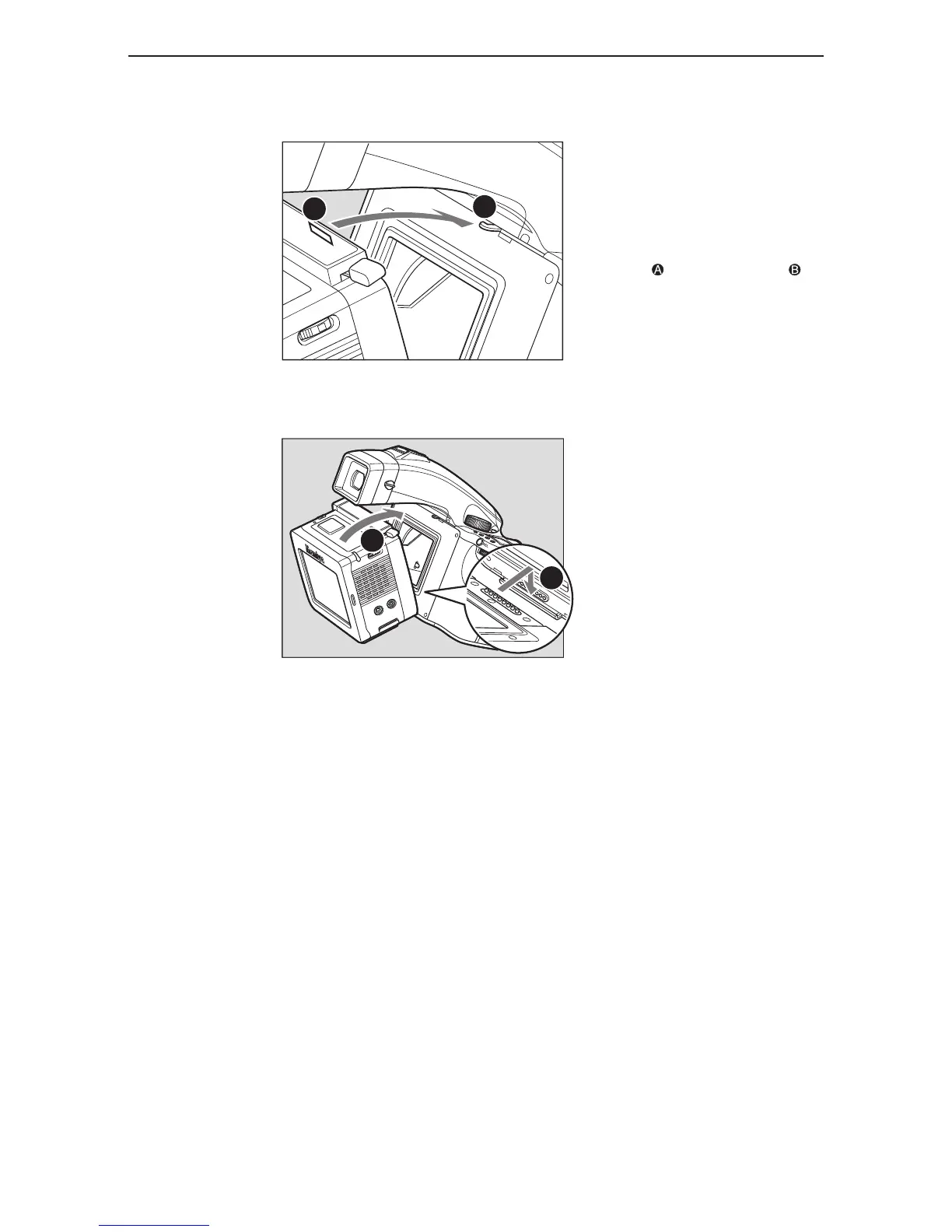
detachinG the diGital back
Rest the digital back on the lower ledge
of the camera body so the camera body
contact pins and digital back contact
pins meet. Hold the digital back lever
open (on the right side of the digital
back) then press the upper part of the
digital back to the camera body .
When detaching the digital back, pull
back the detachment lever (found on
the right side) and pull away from the
camera body.
B
A



 To Next Page