Chapter 1 - Basic info
50
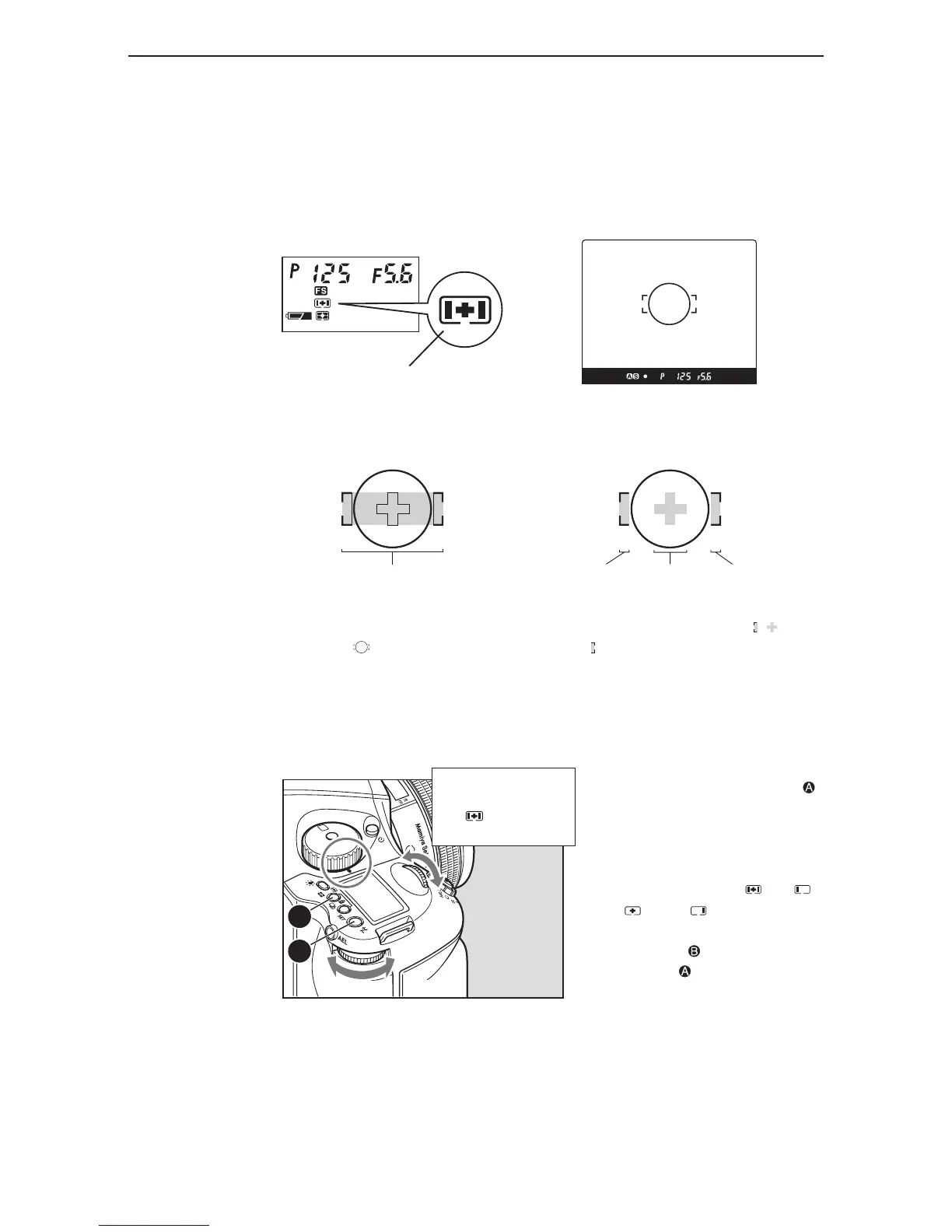
Bring the subject into focus inside the
focus frame mark on the viewfinder.
Chapter 5 - Focusing the camera
focus area
Focus point selection mark
AF area
Left AF
area
Center
AF area
Right AF
area
This camera enables the selection of the focus area, best suited to the kind of pictures that will be
taken. The selected focus area can be checked on the external LCD panel.
selectinG the focus area
Select the frame from among the ,
and focus frame marks on the
viewfinder, and bring the subject into focus.
inside the view-finder
normal focus area spot focus area
1. When focus point selector button
is pressed for 1 second, the focus point
selection mark appears on the display.
2. Turn the front or rear dial, and
select automatic selection , left ,
center or right .
3. Press the SET or focus point
selector button to enter the setting.



 To Next Page