Chapter 1 - Basic info
39
Chapter 3 - Preparing the battery and compact flash card
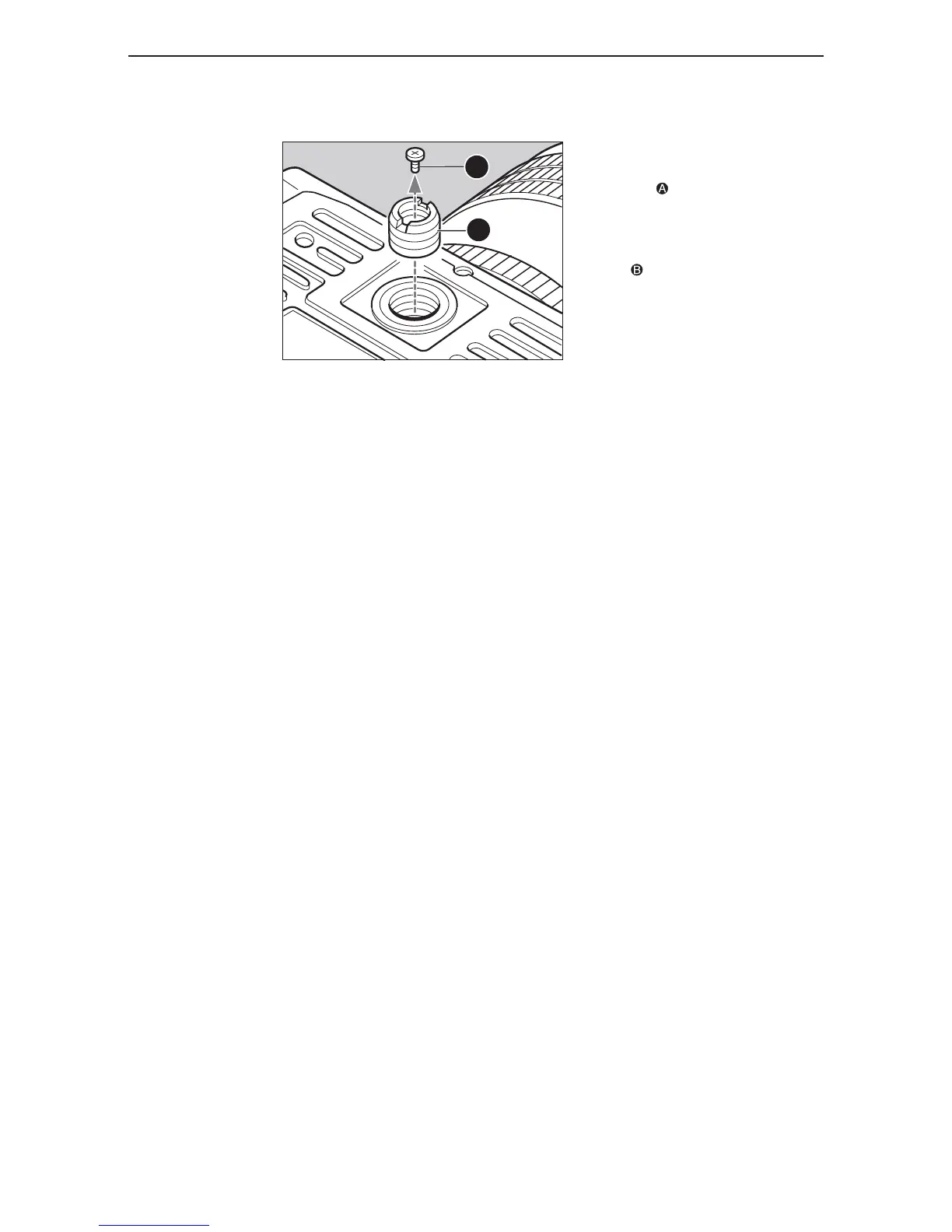
attachinG to a tripod
When using a tripod with 3/8” screw
(instead of 1/4” screw) remove the
small screw from the tripod screw
hole on the bottom of the body using
a plus screwdriver, then use a coin
to remove the tripod screw adapter
bushing .



 To Next Page