© 2019 Mannayan GmbH + Co KG Page 30 User Manual Trikombin
7.2.6 Adjusting the Pitch
The Trikombin supports the entry of a pitch. This is used to tune the pre-defined frequency
programs to the respective person.
The pitch should be set at the beginning of the testing. Please note that the pitch of
frequency programs that are already stored in the application list is not changed when a new
pitch has been entered.
The pitch is reset (deleted) when the button "New session" in the Start Mode is pressed.
To adjust the pitch, proceed as follows:
1. Activate the Testing Mode by clicking the “Testing” tab.
2. Load the desired frequency program with which you want to adjust the pitch (see
chapter 7.2.4 Options for Directly Loading a Frequency Program” or 7.2.3 Navigation
Bar).
3. Tap on the button "More..." (right hand side). The corresponding menu opens.
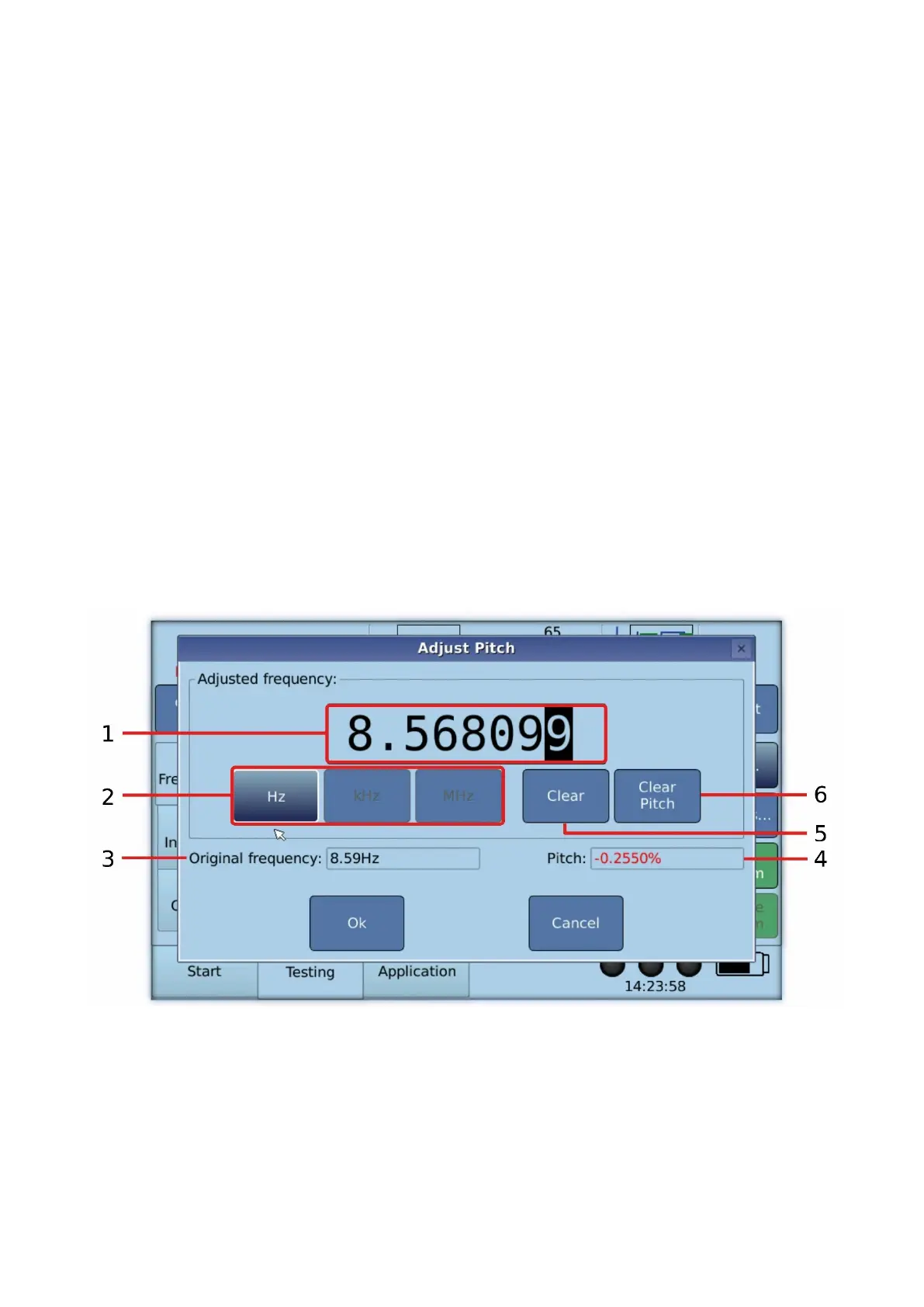
4. Tap on “Adjust Pitch...”. The “Adjust Pitch” dialogue opens.
5. Set the pitch as desired. As usual, you can switch on or off the frequency generators
with the “On” key or with the foot switch.
6. Close the dialogue by pressing the "Ok" button.
Operating Elements of the Dialogue “Adjust Pitch”
1. Display of the current frequency.
• The digit below the black cursor can be modified by means of the rotary encoder,
the foot switch or the keys up and down.
• Via the left and right keys the position of the cursor can be changed.
• When the frequency is displayed in black, then the changes to the frequency are
immediately taken over by the frequency generators.


 To Next Page