User Manual Trikombin Page 33 © 2019 Mannayan GmbH + Co KG
7.2.9 Saving User-defined Programs
Every frequency or existing frequency program can be stored as a “User-defined frequency
program” with its current settings.
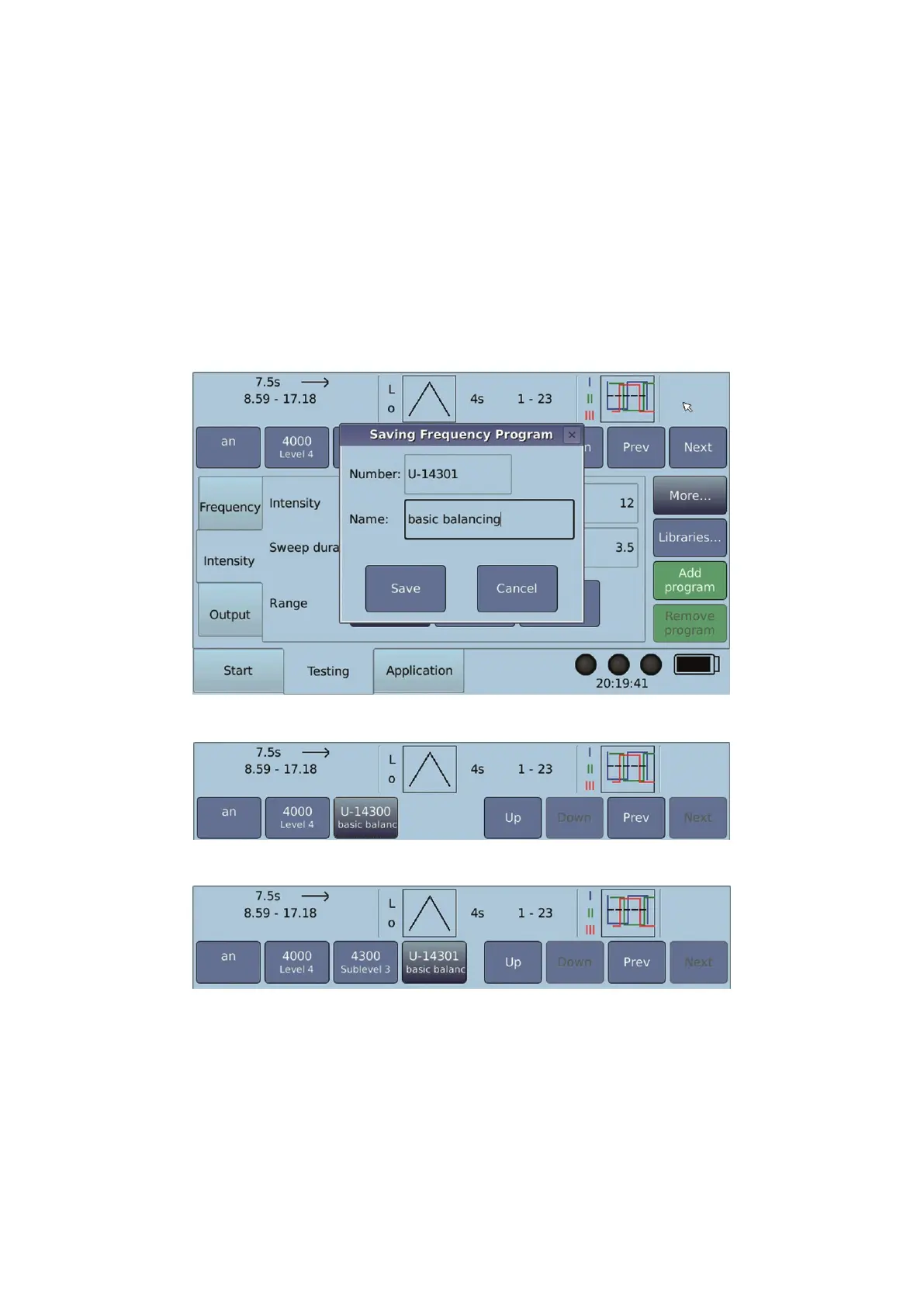
For example, you want to save a basic balancing:
• Go to “More…” → Database → “Save frequency program” or “Save frequency
program (new level)”
• Select a number. U-1 is the default value.
• Enter a name. Tapping the field opens the keypad.
• Tap “Save”
Saving the Frequency Program:
Saving the Frequency Program (New Level):
7.2.10 Terminator Feature
The feature “Terminator” enables a program to be automatically transferred in 10 variations
into the application screen, whereby:
• the Wobble time – depending on the setting – will be increased by 10%, or decreased
by 5% respectively.
• the execution time will be adapted so that an adjustable number of complete Wobble
cycles will be executed.


 To Next Page