User Manual Trikombin Page 39 © 2019 Mannayan GmbH + Co KG
7.4 Working with Pulse/Wobble-Synchronization
7.4.1 Connection of the pulse meter
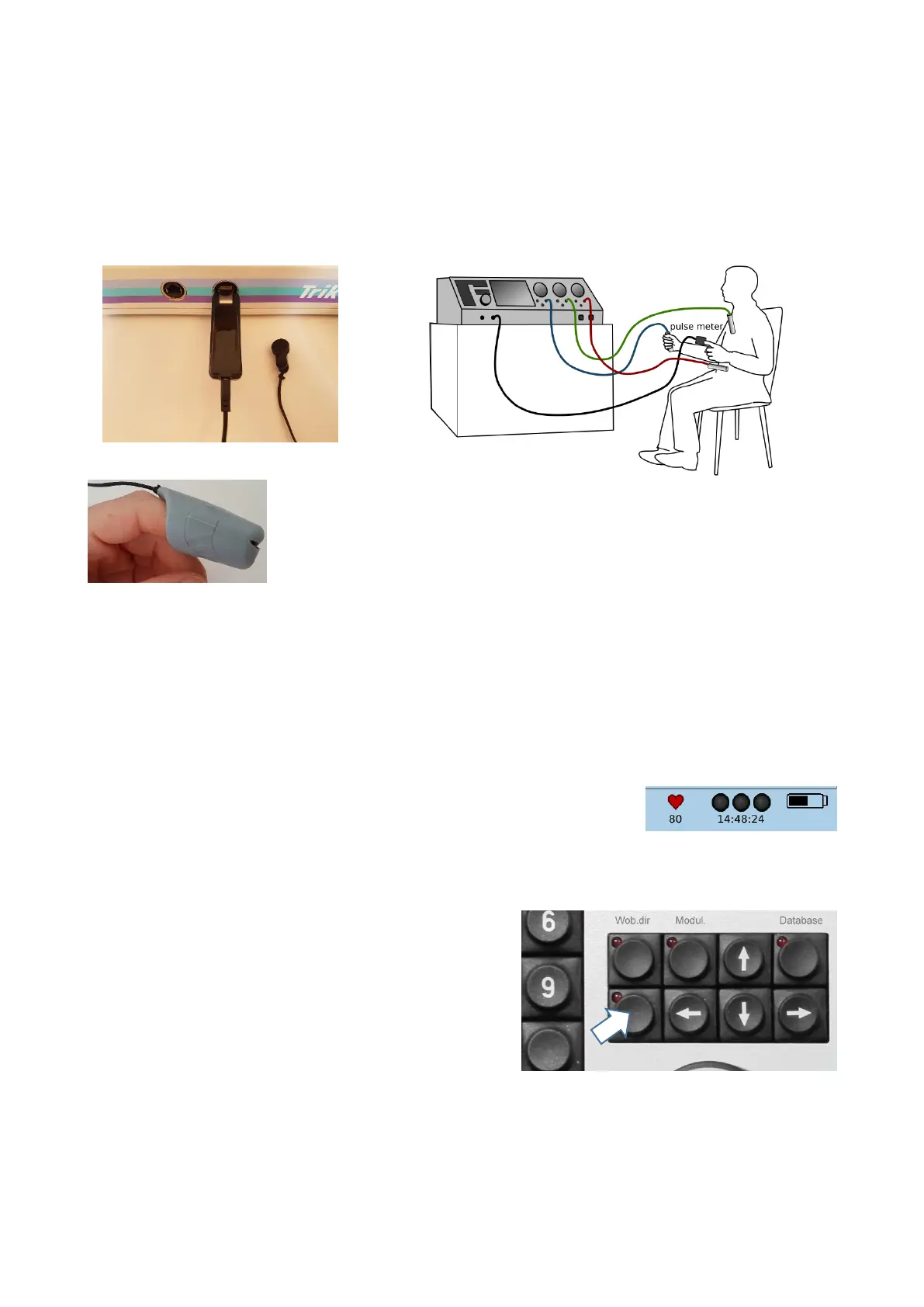
On the pictures below please find the correct fitting of the Pulse/Wobble device. The metal USB
plug is fold open and inserted into the USB slot of the Trikombin.
The pulse meter ear clip or alternatively the finger cap is connected with the USB device.
Finger cap:
The Finger cap is attached on the forefinger. The used hand should
not hold the Trikombin-electrode to enable a relaxed hand posture.
The inside measure point has to be in good contact with the skin.
The finger should not touch the tip of the hood, the slit should stay in
nearly closed position.
Ear clip:
The Ear clip is fixed on one earlap with good skin contact.
As soon as the device is connected with the Trikombin a grey heart appears on the Screen
next to the three operating lamps. Due to highly sensitive infrared sensor technology heart
findings can be displayed by very little movements before skin contact is given.
As soon as the pulse meter detects a pulse beat the heart turns red
and the current heart rate is shown beneath:
7.4.2 Starting the Pulse/Wobble-Synchronisation
- Wobble 1 has to beactivated.
- Activate the assigned function key on the
keypad.
Starting the Pulse/Wobble-Synchronization
- the lamp of the function key is lit,
- the Wobbletime-field is faded out
- and Wob.dir is automatically set to (wobble to the right).
Wobbletime is synchronized automatically with the current heart rate within milliseconds.
Shall synchronization also be carried out for Increase and Decrease step duration, the
setting has to be activated.


 To Next Page