© 2019 Mannayan GmbH + Co KG Page 40 User Manual Trikombin
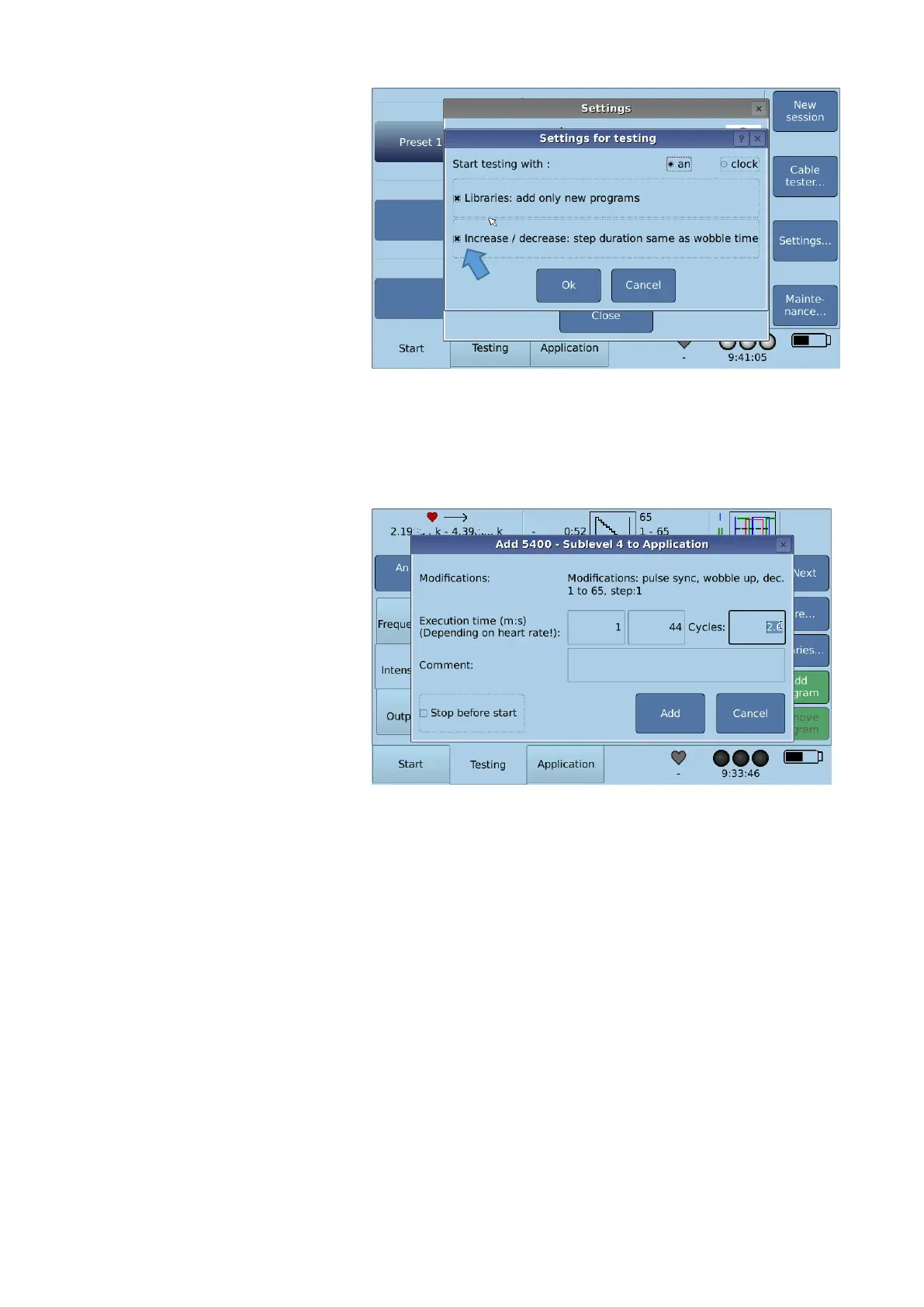
Go to Start Settings
Testing and activate as follows:
Confirm with Ok.
As the function Increase or Decrease is activated, the field Step duration is faded out in
the Testing screen and step duration is synchronized with heart rate and wobble time
automatically.
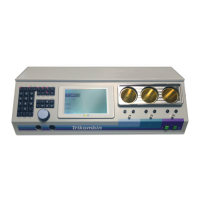
There are two options transferring the actual program to the Application list:
- The number of Increase- or
Decrease-Cycles can be
defined. The displayed time is
calculated with the current
pulse temporarily.
- Or the favored time is adjusted
in minutes and seconds. The
cycles are calculated
automatically.
- Confirm with Add.
In case the pulse meter loses signal the application is halted. It will be continued as soon as
the heart beat is detected again. In case of more than 30 seconds interruption an acoustic
signal will be given.


 To Next Page