EasyManua.ls Logo

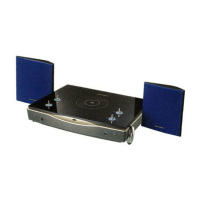
Marantz MR2020 - Controls and Indicators

Marantz MR2020
68 pages
Print Icon
To Next Page IconTo Next Page
To Previous Page IconTo Previous Page
Loading...
HSITONA
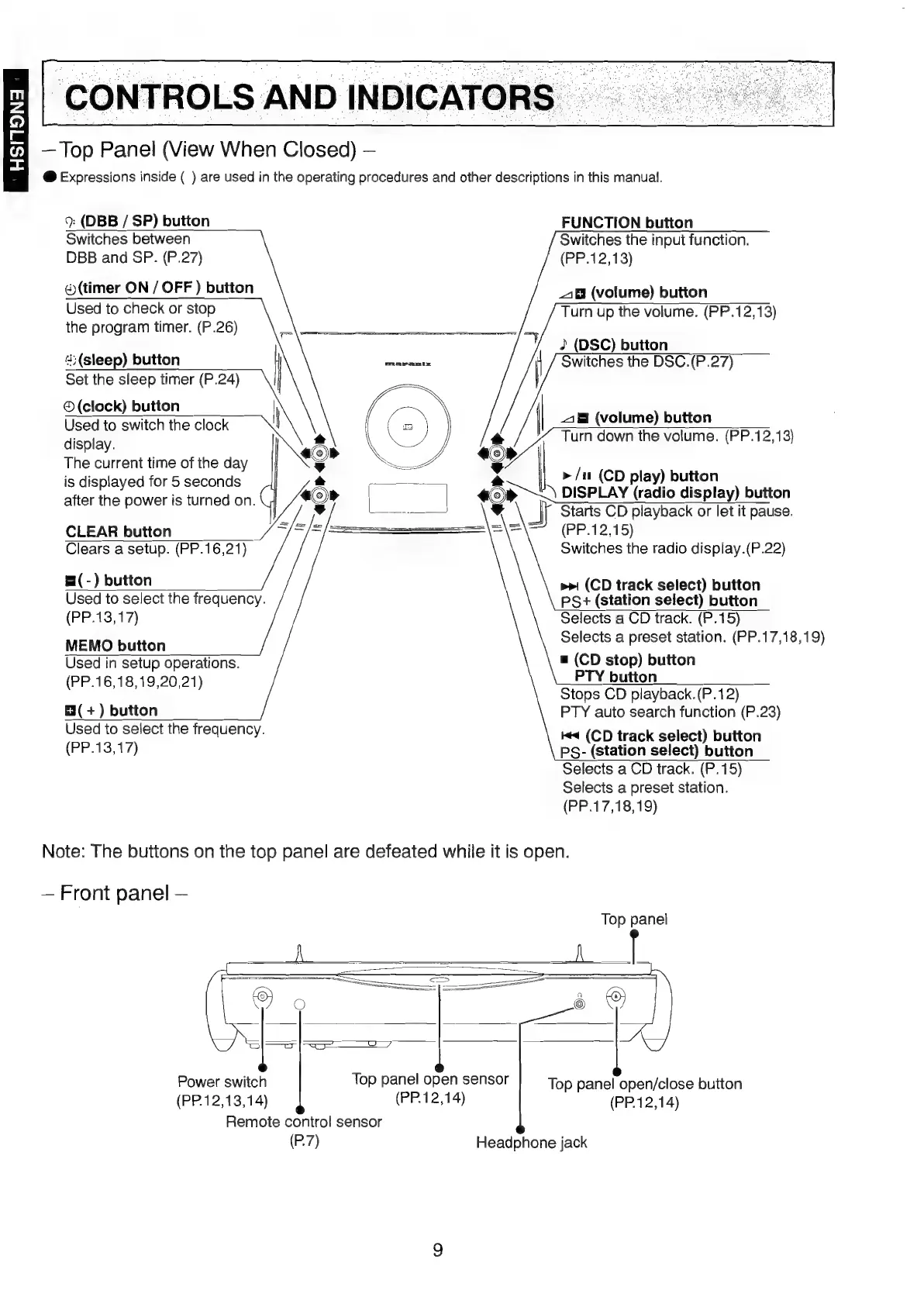
Top
Panel
(View
When
Closed)
@
Expressions
inside
(
)
are
used
in
the
operating
procedures
and
other
descriptions
in
this
manual.
9:
(DBB
/
SP)
button
Switches
between
DBB
and
SP.
(P.27)
(timer
ON
/
OFF
)
button
Used
to
check
or
stop
the
program
timer.
(P.26)
FUNCTION
button
Switches
the
input
function.
(PP.12,13)
_1B
(volume)
button
Turn
up
the
volume.
(PP.12,13)
4;(sleep)
button
Set
the
sleep
timer
(P.24)
©
(clock)
button
Used
to
switch
the
clock
display.
The
current
time
of
the
day
is
displayed
for
5
seconds
after
the
power
is
turned
on.
2
(DSC)
button
Switches
the
DSC.
(P.27)
_1
(volume)
button
Turn
down
the
volume.
(PP.12,13)
>/u
(CD
play)
button
DISPLAY
(radio
display)
button
Starts
CD
playback
or
let
it
pause.
CLEAR
button
Clears
a
setup.
(PP.16,21)
&(-)
button
Used
to
select
the
frequency.
(PP.13,17)
MEMO
button
Used
in
setup
operations.
(PP.16,18,19,20,21)
m3(
+)
button
Used
to
select
the
frequency.
(PP.13,17)
(PP.12,15)
Switches
the
radio
display.(P.22)
>>
(CD
track
select)
button
PS+
(station
select)
button
Selects
a
CD
track.
(P.15)
Selects
a
preset
station.
(PP.17,18,19)
&
(CD
stop)
button
PTY
button
Stops
CD
playback.(P.12)
PTY
auto
search
function
(P.23)
#4
(CD
track
select)
button
PS-
(station
select)
button
Selects
a
CD
track.
(P.15)
Selects
a
preset
station.
(PP.17,18,19)
Note:
The
buttons
on
the
top
panel
are
defeated
while
it
is
open.
Front
panel
Top
panel
Power
switch
(PP.12,13,14)
Top
panel
open
sensor
Top
panel
open/close
button
(PP.12,14)
(PP.12,14)
Remote
coniro!l
sensor
(P.7)
Headphone
jack

Table of Contents

Other manuals for Marantz MR2020

Related product manuals