ENGLISH
Setting
Auto
standby
mode
With the Auto standby mode
ON,
this unit
will automatically
enter the
Auto standby mode after about
30
continuous minutes of no output
from the speakers or headphones.
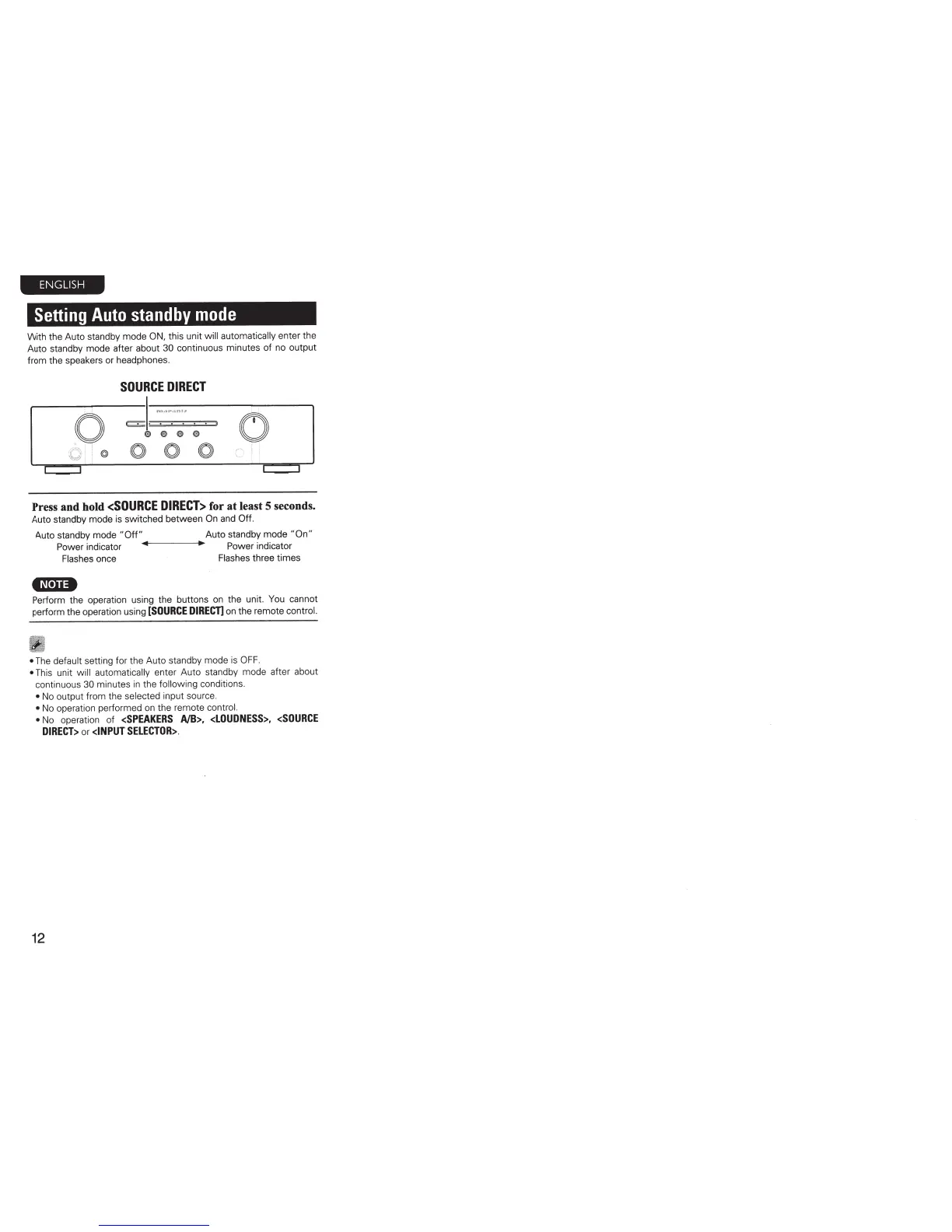
SOURCE
DIRECT
0
~~.-.~
s
(',)
®
®
0
Press and hold
<SOURCE
DIRECT>
for at least 5 seconds.
Auto standby mode
is
switched between
On
and
Off.
Auto standby mode
"Off"
Auto standby mode
"On"
Power
indicator
Power
indicator
Flashes
once
Flashes
three times
•N•U•
Perform the operation using the buttons
on
the unit. You cannot
perform the operation using
[SOURCE
DIRECn
on
the remote
control.
•
The
default
setting for the Auto standby mode
is
OFF.
•
This unit
will automatically
enter Auto standby mode after about
continuous
30
minutes
in
the
following
conditions.
•
No
output from the
selected
input source.
•
No
operation performed
on
the remote
control.
•
No
operation of
<SPEAKERS
AlB>,
<LOUDNESS>,
<SOURCE
DIRECT>
or
<INPUT
SELECTOR>.
12



 To Next Page