9-2
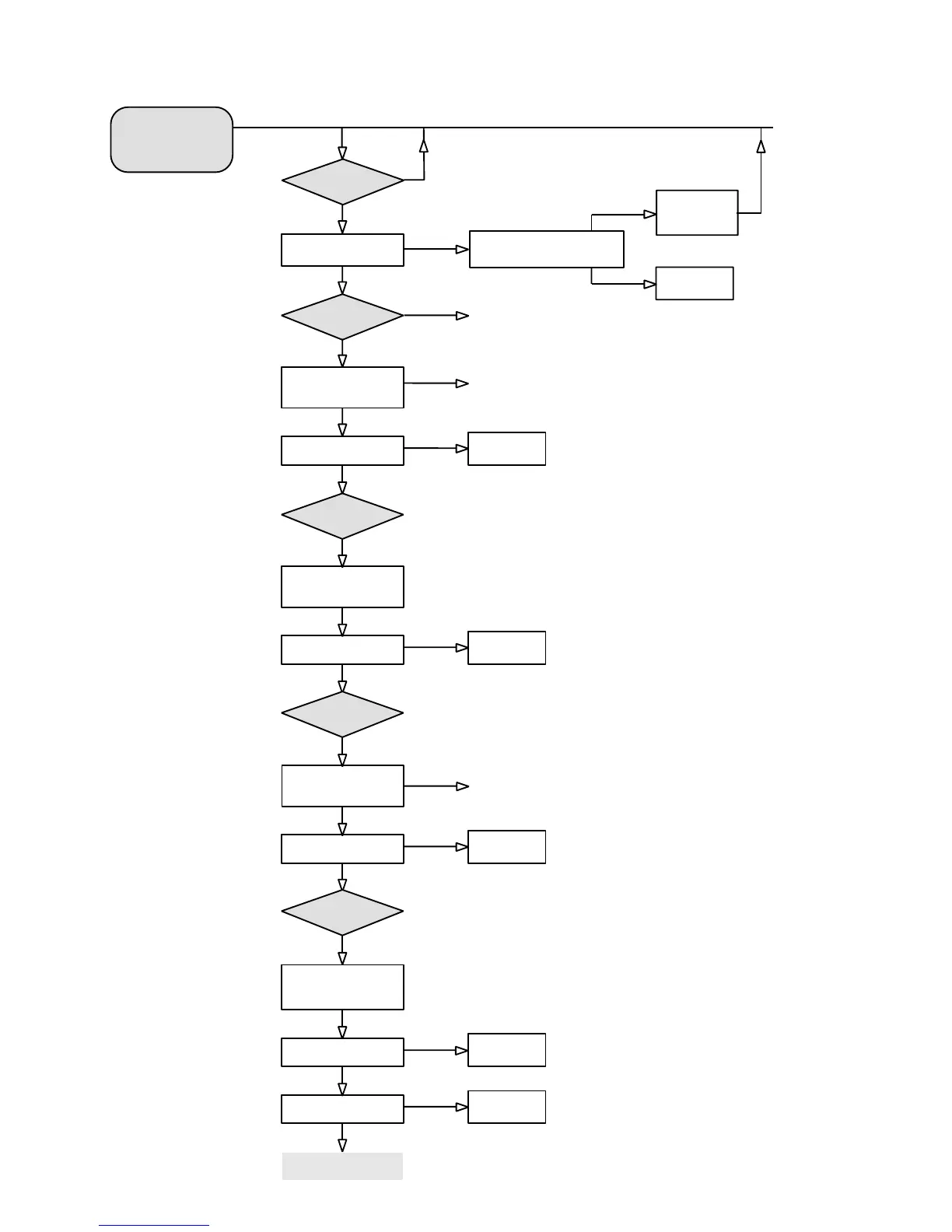
To start service test
program hold
Bass & Treble depressed
while switching
the mains on
3D
Button pressed?
Connect CD player to Coax 1
Play track 15 of
*Audio SignalsTest Disc 1
MDM
TEST
Ye s
No
Does the MDM SW-version
appear in the screen?
Replace MDM
module
At this moment the MDM module
is set to "Service mode"
Use a CD-player with
a Digital Out
*Audio Signals Test Disc 1 = SBC429
4822 397 30184
Can sound be heard on ALL
Channels ?
No
Ye s
Connect CD player to Coax 2
Play track 15 of
*Audio SignalsTest Disc 1
Can sound be heard on ALL
Channels ?
No
Replace MDM
module
Connect CD player to Opto In
Play track 15 of
*Audio SignalsTest Disc 1
Can sound be heard on ALL
Channels ?
No
Replace MDM
module
Use a CD-player with
an Optical Out
Connect CD player to the
Analog CD-input
Play track 15 of
*Audio SignalsTest Disc 1
Can sound be heard on ALL
Channels ?
No
Replace MDM
module
Does a Sine-wave of 1kHz
appear on the Digital Output?
No
Replace MDM
module
MDM is working properly
Ye s
3D
Button pressed?
Ye s
Ye s
Replace MDM
module
3D
Button pressed?
Ye s
Ye s
Ye s
Ye s
Press 3D
Button
Ye s
Ye s
Ye s
Press 3D
Button
Ye s
Ye s
Ye s
No
MULTI-CHANNEL DECODING MODULE - Troubleshooting
Is 5V present on pin 6 conn. 1521?
Is +12V present on pin 11 conn. 1521?
Is -12V present on pin 12 conn. 1521?
Check the relevant
components of the
missing voltage on
the monoboard
Ye s
No


 To Next Page