18
SPECIAL MODE
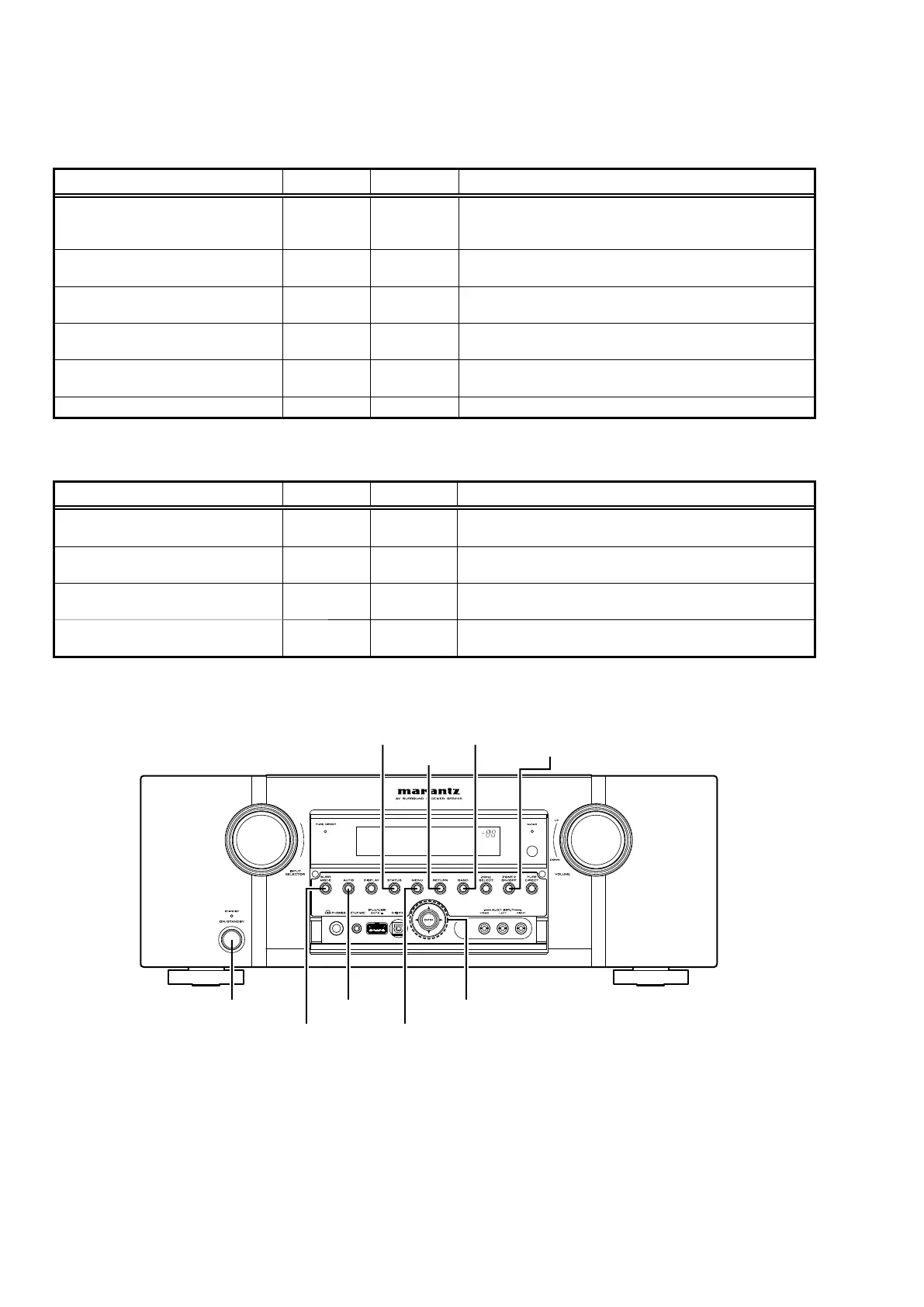
Special mode setting button
b
Press the ON/STANDBY button to turn on while pressing both buttons A and B at the same time.
Mode Button A Button B Contents
com/DSP Version display mode STATUS RETURN
Firmware versions such as Main, Sub, DSP are displayed in
the FL manager. Errors are displayed when they occur. (Refer
to 18 page.)
Errors checking mode
(Displaying the protection history)
STATUS CURSOR
0
Displaying the protection history
(Refer to 19 page.)
Initialization mode SURR. MODE AUTO
Backup data initialization is carried out.
(Refer to 6 page.)
Panel lock mode AUTO ENTER
Operations using main unit panel buttons or master volume are
rejected.
Panel lock mode
(Remove Master volume)
AUTO CURSOR
1
Operations using main unit panel buttons are rejected.
Cancellation of panel lock mode AUTO RETURN Panel lock mode is cancelled.
b
When power is turned on, pressing both buttons A and B at the same time for 3 seconds or more.
Mode Button A Button B Contents
Mode for preventing remote control
acceptance
ZONE2
ON/OFF
RETURN
Operations using remote control are rejected.
Select with the CURSOR
0
1
button.
DUAL BACKUP MEMORY (Backup) BAND ENTER
Backup of DUAL BACKUP MEMORY is performed.
(Refer to 21 page.)
DUAL BACKUP MEMORY (Recovery) BAND MENU
Recovery of DUAL BACKUP MEMORY is performed.
(Refer to 21 page.)
DUAL BACKUP MEMORY
(Backup Clear)
BAND AUTO
Backup of DUAL BACKUP MEMORY is cleared.
(Refer to 21 page.)
ON/STANDBY
SURR.MODE MENU
AUTO CURSOR
0 1
STATUS BAND
RETURN
ZONE2
ON/OFF



 To Next Page