23
JIG FOR SERVICING
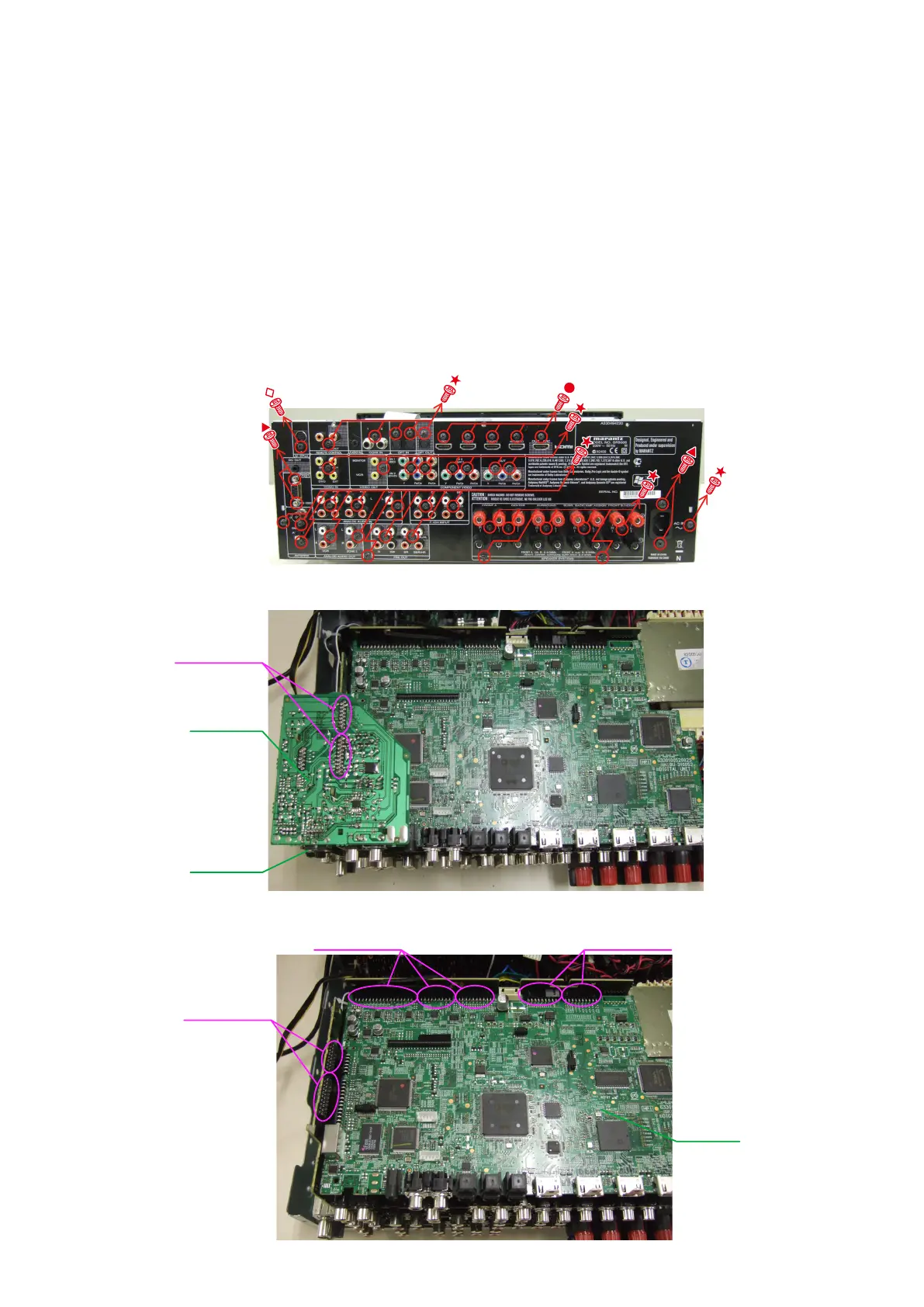
When you repair the printing board, you can use the following JIG (Extension cable kit).
Please order to marantz Offi cial Service. Distributor in your region if necessary.
Note:
When the connection which is wrong in the JIG (EXTENSION UNIT KIT) is done it becomes cause of damage.
8U-110084S : EXTENSION UNIT KIT
• Connection of PCB HDMI JIG
-Preparation-
8U-110084S : EXTENSION UNIT KIT : 1 Set
Insulation sheet (Do not supply it) : 3 sheet
Ground lead (Do not supply it) : 3 pcs
-Procedures-
(1) Remove the screws, then remove the BACK PANEL.
(2) Remove the PCB RS232/SIRIUS.
(3) Disconnect the connector board.
Board to board
PCB SIRIUS
PCB RS232
PCB HDMI
Board to board
Board to board
Board to board



 To Next Page