7. Tablet Cable Outlet Installation
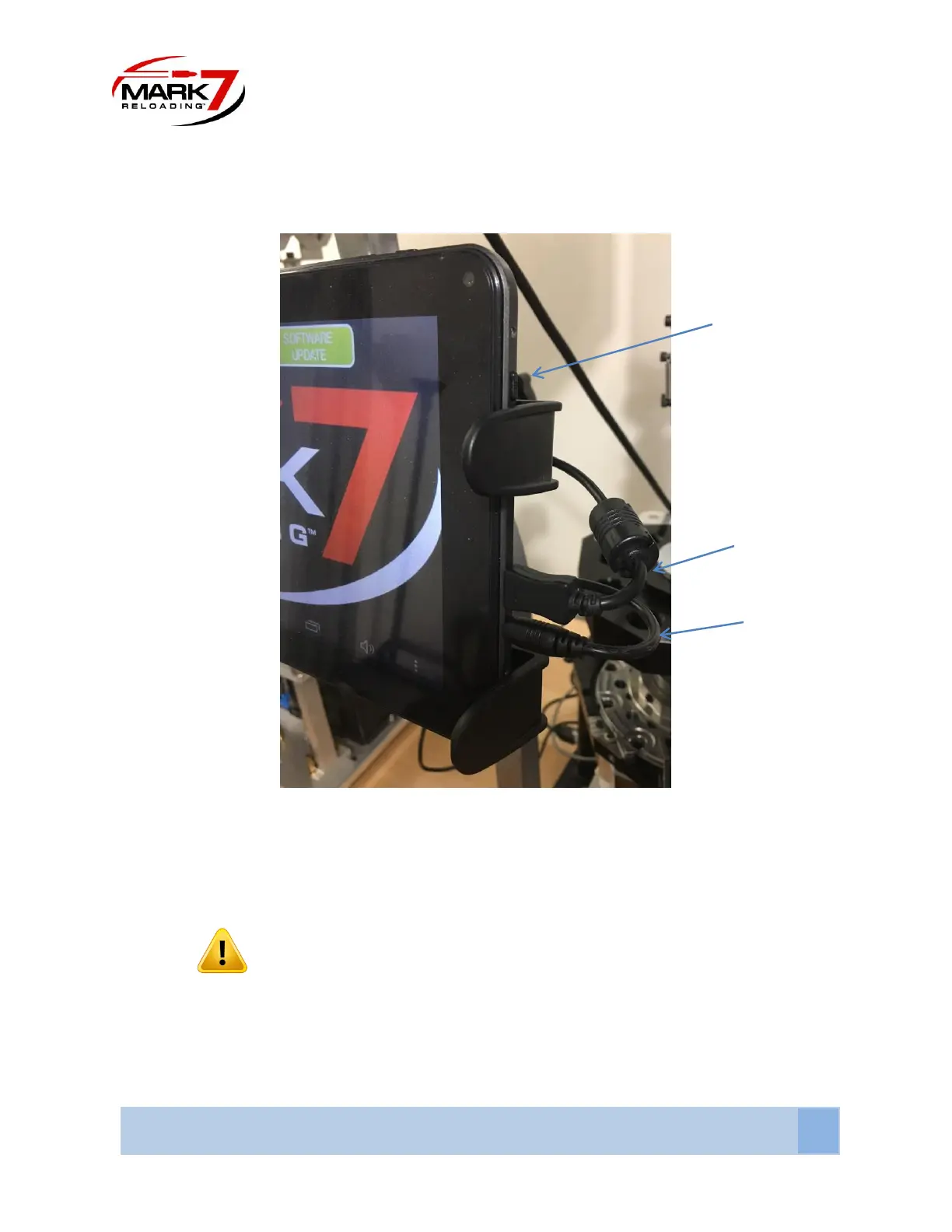
Figure 7: Tablet Connections (connections may be on top for some tablet models)
Locate and the insert power cable into the tablet’s power jack located directly below the Micro-USB
port. Insert Micro-USB into the input located directly above the power jack. The Micro-USB cable
provided with the machine may be different from the picture above
WARNING
Ensure that the cables are coming from the tablet to the right of the unit. They should be not interfere
with the operator’s vision of the unit and are completely out of the way of the operation of the unit. Do
not zip tie the tablet cables to case feeder pole, case feeder power cord or Mr. Bulletfeeder power
cords.



 To Next Page