RUN, END CYCLE, and STOP functions have the same functionality on the Monitors Screen as they do on
the Control Screen.
The buttons underneath the screen either state – STOP at XX or Stop at Ignored. If the latter, the
machine will not stop – the monitor is not in use. If the former, the value that you set is the value that
the machine will stop on. If you set primers to 100 and the stop at value of 10, then the machine will
stop when it has reached 10 primers left (a value of 90 rounds made).
Sensors Screen
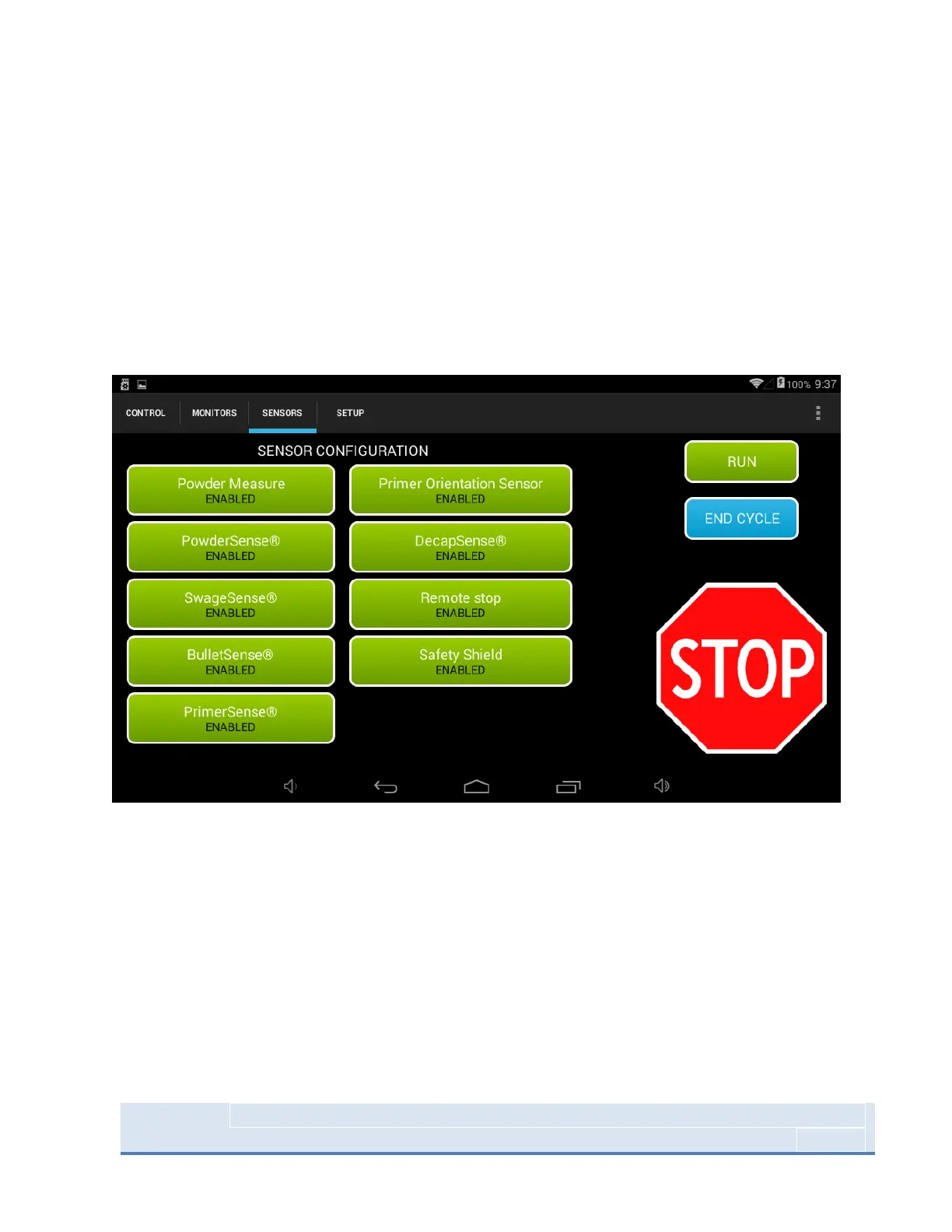
Figure 18: System Sensor screen
On the sensors page all optional sensors can be enabled or disabled at any point during machine
operation. We recommend disabling any of the sensors you don’t have installed on your system.
RUN, END CYCLE, and STOP functions have the same functionality on the Setup Screen as they do on the
Control Screen and the Monitors Screen



 To Next Page