Installation Instructions:
The Primer orientation sensor installs into station # 5, the station after the primer seating station. In
order to install the sensor, the Shellplate must be removed or lifted up to remove the spacer housing.
Although it’s not required, we do recommend to remove the tool head for full access. Below are the
installation steps for installing the sensor on a Revolution (shown) or Evolution Press (same procedure).
Step 1: Removing Press Top End
1. Remove Tool Head
2. Remove Shellplate nut
3. Loosen the Shellplate retainer clamps and remove the Shellplate spring.
4. Remove the Shellplate
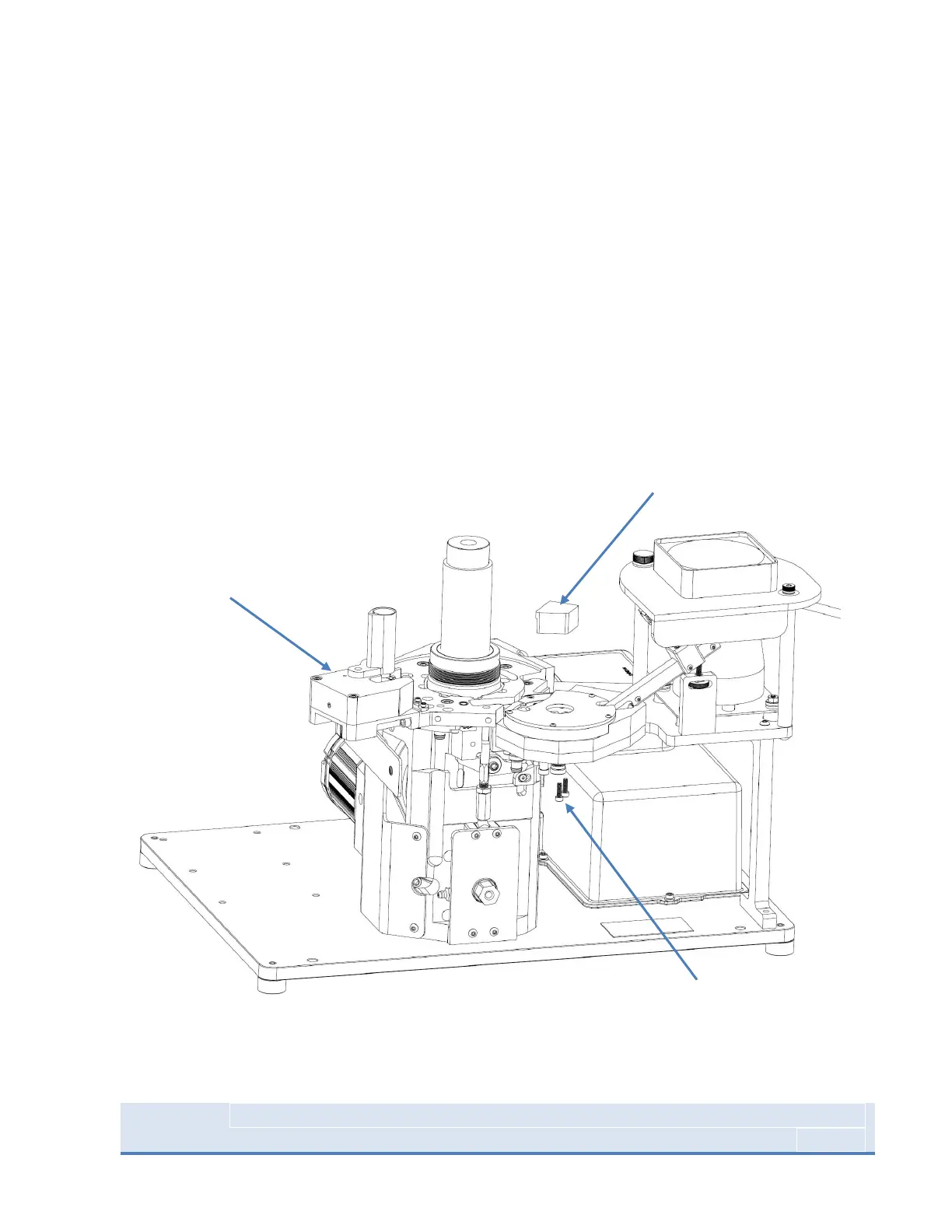
5. Remove Spacer Block by loosening 2X 10-32 from the underside of the Priming Assembly with a
9/64” Allen Key.
Figure 30 : Revolution Press Top End disassembled for Sensor Installation



 To Next Page