There may be some instances when TorqueSense® will need to be disabled so the motor torque on the
upstroke can be increased via the digital clutch, such as if the system torques out half-way through
sizing a rifle case. If the TorqueSense torque limit is exceeded the machine will stop and notify you on
the tablet. TorqueSense® can be enabled or disabled by pressing the ToqueSense® icon.
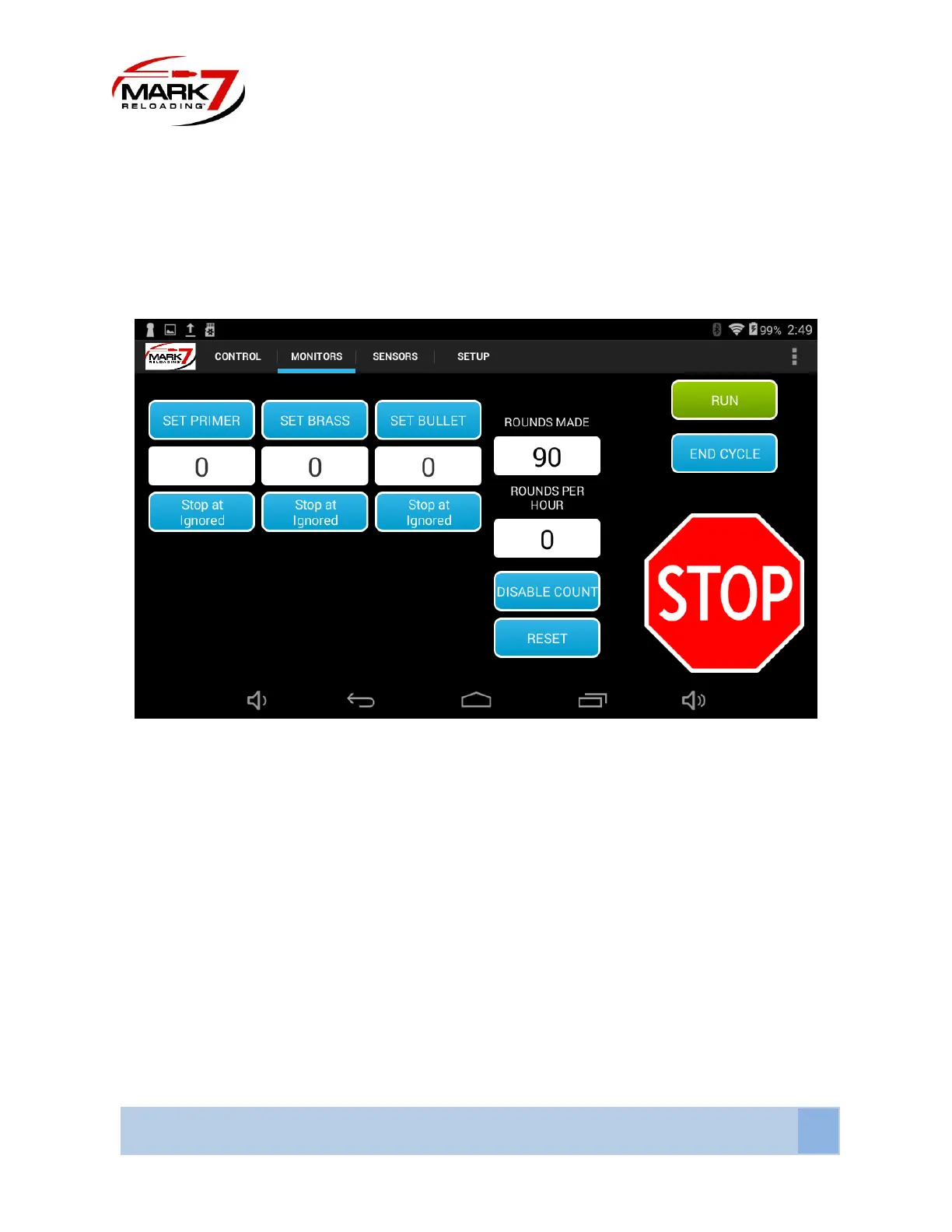
Monitors Screen
Figure 17: System Monitor Screen
SET PRIMER - The operator has the ability to set the number of primers used before the Mark 7®
Autodrive ends its current run.
SET BRASS - The operator has the ability to set the number of brass used before the Mark 7® Autodrive
ends its current run.
SET BULLET - The operator has the ability to set the number of bullets used before the Mark 7®
Autodrive ends its current run.
DISABLE COUNT - The DISABLE COUNT function gives the operator the ability to not count the number
of rounds made.
RESET - the RESET function allows the user to reset the ROUNDS MADE and ROUNDS PER HOUR fields.



 To Next Page