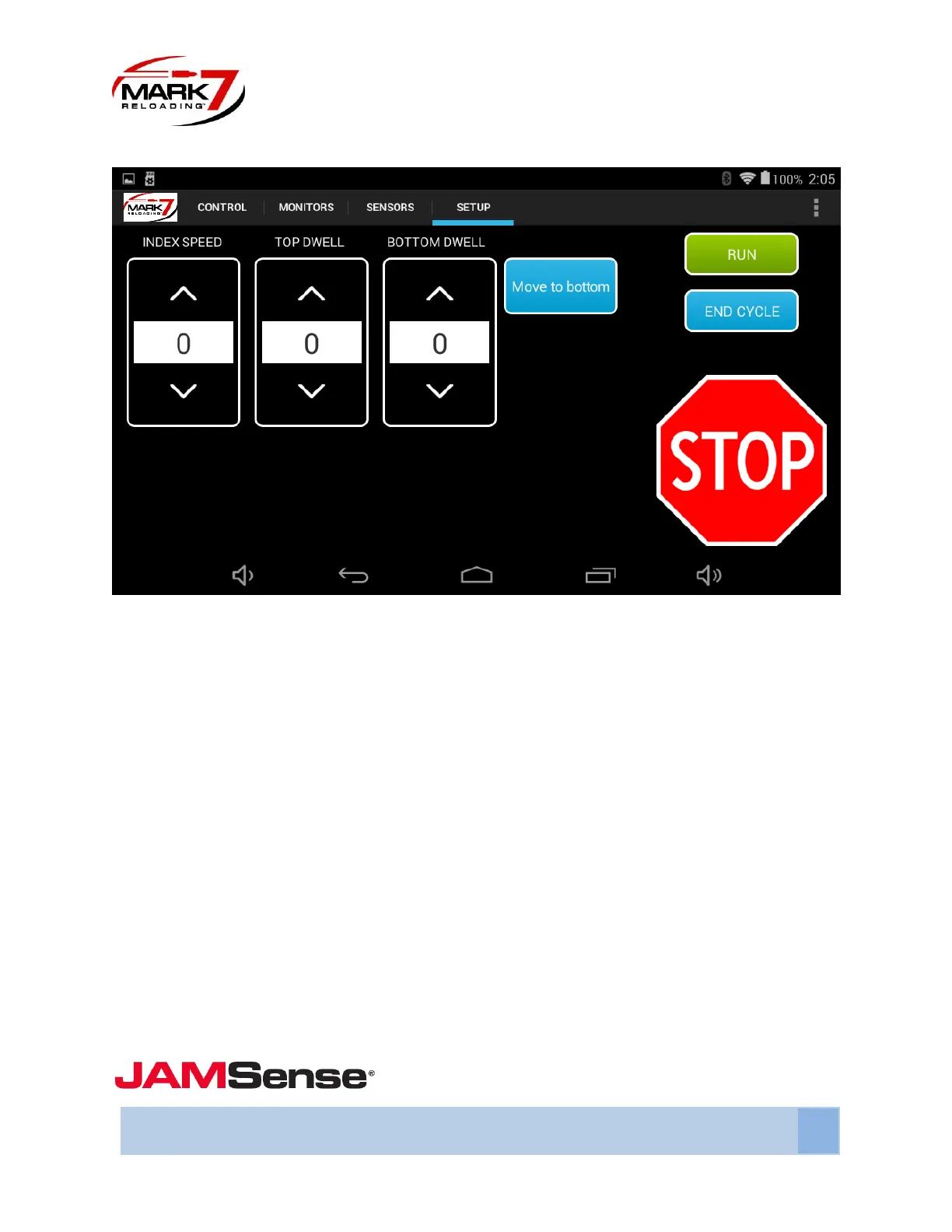
Setup Screen
Figure 19: System Setup screen
INDEX SPEED - The INDEX SPEED function allows the operator the ability to incrementally reduce the
index speed of the shell plate. The higher the value in the INDEX SPEED field the slower the shell plate
will index.
TOP DWELL – The TOP DWELL function allows the operator the ability to add a slight pause at the top of
the stroke. This allows for a little extra time for the cases to fully settle before the tool head comes
down.
BOTTOM DWELL - The BOTTOM DWELL function allows the operator the ability to increase the time in
which the press remains at the bottom of the stroke. The higher the value in the BOTTOM DWELL field
the longer the press remains at the bottom of the stroke.
MOVE TO BOTTOM - This command will move the press head to the bottom of the stroke which is
helpful for setting up the dies and adding powder.
RUN, END CYCLE, and STOP functions have the same functionality on the Setup Screen as they do on the
Control Screen and the Monitors Screen
- Clearing Jams



 To Next Page