Adjusting SwageSense®
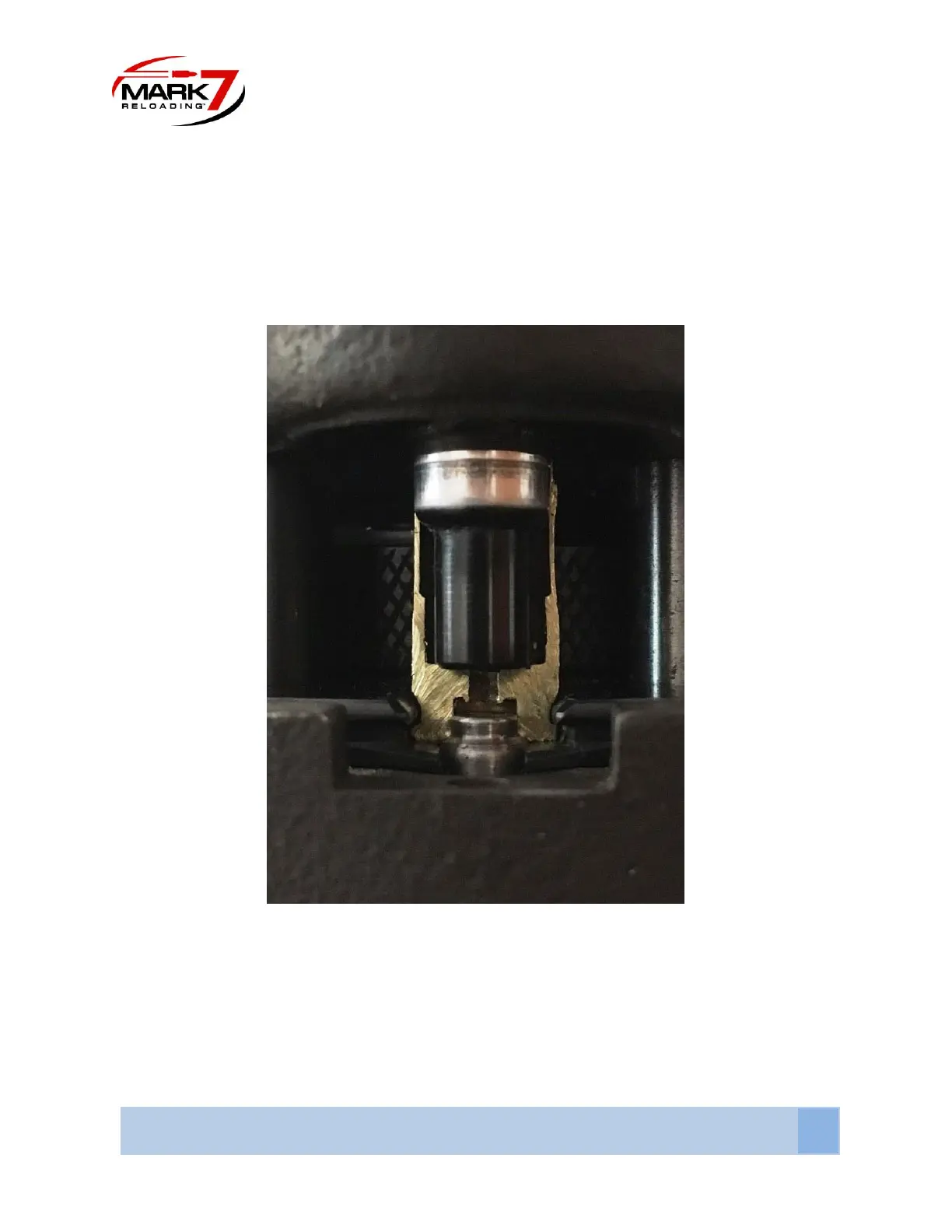
1. Back the Swage back-up expander die and swage rod off a few threads and insert a decapped
case into station 3. Move the press head to the bottom position. Adjust the swage back-up
expander so it bottoms out against the bottom of the case and lock down the die. Next using
5/16” wrench, thread the swage rod up until it bottoms out into the case pocket. Then turn it a
¼ turn more and lock down the jam nut. See the figure below.
Figure 23: Cross-section of properly adjusted Swage Rod
2. The microswitch is pre-adjusted so it will be triggered immediately when the SwageSense®
assembly starts to close. If you want to change the engagement of the switch use a .05” allen
key and a ¼” open end wrench. We do not recommend adjusting the setting unless it becomes
out of adjustment. To adjust tighten the setscrew until you hear the switch trigger, then back it
off a ¼ turn and lock down with the jam nut.



 To Next Page