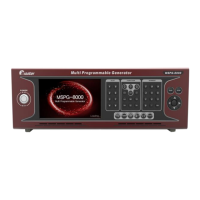
Slot Type Multi Video Signal Generator MSPG-8000
www.Ltdmaster.com 29
Setting to HDCP on/off setting on timing.
HDCP off when call timing
HDCP on and HDCP information display when call timing
Setting to HDCP version 1.4 or 2.x.
Default / Setting to HDCP 1.4 version
Setting to HDCP 2.x Version
Default / Setting to SPDIF audio(2Ch only/ Audio left & right)
Setting to I2S audio(8Ch)
Setting to audio sample rate
Setting audio sample rate to mute
Setting audio sample rate to 32Khz
Setting audio sample rate to 44.1Khz
Default / Setting audio sample rate to 48Khz
Setting audio sample rate to 88.2Khz
Setting audio sample rate to 96Khz
Setting audio sample rate to 176.4Khz
Setting audio sample rate to 192khz
ARC Setting
(MG-HDMI2.0)
eARC Setting
(MG-HDMI2.1-12G)
Setting to ARC(HDMI2.0)/eARC(HDMI2.1 12G slot)
Default / Setting to ARC off
MG-HDMI2.1-12G only
*All=5 Check the eARC first,
and if equipment does not
support eARC and then
check the ARC
Default / Setting to ARC off
(HDR option-> change option at 42~44)





 To Next Page