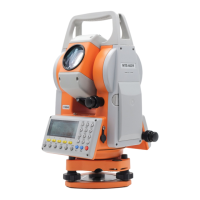
MTS600 Instruction Manual
2
CONTENTS
PRECAUTIONS FOR SAFE OPERATION
4
PRECAUTIONS
6
1.
NOMENCLATURE AND FUNCTION 7
1.1 Parts of the instrument
7
1.2 Take out the instrument from the case and put it back
8
1.3 Using the battery
8
2.
Basic key operation and display 10
2.1 Screen and keyboard
10
2.2 Operation key
10
2.3 Method of inputting numerals and alphabets
11
3 Preparation for measurement
13
3.1 Setting up the instrument and tripod
13
3.2 Leveling and Centering the instrument
13
3.3 Focusing and target sighting
14
3.4 Power ON/OFF
15
3.5 Tilt angle display and compensation
16
4.
Basic measurement 17
4.1 Angel measurement
17
4.2 Distance measurement
21
4.3 Coordinate measurement
27
5. Setting-out measurement
33
5.1 Distance & Angle setting-out
33
5.2 Coordinates Setting-out
35
6. Data Recording
38
6.1 Select a JOB for recording data
38
6.2 Set instrument station and record the station data
38
6.3 Set backsight direction angle and record the direction angle data
39
6.4 Recode measurement data
40
6.5 Configuration of data recording
41
6.6 Reviewing the data in the current JOB
42
6.7 Measure and record data in basic measurement
pressing one key
43
7. Memory management
44
7.1 JOB manager
44
7.2 Management of Known Coord
47
7.3 Code manager
49
7.4 Display status of memory
50
7.5 Format memory
51



 To Next Page