MTS600 Instruction Manual
47
7.2 Management of Known Coord
"Known Coord" is a special file of MTS-600 that used to store and manage
coordinate data of known points, the difference from normal JOB is that it is only
used to store known coordinate data, not measurement data. It is suitable to store
common coordinate data that often be used, and can be read in by user
conveniently in different projects.
7.2.1 Input coordinates of known point
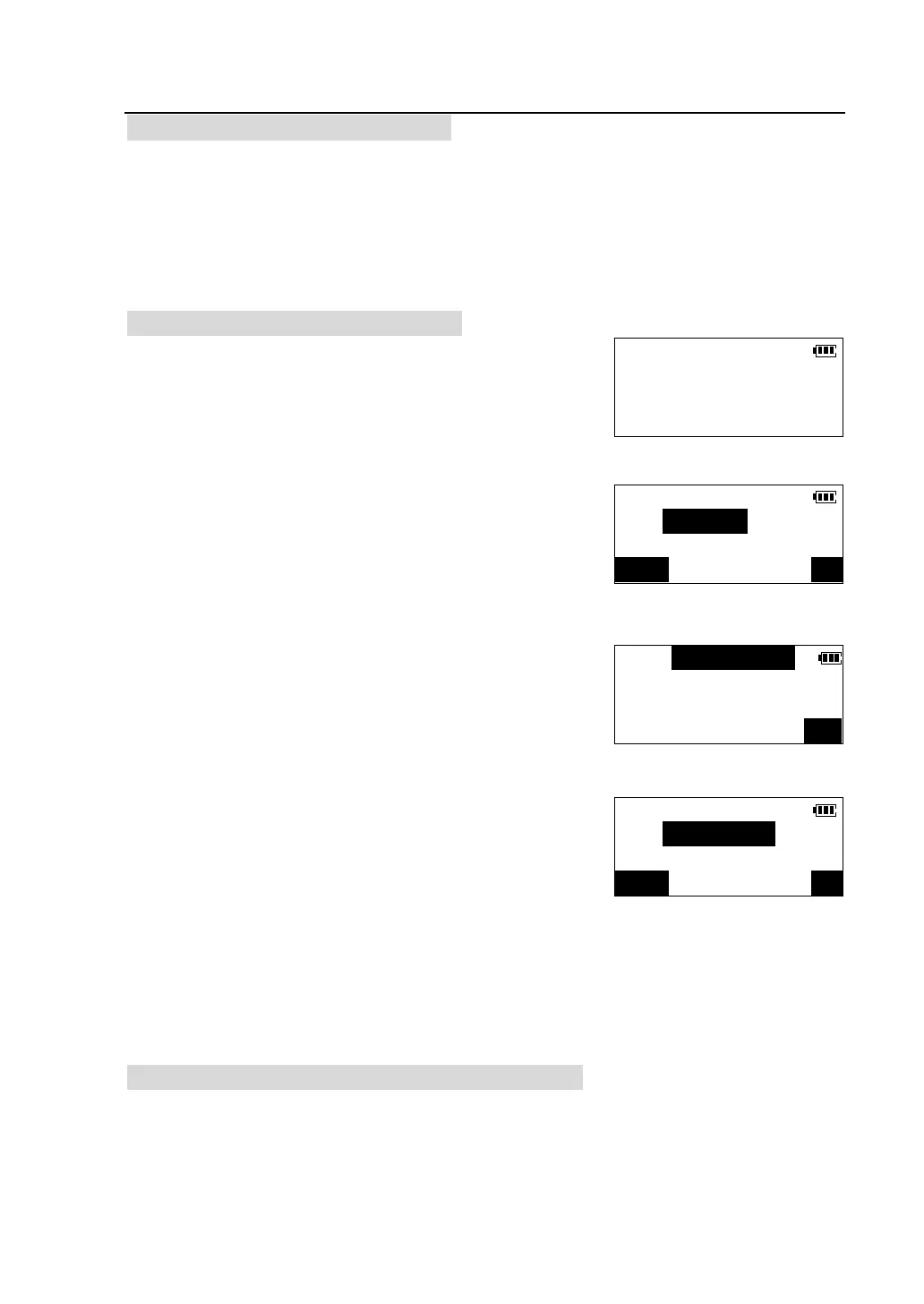
①Press [F2] to select “Known Coord” in <Memory
Manager> menu to enter <Known Coord> menu.
②Press[F1] to select “Input coord”.
③After inputting point number, press [OK].
④ Enter coordinates of known point then
press[OK].The coordinate data is recorded in the
memory and screen in step 3 is restored.
⑤Point number add one automatically,continue to
enter coordinates of the next point,. Repeat the steps
above to input coordinate data of all known points.
Press [ESC] on the panel to finish input and return to
<Known Coord> menu.
l In the second page of <Memory Manager> menu, select “Input coordinate”
can inputting known point coordinates into a JOB, the procedure is the same
as described above.
7.2.2 Review and delete known point coordinate data
All the known point coordinate data stored in the memory can be reviewed and the
data no more needed can be deleted.
Known Coord.
F1-Input coord.
F2-List and view
F3-Clear
Input Coord.
PT#:
123/ABC
N(m):0.000
E(m):0.000
Z(m):
OK
Input Coord.
PT#:A-02
123/ABC



 To Next Page