MTS600 Instruction Manual
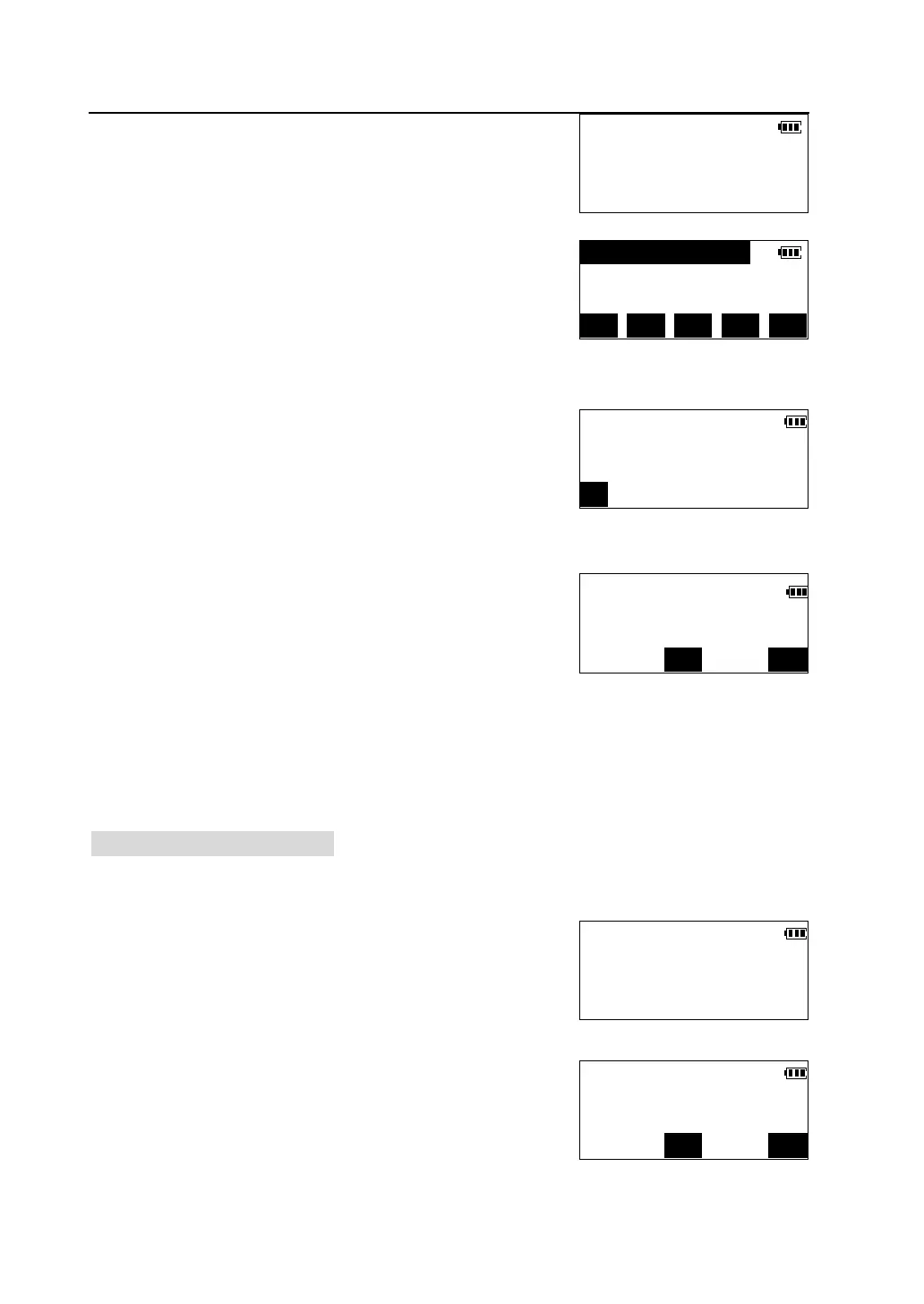
①Press [F2] to select “Known Coord” in <Memory
Manager> menu to enter <Known Coord> menu.
②Press [F2] to select “List and view” ,the list of
known point of memory is displayed.
l Method of list operation, please see "7.1.1
Review and delete record in JOB".
③Move cursor to the desired point, press [VIEW] to
display details of the point.
④Press [DEL]. Deletion confirmation is displayed.
l Press [YES] to delete the point and return
back to the list of known points.
l Press [NO] to cancel the deletion and return
back to the screen of viewing detail of the point.
7.2.3 Delete all known point
This operation will delete all the known point coordinate in the memory at once.
①Press [F2] to select “Known Coord” in <Memory
Manager> menu to enter <Known Coord> menu.
②Press [F3] to select “Clear”, a confirmation screen
is viewed.
Known Coord.
F1-Input coord.
F2-List and view
F3-Clear
1 A-01(kwn)
2 A-02(kwn)
3 A-03(kwn) ↓
1X>> TOP LAST SRCH VIEW
Crd N 427134.124m
E 653830.532m
DEL
Delete A-01?
NO
Known Coord.
F1-Input coord.
F2-List and view
F3-Clear
Known Coord.
Delete all record?
NO



 To Next Page