MTS600 Instruction Manual
81
11.5 Vertical circle index error correction
l Check
① Set up and level instrument carefully, then turn the power on. Accurately
collimate a target with a distance of 30m or further in normal telescope
setting(Face1), read the vertical angle L.
② Turn the telescope in reverse setting(Face 2) and collimate the same target
again, read the vertical angle R.
③ Calculate vertical circle index offset=(L+R-360°)/2,if the offset value
exceeds ±10″, adjustment must be performed.
l Adjustment
Vertical circle index will affect the accuracy of measurement, therefore adjustment
should be performed with special care.
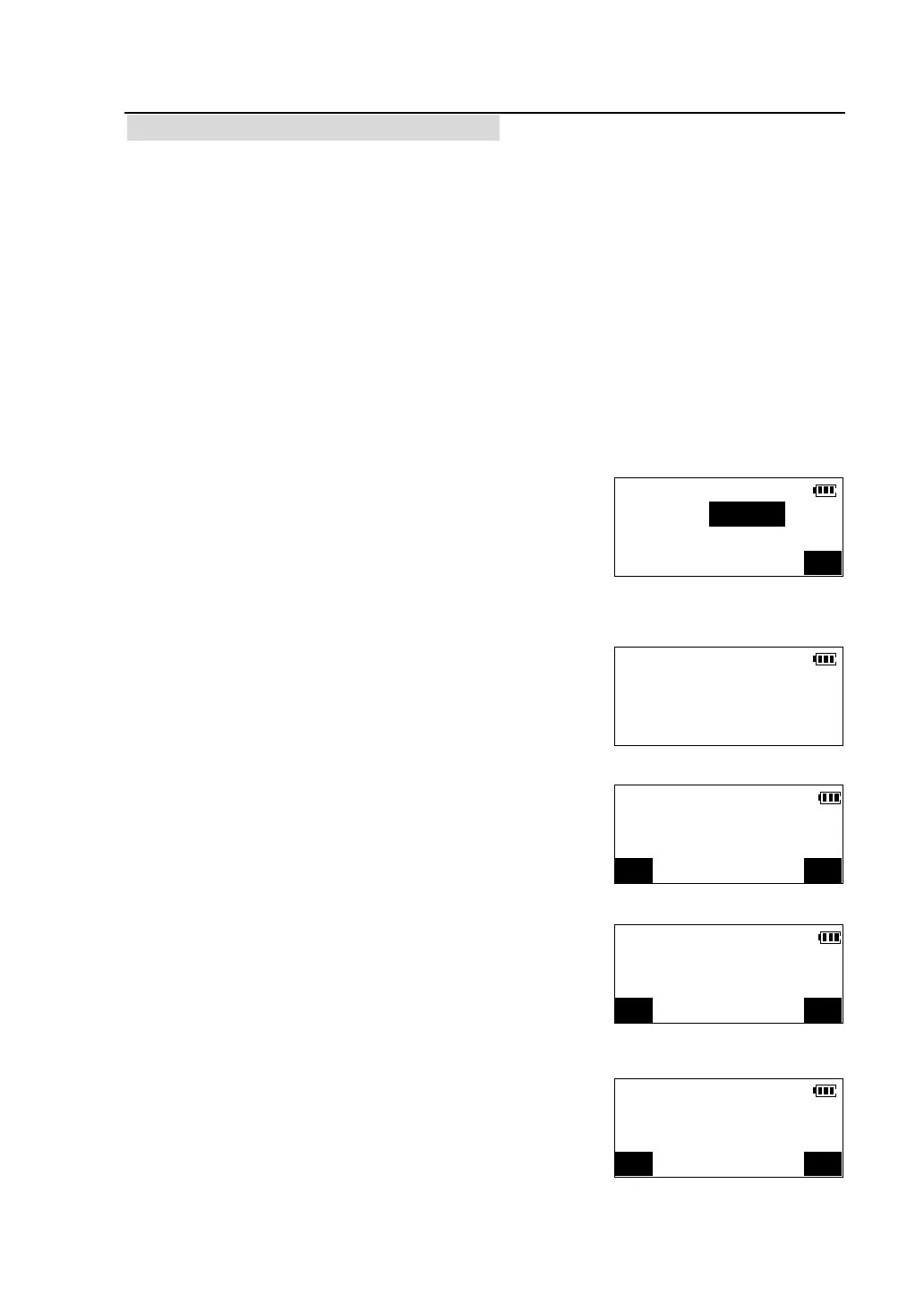
① Press [MENU] key on the panel after power on,
enter the main menu, press [F3] in the second page of
the menu to select “Instr. Adjustment”. The screen of
inputting password appears.
② Input “1234” and press [OK], enter <Instr.
Adjustment > menu.
③Press [F1] to select <V.ang. index offset>.
④Accurately collimate a target with a distance of
30m or further in Face1, then press [OK].
l Press [CE] to cancel the last operation and redo it.
⑤Loosen the horizontal clamp, rotate the top of the
instrument through 180°, accurately collimate the
same target in Face 2. If there’s no wrong with
operation, the offset value of vertical circle index is
displayed.
Instr.Adjustment
Password:
OK
Instr.Adjustment
F1-V.ang. index offset
F2-Tile sensor offset
F3-Instrument constant
V.ang(Z) 90°20′32″
H.ang(R) 45°23′07″
Collimate in face 1?
CE OK
V.ang(Z) 90°20′32″
H.ang(R) 45°23′07″
Collimate in face 2?
CE OK
V.ang. Index Offset
Offs. 0°0′23″
Accept new value?
CE OK



 To Next Page