MTS600 Instruction Manual
33
5. Setting-out measurement
Setting-out measurement is used to set out the required point. The difference
between the previously input data to the instrument (the setting-out data) and the
measured value can be displayed by measuring the horizontal angle, distance or
coordinates of the sighted point.
Display data=measured data-setting-out data
l Setting-out measurement is a popular function of total station .For the
convenience of users, there is a special function key [S-O] on the panel of
MTS-600, press the key after power on ,you can get to the setting-out function
quickly.
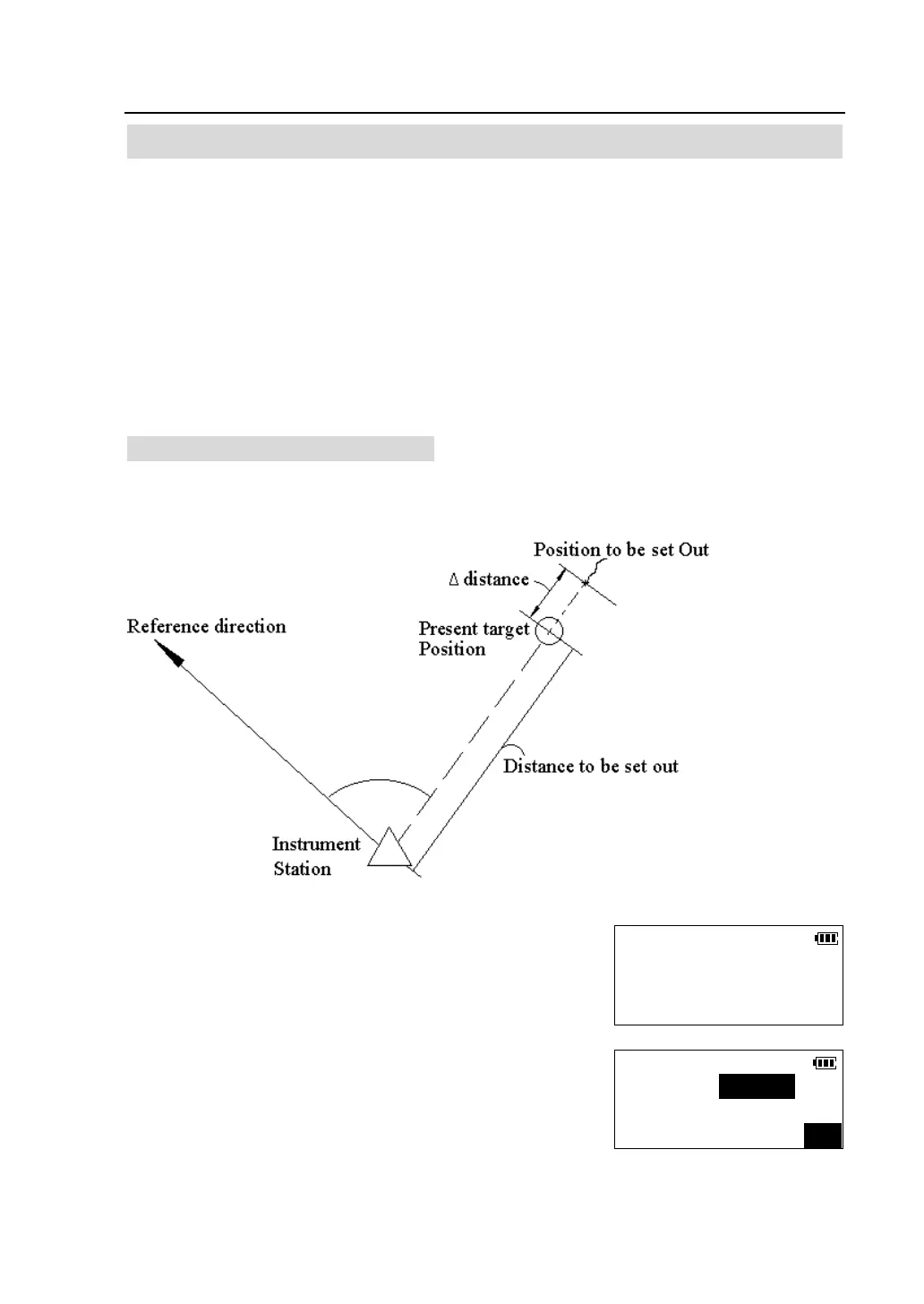
5.1 Distance & Angle setting-out
The point to be found based on the horizontal angle from the reference direction
and the distance from the instrument station.
①Press [S-O] key on the panel.
②Press [F1] to select "S-O distance & angle".
Select S-O Mode
F1-S-O distance & angle
F2-S-
Input S-O Data
H.dist(m):
H.ang (R):
OK



 To Next Page