MTS600 Instruction Manual
② Press [F2] to select offset mode as “Angle”.
Procedure will prompt sighting the target point.
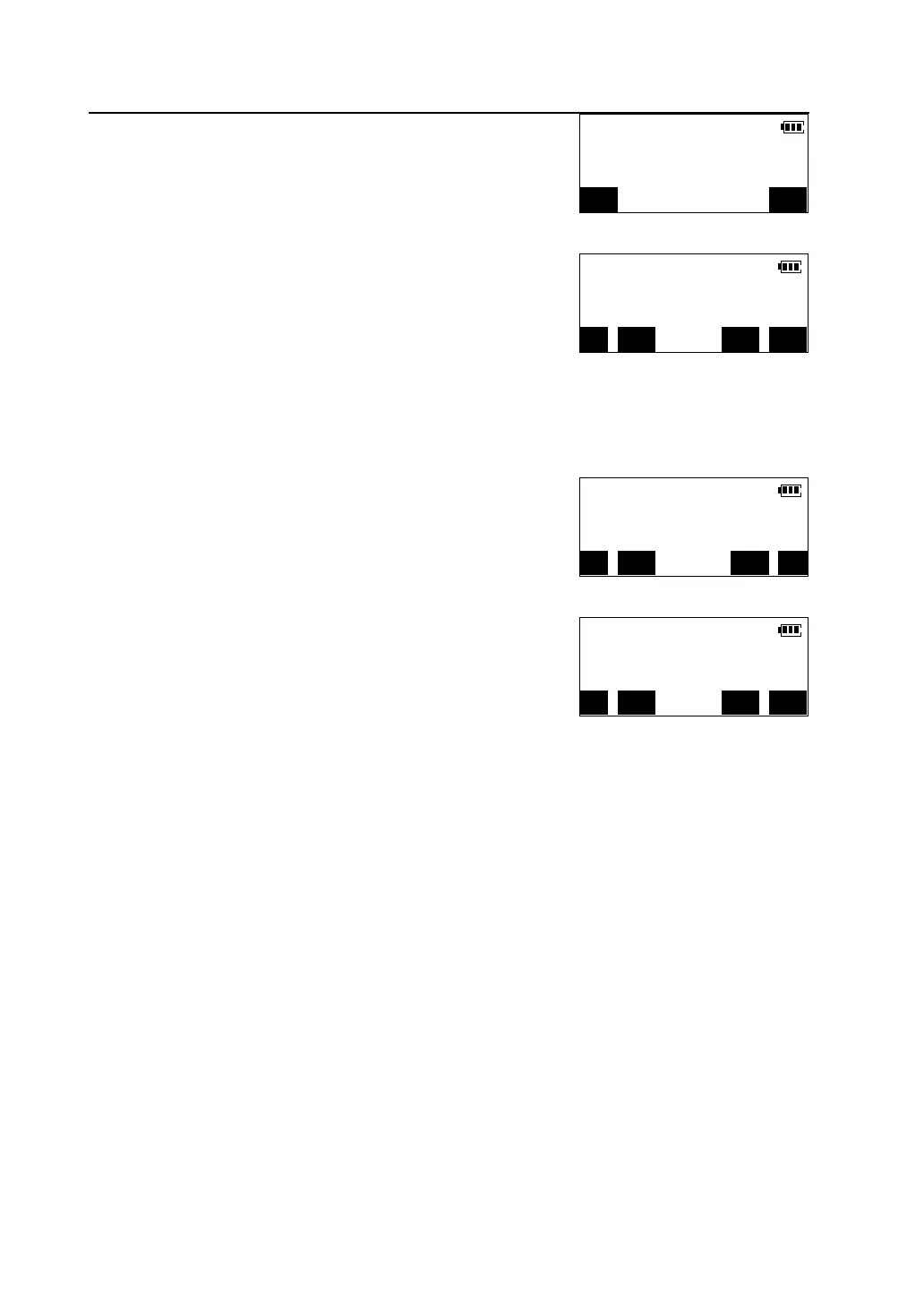
③Sight the target point accurately, press [OK], the
distance and angle of the target point are calculated.
l Press [REC] to record the results.
l Press [CRD] to switch the screen display from
distance values to coordinates values.
l Press [CE] to return to step 4 ,re-sight the target point.
l Press [OK] to finish the offset measurement.
④ Press [CRD], the coordinates of target point are
displayed(assuming that the instrument station has
been constructed).
⑤ Press [SD&A], return to display the distance and
angle of the target point again.
V.ang(Z) 89°40′48″
H.ang(R) 145°26′17″
C
MEAS OK
>S.dist 165.274m
>V.ang(Z) 90°15′33″
>H.ang(R) 140°14′08″
REC CRD CE OK
>Crd N 27134.124m
E 53830.532m
REC SD&A CE
>S.dist 165.274m
>V.ang(Z) 90°15′33″
>H.ang(R) 140°14′08″
REC CRD CE OK



 To Next Page