MTS600 Instruction Manual
67
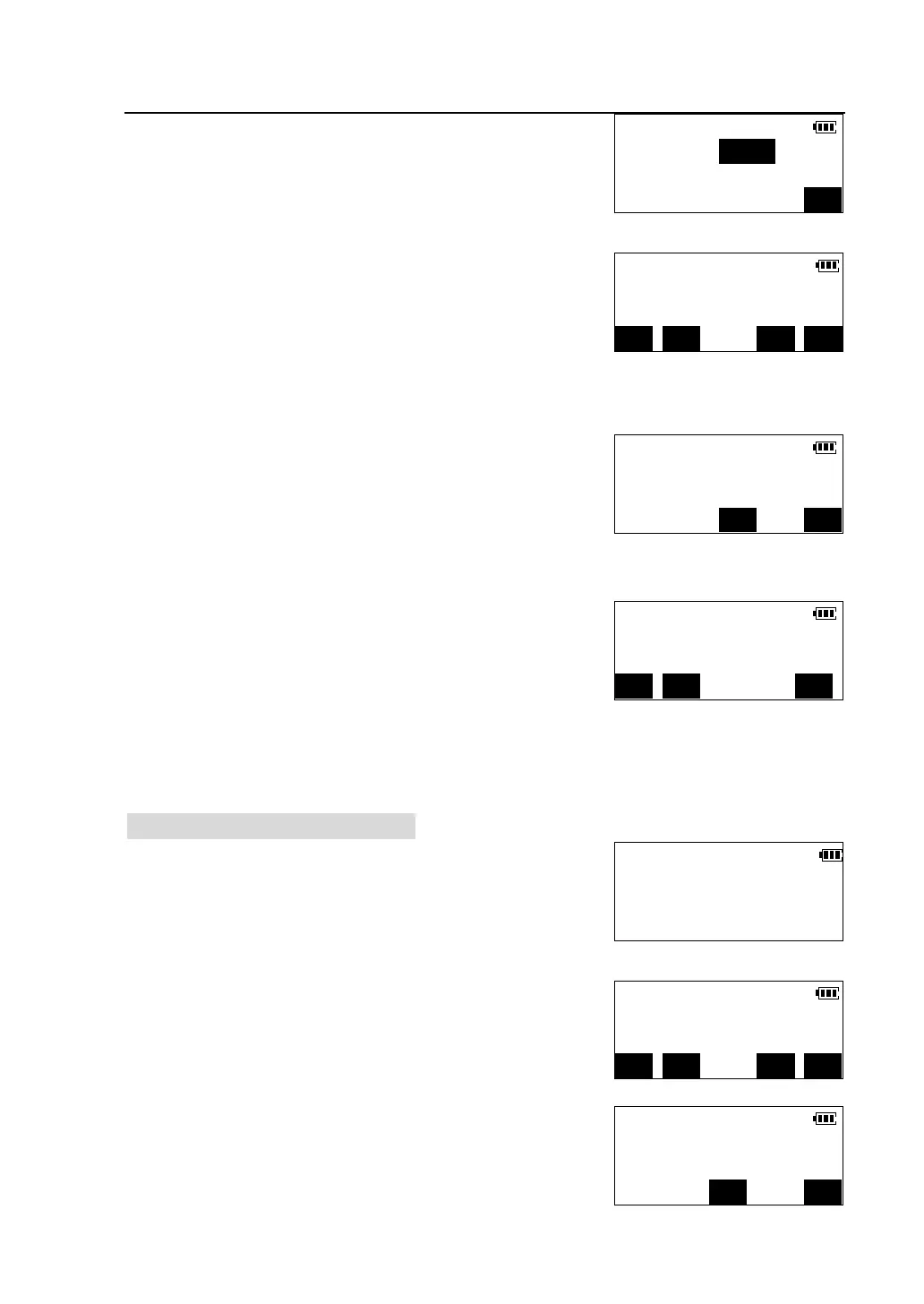
②Press [F1] to select "With psm.ht input ".
③ Input the prism height and press [OK]. The
procedure prompts measuring the prism first.
l Press [MODE] to select distance measuring
mode.
l Press [EDM] to check returned signal, set the atmosphere correction and the
prism constant, please see“4.2 distance measurement”.
④Collimate the center of the prism, press [MEAS] to
start measurement. When measurement is complete,
the results are displayed.
⑤Press [OK]. The REM measurement is started.
Sight the object, the height from the ground to the
object is displayed. While rotating the telescope, the
height are calculated and displayed in real time.
l Press [MEAD] to re-observe the prism.
l Press [PSMH] to reenter the prism height.
l Press [STOP] to stop REM measurement.
9.4.2 Without prism height input
①Place the prism directly under or directly over the
object. In the second page of <Program> menu,
press [F1] to select "REM".
②Press [F2] to select "Without psm.ht input".
③Collimate the center of the prism, press [MEAS] to
start measurement. When measurement is complete,
the results are displayed.
REM
Psm.ht(m):0.000
OK
V.ang(Z) 88°40′42″
H.ang(R) 45°23′07″
MODE EDM CE
*H.dist 165.274m
*V.ang(Z) 91°55′37″
*H.ang(R) 40°15′00″
CE OK
REM
Elev 3.468m
V.ang(Z) 90 ° 33 ′17 ″
STOP PSMH MEAS
Select REM Mode
F1-With psm.ht input
F2-Without psm.ht input
V.ang(Z) 88°40′42″
H.ang(R) 45°23′07″
Collimate psm. and meas.
MODE EDM CE MEAS
*H.dist 165.274m
*V.ang(Z) 91°55′37″
*H.ang(R) 40°15′00″
CE OK



 To Next Page