24
Chapter 4, Using the Command Center
Introduction
The Monarch HD Command Center is a web-based application that allows you to
configure Monarch HD settings, control streaming and recording sessions, and
import/export settings to or from other devices. You can enter the network IP
address of your Monarch HD device in your browser, or use the Monarch HD
Utils to access the Command Center (see “Accessing the Command Center” on
page 19).
Status page
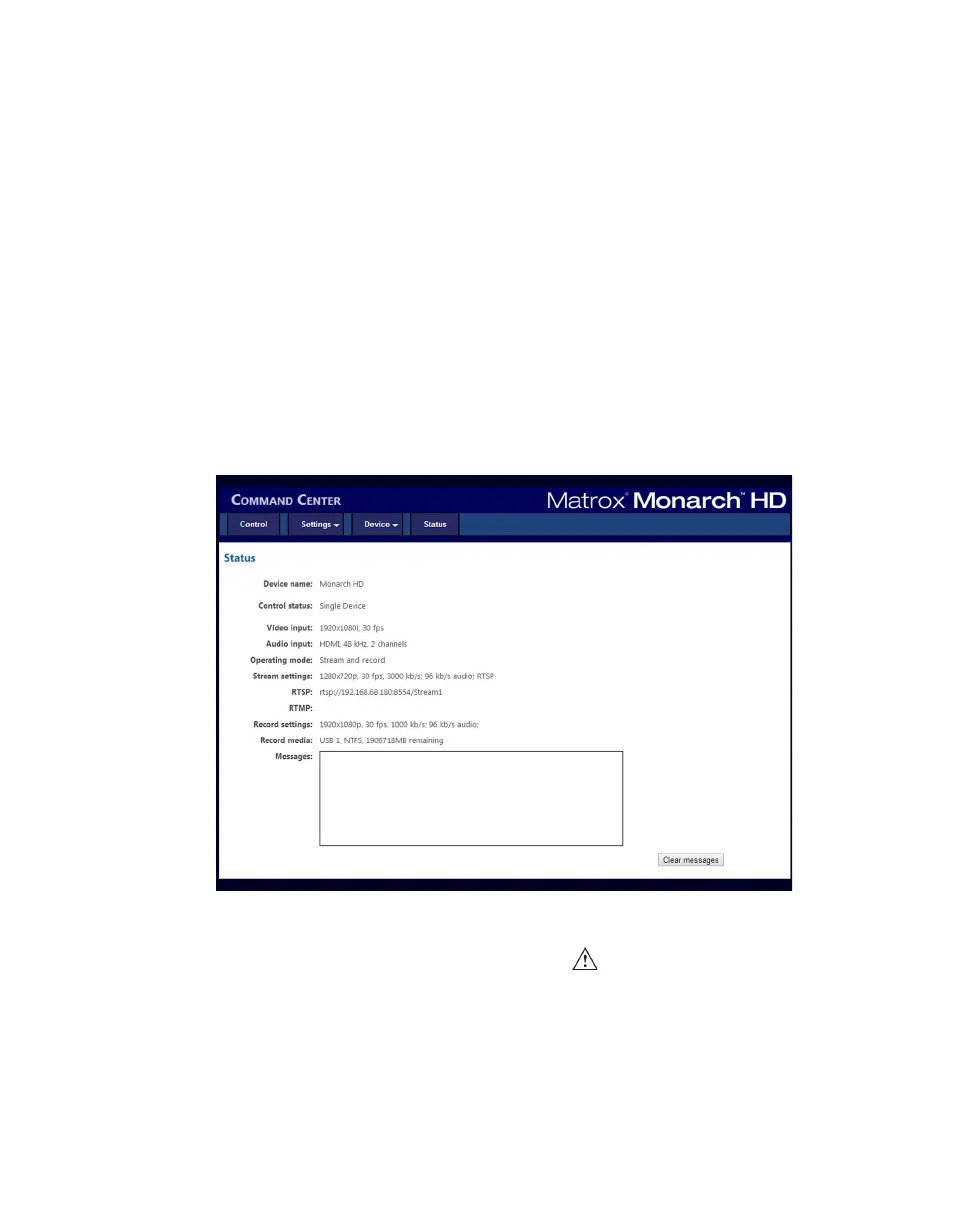
The Status page in the Command Center provides a summary of the Monarch
HD status and settings, as well as any logged errors. You can view this page
without logging in; however, encoder information will display only when you
have logged in. To access the
Status page, open the Monarch HD Command
Center (see “Accessing the Command Center” on page 19), and then click
Status.
Monarch HD errors
When a streaming or recording error occurs, the LED illuminates on the
Monarch HD device. Unless you receive a pop-up error when using the buttons in
the Command Center’s
Control page (see “Control Page” on page 25), the error
will be logged in the
Messages section of the Status page.
¦NoteAn error will not be reported if the audio connected to Monarch HD’s
analog audio input is lost or missing. If this occurs, the stream and/or recording
continues but will not contain audio.



 To Next Page