25
Control Page
Viewing and clearing errors
Streaming and recording errors that don’t appear as a pop up error on the
Control page are instantly logged in the Messages section of the Status page.
The
Status page displays the errors pertaining to that Monarch HD device only.
To monitor streaming and/or recording when controlling multiple devices (see
“Control streaming and recording for multiple devices on the same network” on
page 28), we recommend that you open the Command Center for each Monarch
HD device.
When you click the
Clear messages button on the Status page, the logged
errors are deleted from the list and the LED turns off. The LED will also
turn off if you successfully start a new stream and/or recording.
¦NotePowering off or resetting Monarch HD will clear all errors from the
device.
Control Page
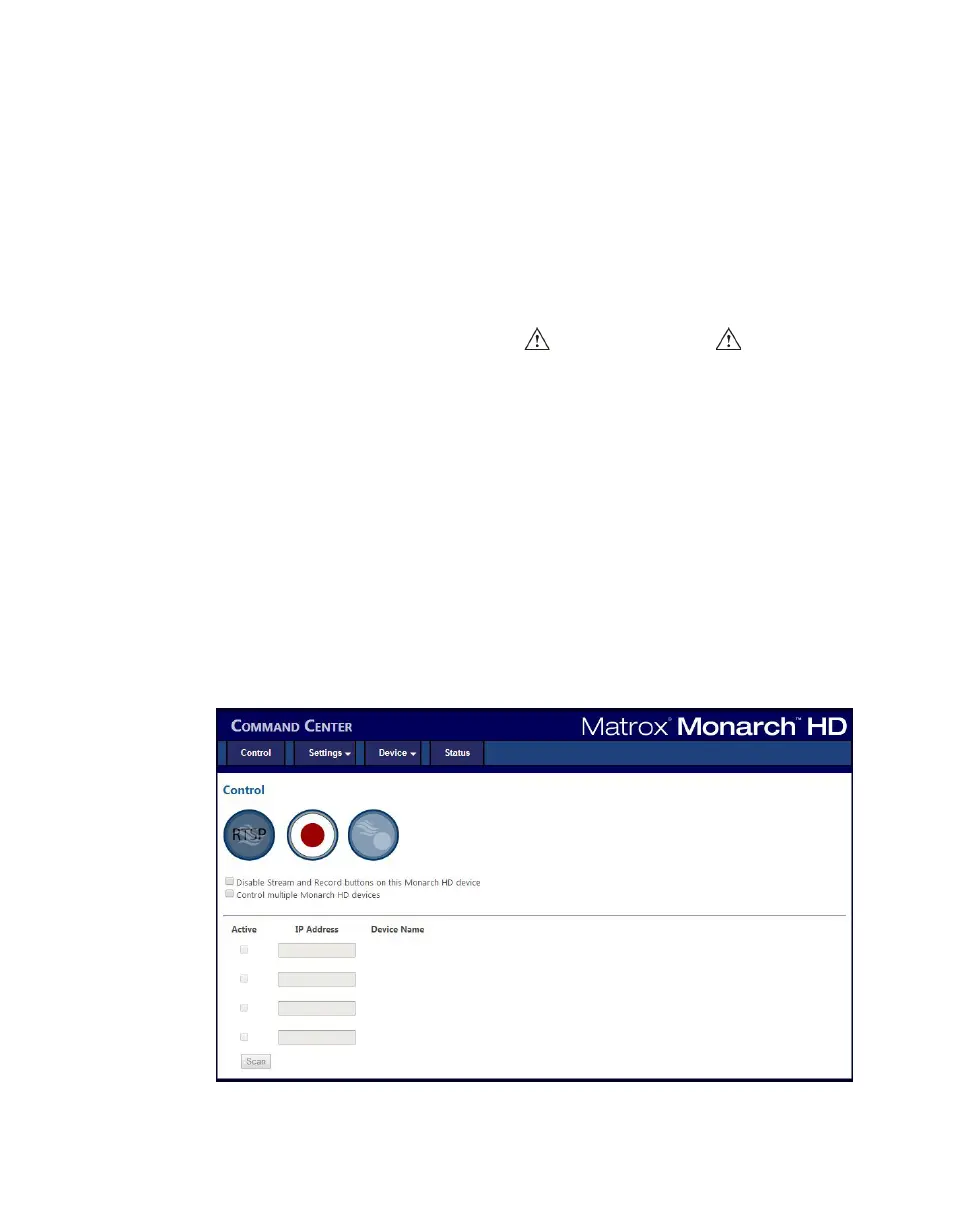
The Control page lets you control the streaming and recording for your Monarch
HD device. If you have other Monarch HD devices connected to the same
network, you can also control the streaming and recording for up to four other
devices at the same time. You can also use the Stream and Record buttons
directly on a Monarch HD device to stream and record, however, you will not be
able to control other devices on the network.
To access the
Control page, open the Monarch HD Command Center (see
“Accessing the Command Center” on page 19), and then click
Control.



 To Next Page