38
Chapter 4, Using the Command Center
¡ Important Blank spaces are not supported in the base name. Use underscores
in place of blank spaces. For example, enter Recording1_Stage1 instead of
Recording1 Stage1 as the base name for the file.
Domain, username, and password
When recording your source input to a network location (see “Media” on
page 36) and Monarch HD is not on the same domain as the network, enter the
network domain. If required, also enter the
Username and Password that is
used to access the network.
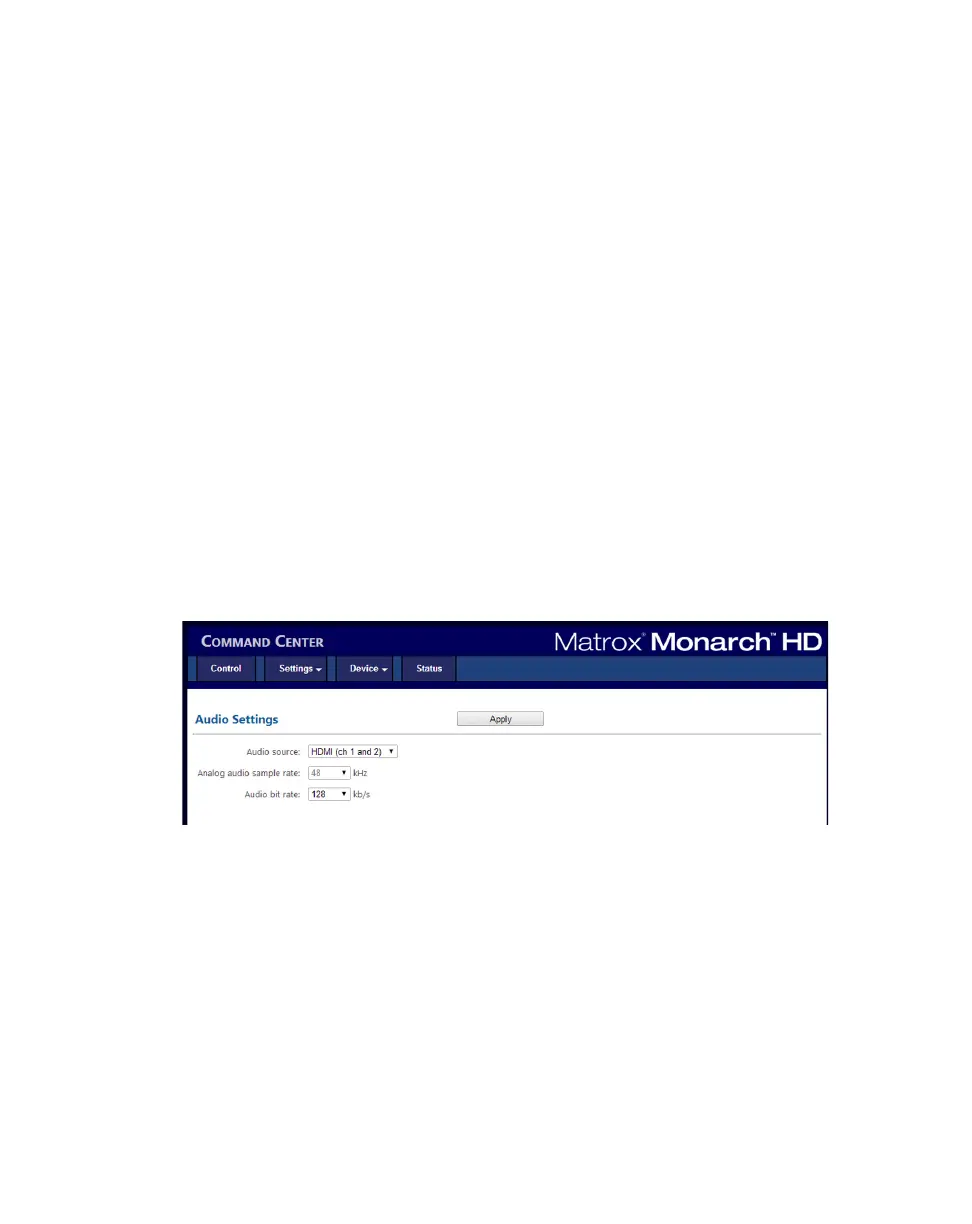
Audio Settings page
The Audio Settings page in the Command Center lets you set the audio input
source that will be used for streaming and recording, and the audio sample rate
for your analog audio source. If controlling multiple devices, each device on the
network streams and records the audio based on its own audio settings.
¡ Important To save changes made in the Audio Settings page, you must click
the
Apply button. If you leave the Audio Settings page before applying the
settings, all changes will be lost.
To access the audio settings, open the Monarch HD Command Center (see
“Accessing the Command Center” on page 19), and then choose
Settings >
Audio
.
Audio source
Select the Monarch HD audio input source that will be used for streaming and
recording. Monarch HD supports two audio channels for streaming and
recording. You can choose to use either the first two audio channels from your
HDMI input source, or the stereo audio source connected to Monarch HD’s
analog audio input (see “Video/audio inputs and outputs” on page 9). Monarch
HD uses the AAC audio format for streaming and recording. To monitor the
selected audio source, you can use either the HDMI or analog audio output.
¦NoteYou can choose whether or not to include audio when streaming and
recording in the stream and record settings, respectively.



 To Next Page