90
QM00991-1
OPTION menu
Item Description
SERVICE
(continued)
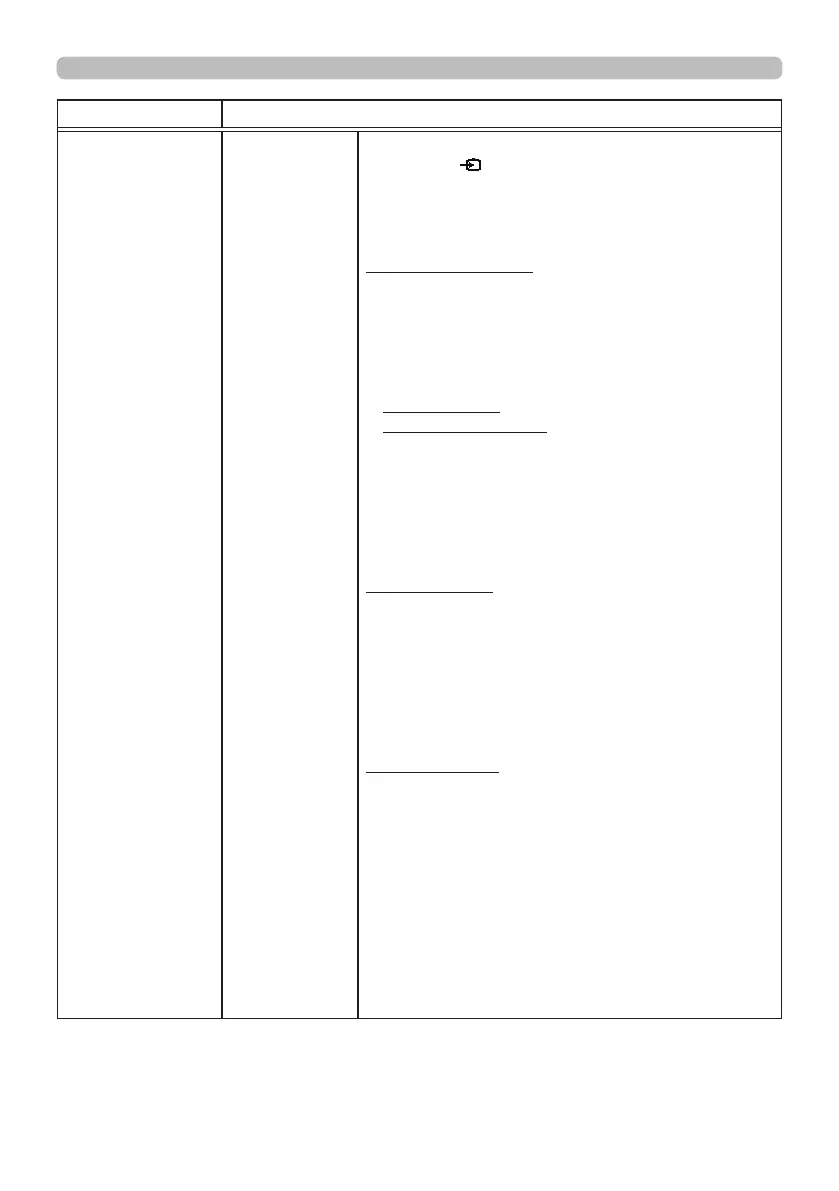
CLONING
*
(continued)
• Please operate one of the following after loading.
- Press the
button and
◄
button of the control
panel at the same time.
- Wait at least ve minutes after loading.
-
Restart the projector after re-plugging the AC cable.
Load MyScreen data
• Please save the image data as "pj_logo.bmp" or
"pj_logo.gif" into USB memory.
• Please note that the only compatible formats are
as follows.
-File format
Windows BMP bit/pixel: 4/8/16/24/32bit
Compression format :
Without compression/RLE/GIF
-Image size: more than 36x36, less than 1280x800
• If two kinds of le format are saved, "pj_logo.
bmp" will be registered into MyScreen data.
• If MyScreen LOCK or MyScreen PASSWORD is
ON, the data of MyScreen cannot be loaded.
Setting the data
• Operating the SAVE function under CLONING
will name the le as "pj_data.bin" into the USB
memory. Please do not attempt to change the le
name or the folder structure.
• If a le with the same name already exists, it will
be overwritten by operating the SAVE function.
Loading function
• Please note that saved data from other model
cannot be loaded.
• When the security password in SECURITY menu
is changed even once after factory shipment,
saved data cannot be loaded.
•
Please note that, if any of the following functions:
MyScreen PASSWORD, PIN LOCK, TRANSITION
DETECTOR, MY TEXT PASSWORD under
SECURITY menu or MyScreen Lock under
SCREEN menu is ON, the respective saved data
cannot be loaded.
* : MP-JW4001/MP-JW4011/MP-JW3501/MP-JW3511 only
(continued on next page)



 To Next Page