239
Controls in detail
Driving systems
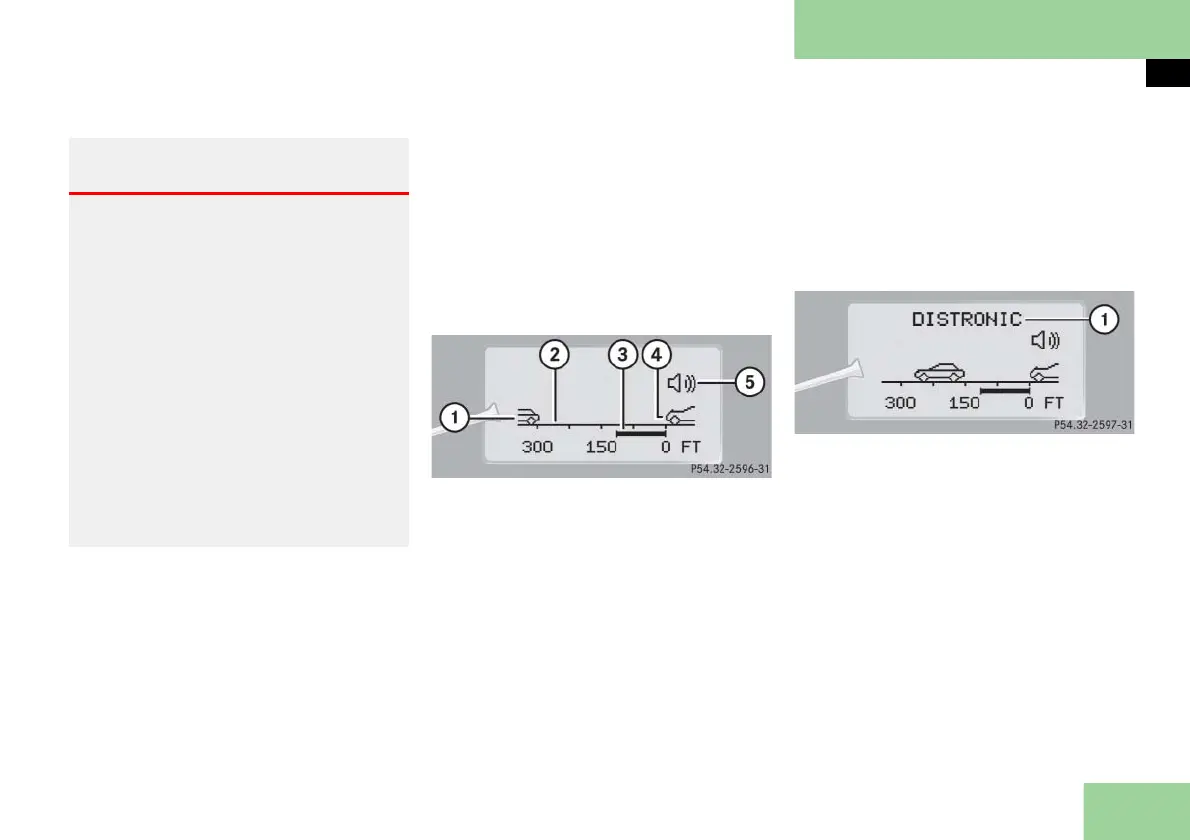
Distronic menu in the control system
In the Distronic menu you can read the
current settings for Distronic. What ap-
pears in the display depends on whether
Distronic and the distance warning func-
tion are turned on or off.
Press button è or ÿ repeatedly
until you see one of the following dis-
plays.
Distronic deactivated
If Distronic is deactivated, you can see
the standard display of Distronic in the
multifunction display.
1 Vehicle ahead, if detected
2 Actual distance to vehicle ahead
3 Preset distance threshold to vehicle
ahead
4 Your vehicle
5 Symbol for activated distance warn-
ing function
Distronic activated
If you turn Distronic on, you will see the
set speed in the multifunction display for
about five seconds. If Distronic is
activated, you can see the following dis-
play in the multifunction display.
1 Distronic activated
Warning! G
Distronic brakes your vehicle with a maxi-
mum of 6.5 ft/s
2
(2 m/s
2
). This corresponds
to about 20% of the maximum decelera-
tion ability of your vehicle.
Distronic brakes the vehicle in an effort to
restore the preset distance or to maintain
the speed. The brake pedal is automatical-
ly applied as this happens which results in
the brake pedal moving.
Keep driver’s foot area clear at all times,
including the area under the brake pedal.
Objects stored in this area may impair ped-
al movement which could interfere with
the braking ability of the Distronic system.
Do not place your foot under the brake
pedal – your foot could become caught.



 To Next Page