268
Controls in detail
Useful features
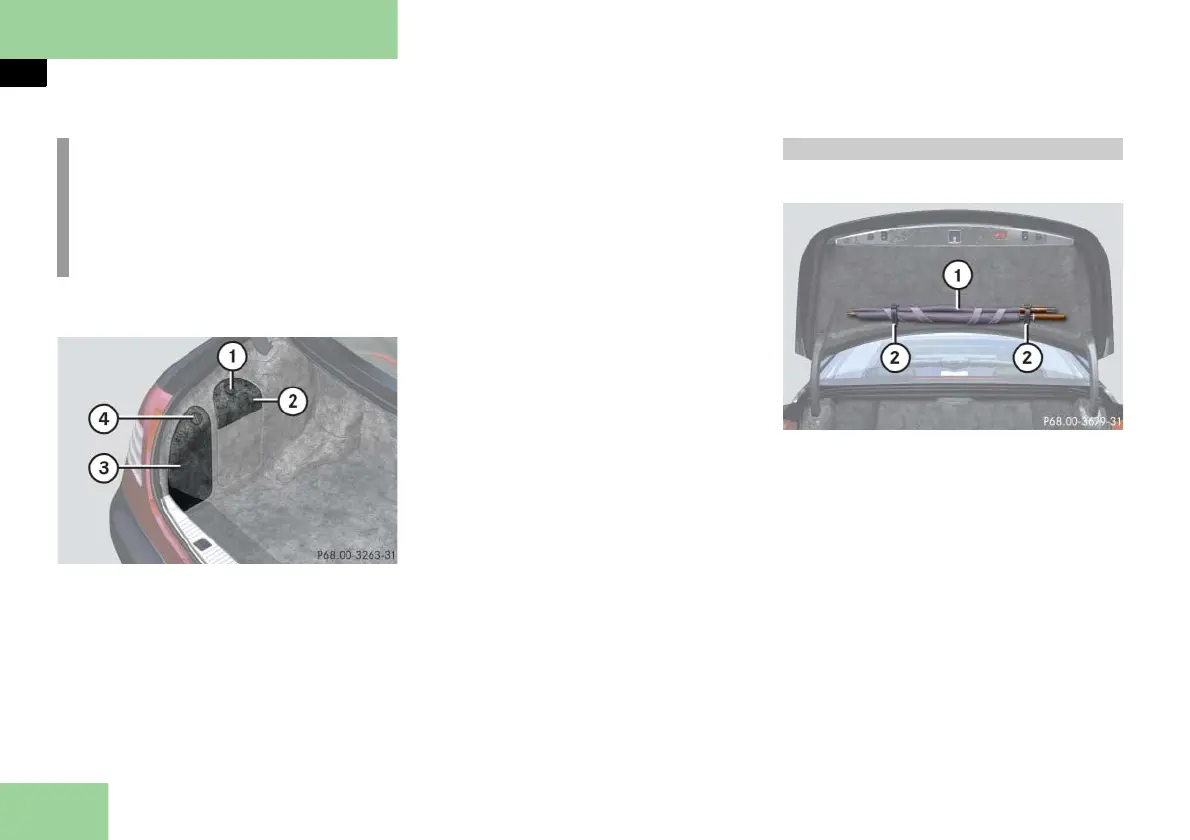
Storage compartments in trunk
1 Handle
2 Compartment for navigation system
DVD drive
3 Storage compartment
4 Handle
Opening the compartment
Turn handle 1 or 4 90°.
Swing the cover down.
Closing the compartment
Swing the cover up.
Turn handle 1 or 4 90°.
An umbrella is located in the trunk.
1 Umbrella
2 Straps
Use straps 2 on the inside of the
trunk lid to store and secure
umbrella 1.
i
For more information on DVD player,
AUX sockets, headphone jacks and
CD changer refer to the separate
COMAND and Rear-Cabin Audiovisu-
al System operating instructions.
Umbrella



 To Next Page