280
Controls in detail
Useful features
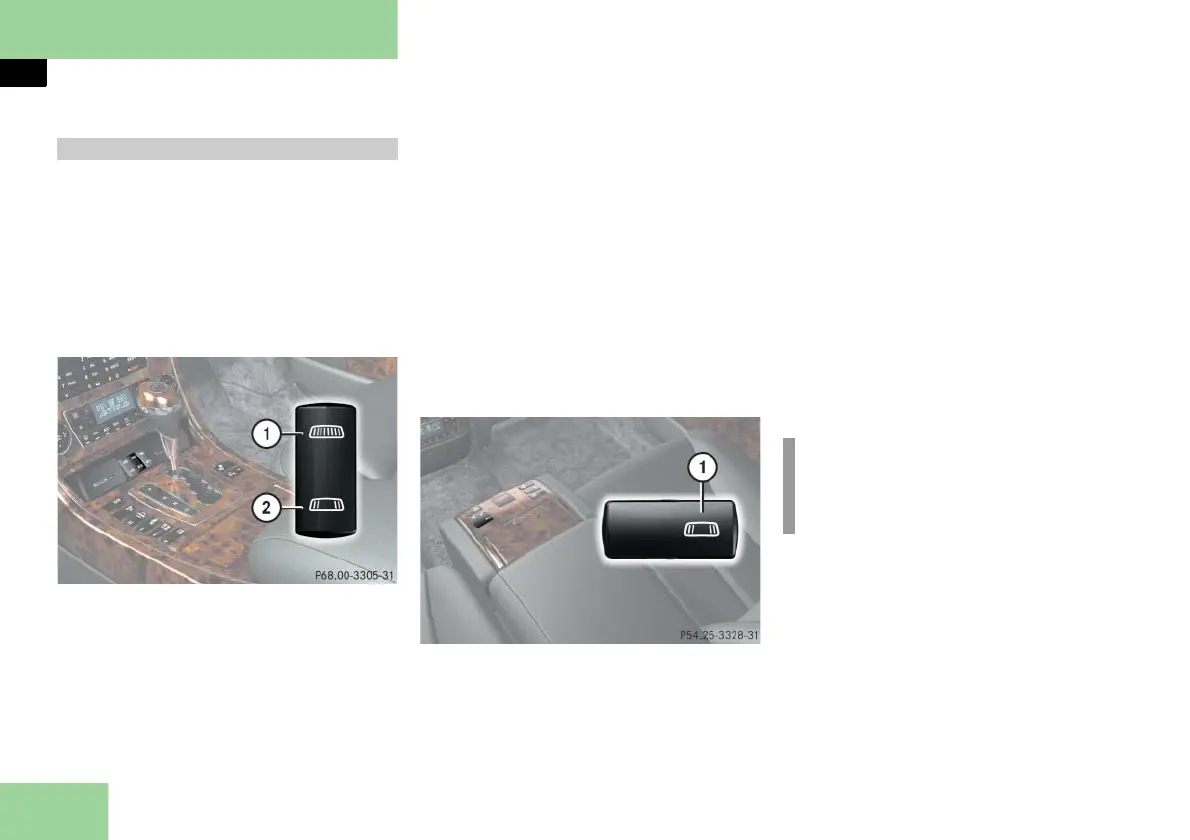
The driver’s switch is in the lower part of
the front center console under the cover
for the cup holders. Depending on
equipment, the switch in the rear is ei-
ther in the center console or in the top of
the center armrest.
Operating from the cockpit
Switch in cockpit
1 To close the curtain
2 To open the curtain
Closing the curtain
Briefly press switch 1.
The curtain closes automatically.
To stop the procedure, press the
switch again.
Opening the curtain
Briefly press switch 2.
The curtain opens automatically.
To stop the procedure, press the
switch again.
Operating from the rear (only for vehi-
cles without rear side window curtains*)
Rear switch
1 To close/open the curtain
Closing the curtain
Briefly press switch 1.
The curtain closes automatically.
To stop the procedure, press the but-
ton again.
Opening the curtain
Briefly press switch 1.
The curtain opens automatically.
To stop the procedure, press the
switch again.
Rear window curtain
i
Vehicles with rear center seat*:
For operation with the Pocket PC re-
mote control* ( page 326).



 To Next Page