321
Controls in detail
Pocket PC remote control*
Selecting submenu: Ambient lighting
dimmer and selecting settings
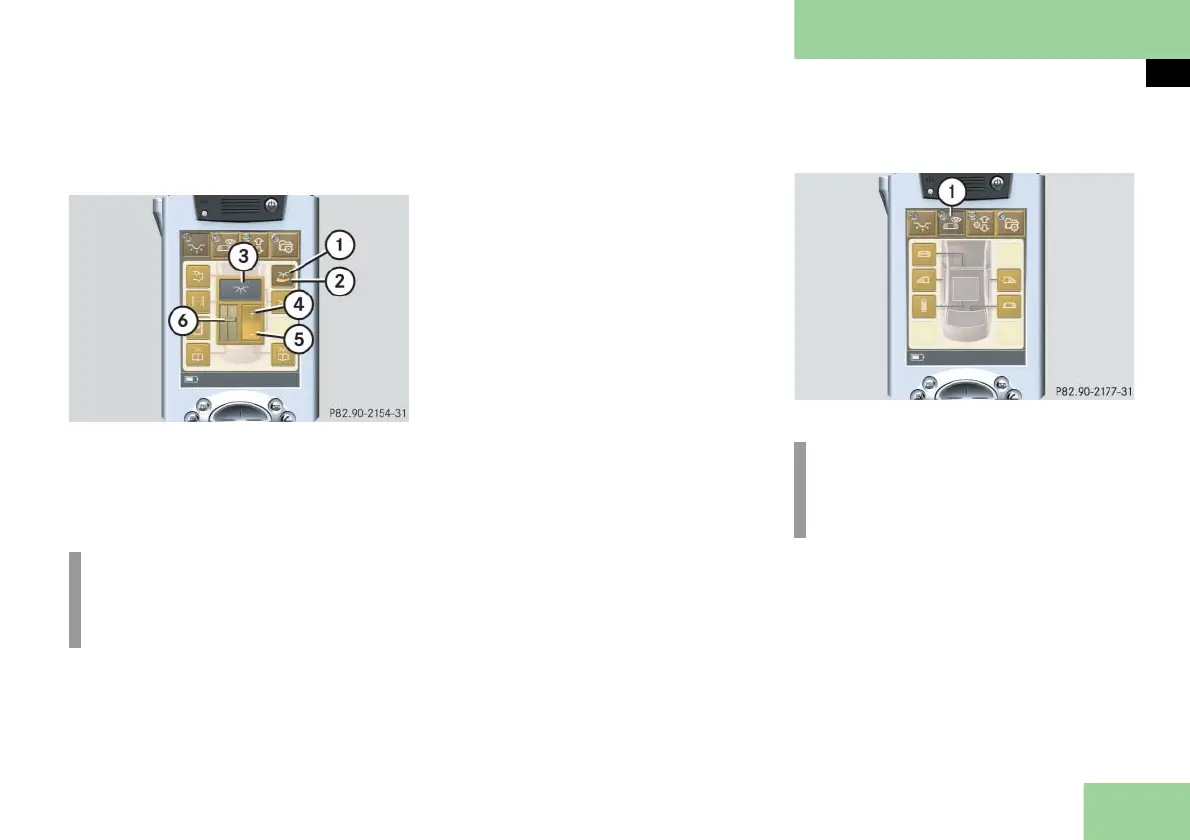
1 Submenu: Ambient lighting dimmer
2 Settings menu
3 To brighten lighting
4 To dim lighting
5 Slide control
Press submenu button: Ambient
lighting dimmer 1.
The selected symbol in button 1 is
highlighted in the display and you
will see the corresponding settings
menu 3.
Press symbol 4.
The ambient lighting becomes
brighter. Slide control 6 shows you
the current setting.
or
Press symbol 5.
The ambient lighting becomes dim-
mer. Slide control 6 shows you the
current setting.
Selecting main menu: Privacy
1 Main menu: Privacy
Press main menu button: Privacy 1.
The selected symbol in button 1 is
highlighted in the display and you
will see the corresponding submenus.
i
The light symbol 2 turns yellow
when the ambient lighting is
switched on.
i
Depending on equipment, the ar-
rangement of function buttons may
vary.



 To Next Page