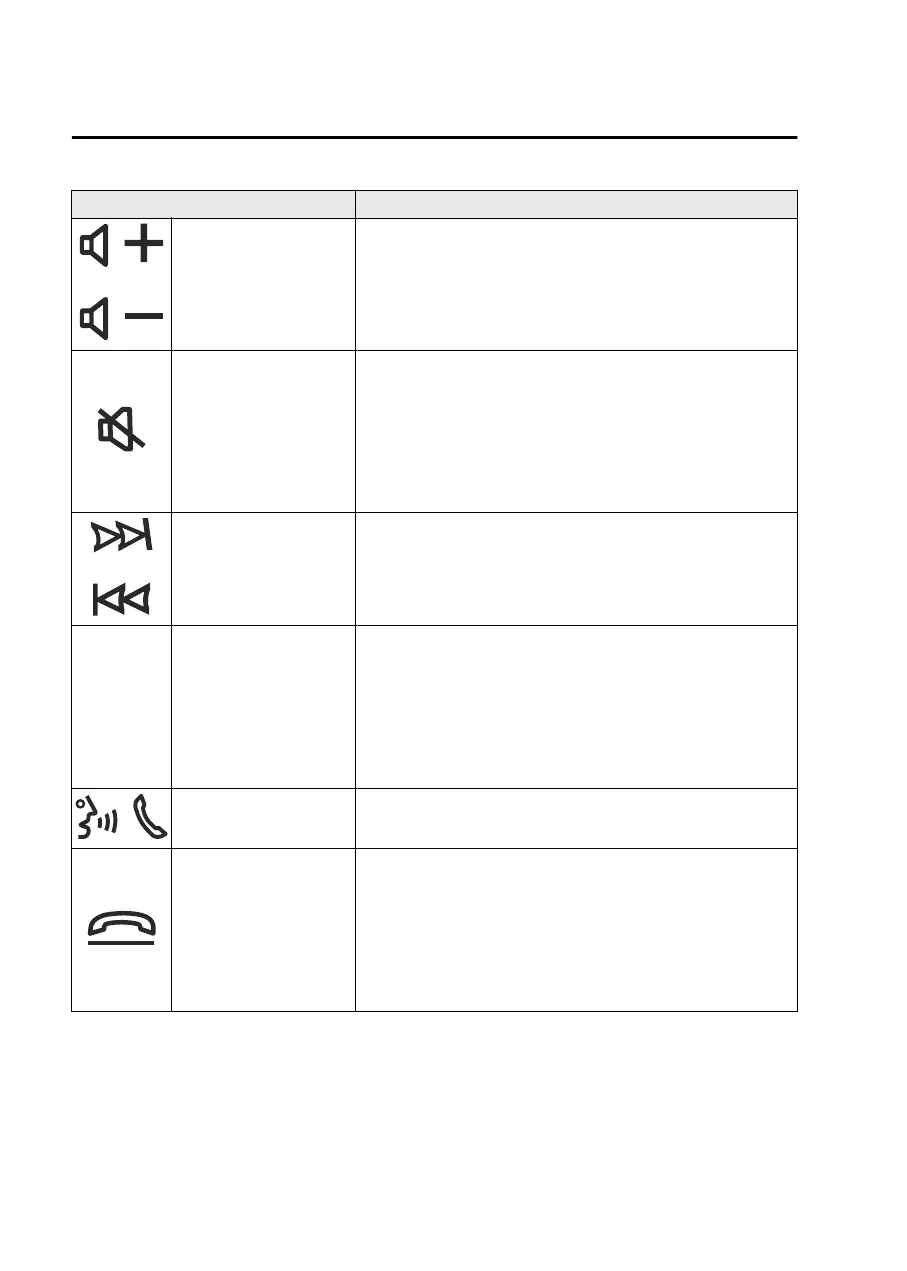
Buttons Explanation
Volume adjustment but-
ton
You can adjust the volume by pressing the volume adjustment
button.
Mute button
Mute
Press the mute button to mute the audio.
Press the mute button again to cancel the mute.
Pausing the audio
Pressing the mute button while playing an audio source
that can be paused will pause the audio source.
Seek button
Press the seek button to switch between radio stations and
audio tracks. (Except SiriusXM
®*
)
SOURCE SOURCE button
Switching audio sources
The audio source switches each time you press the
SOURCE button.
Turning off the audio
You can turn off the audio during playback by pressing and
holding the SOURCE button.
Talk/pick-up button
*1
You can answer an incoming call by pressing the button while
on another call.
Hang-up button
*1
Hanging up a call
You can hang up a call by pressing the hang-up button dur-
ing the call.
Putting a call on hold
Press the hang-up button during a call to put the call on
hold.
*
1 You can also use the voice recognition for the talk, pick-up/hang-up button.
Other Equipment
Mazda Connect
7-10
*Some models.
Mazda3_8LX5-EA23E_Edition2_new 2023-4-17 20:22:43



 To Next Page