McHale Fusion Vario Baler & Wrapper
80
7.5 Menu structure
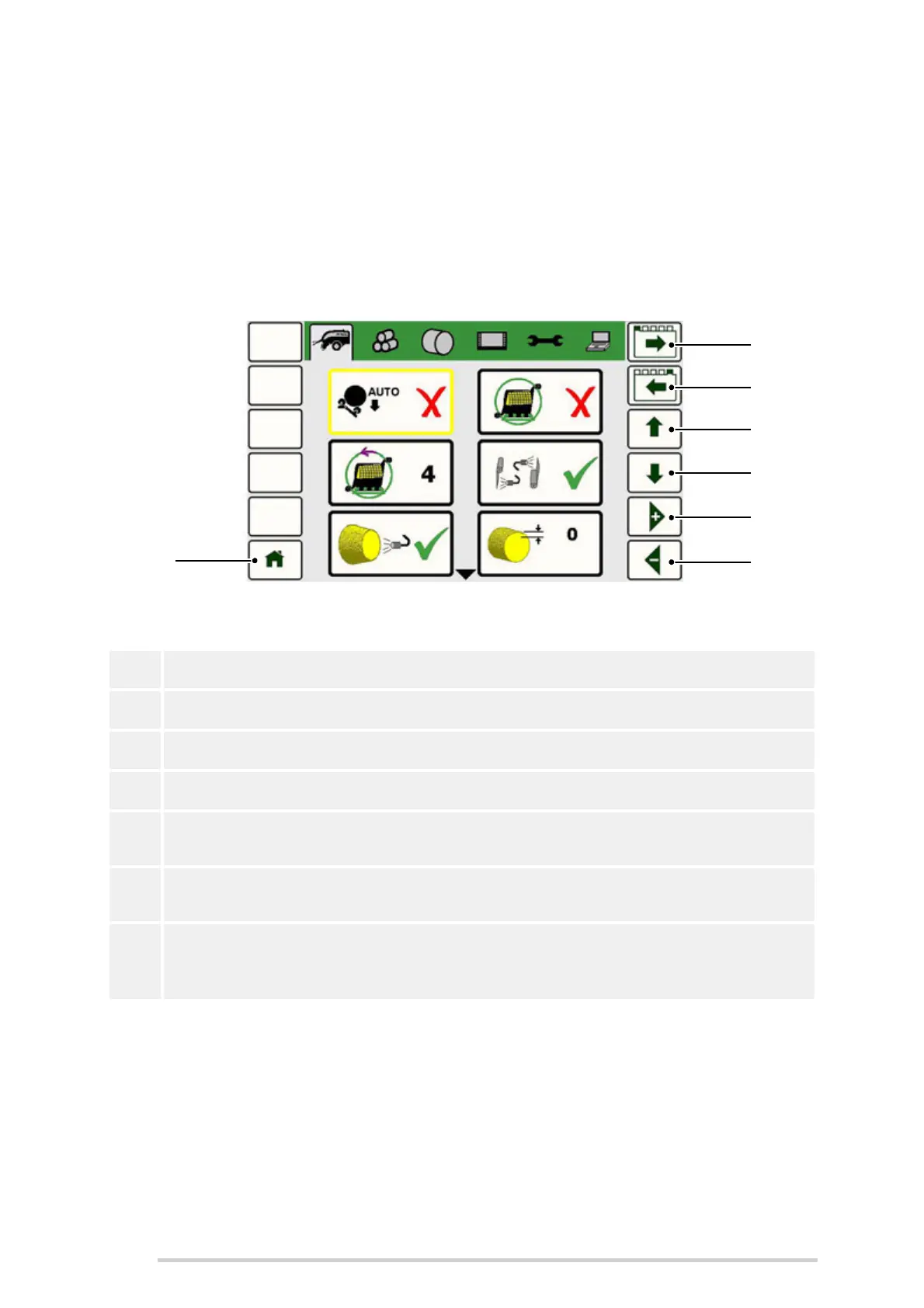
Press ‘Menu’ (Button L2) to enter the main menu.
The main menu is displayed as a series of 6 tabs, with the first tab selected i.e. machine
setup. The first item in the tab will be selected. When a menu item is selected its border
will change.
Use the following buttons to navigate the menu structure:
Alternatively use the touchscreen to select the appropriate tab and/or menu item.
R1 Move a tab to the right
R2 Move a tab to the left
R3 Move up an item in the selected tab/screen
R4 Move down an item in the selected tab/screen
R5
Increase the value of a selected numeric item by 1 / Move through the options
available to select the desired setting
R6
Decrease the value of a selected numeric item by 1 / Move through the
options available to select the desired setting
L6
Return to the home page i.e. returns to the previous screen before the menu
(Button L2) was selected. This performs the same function as pressing the
Home (Button L6) along the bottom of the controller.



 To Next Page