Page 18 93808 – October 2014
6092RT Operating Instructions
Platform Control Operation and Test
IMPORTANT—Check that the route of travel to be taken is clear of persons, obstructions, debris, holes, and drop offs, and is capable
of supporting the machine.
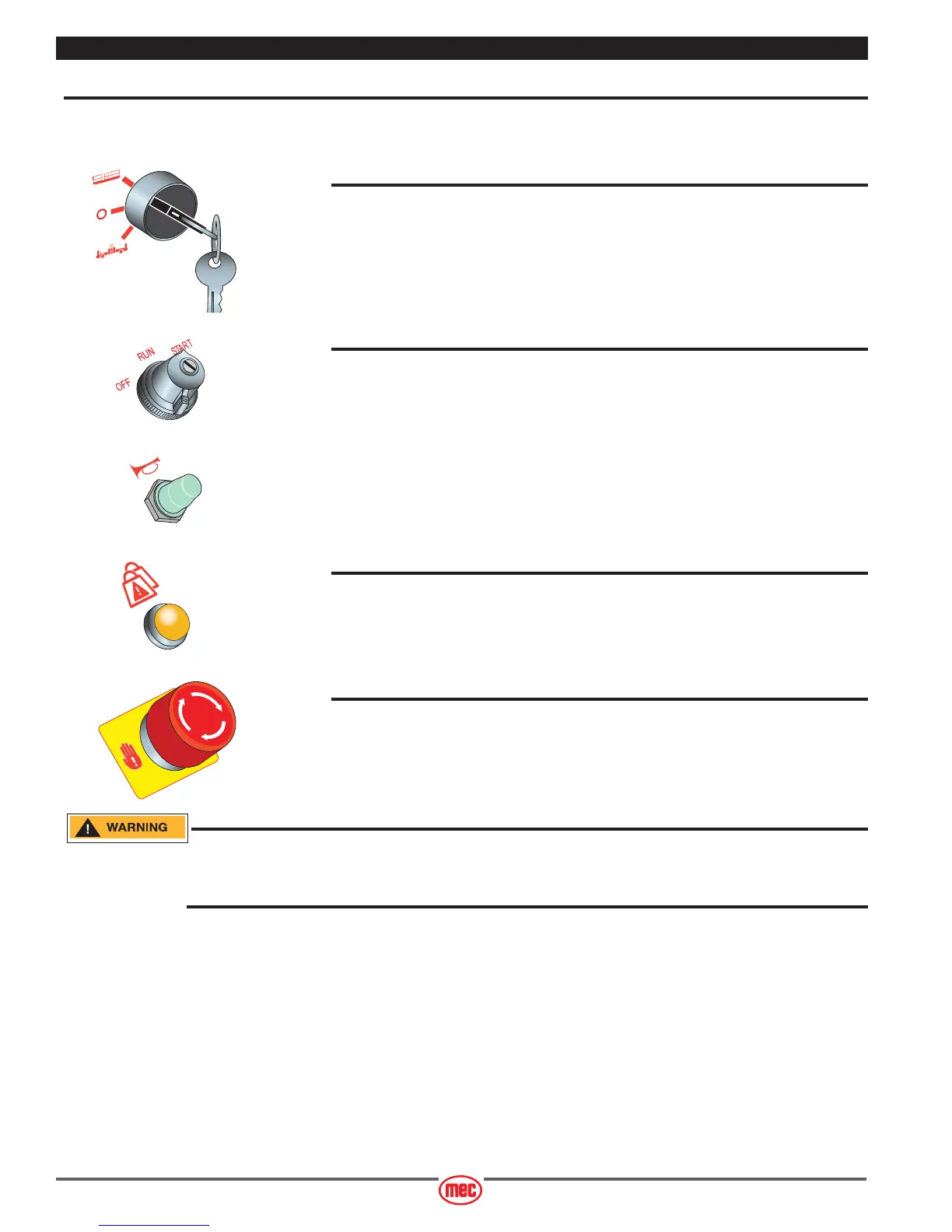
Select PLATFORM Operation
• Lower Control Box: Turn the selector switch to PLATFORM.
Operate from Platform
• Enter the platform and close and secure the entry.
• Turn the Engine Start Switch to start the engine.
• If equipped, press the Horn Button to verify proper operation.
Overload Light and Alarm
• Light ON indicates too much weight on the platform.
• An audible alarm will sound from the Upper Control box and the Lower Control box.
Remove weight from the platform to restore function and continue.
Emergency Stop
• Press the EMERGENCY STOP switch at any time to stop all machine functions.
•Turn switch clockwise to reset.
Activation of the EMERGENCY STOP switch will apply brakes immediately. This may cause unexpected
platform movement as the machine comes to a sudden stop. Brace yourself and secure objects on the
platform during operation of machine.
ART_2406
ART_2361 R1
ART_3215
ART_2507 R2



 To Next Page