Multitest 0.5d, 1d & 2.5d
Service and Repair Manual
9. Transformer removal and Replacement Dunker
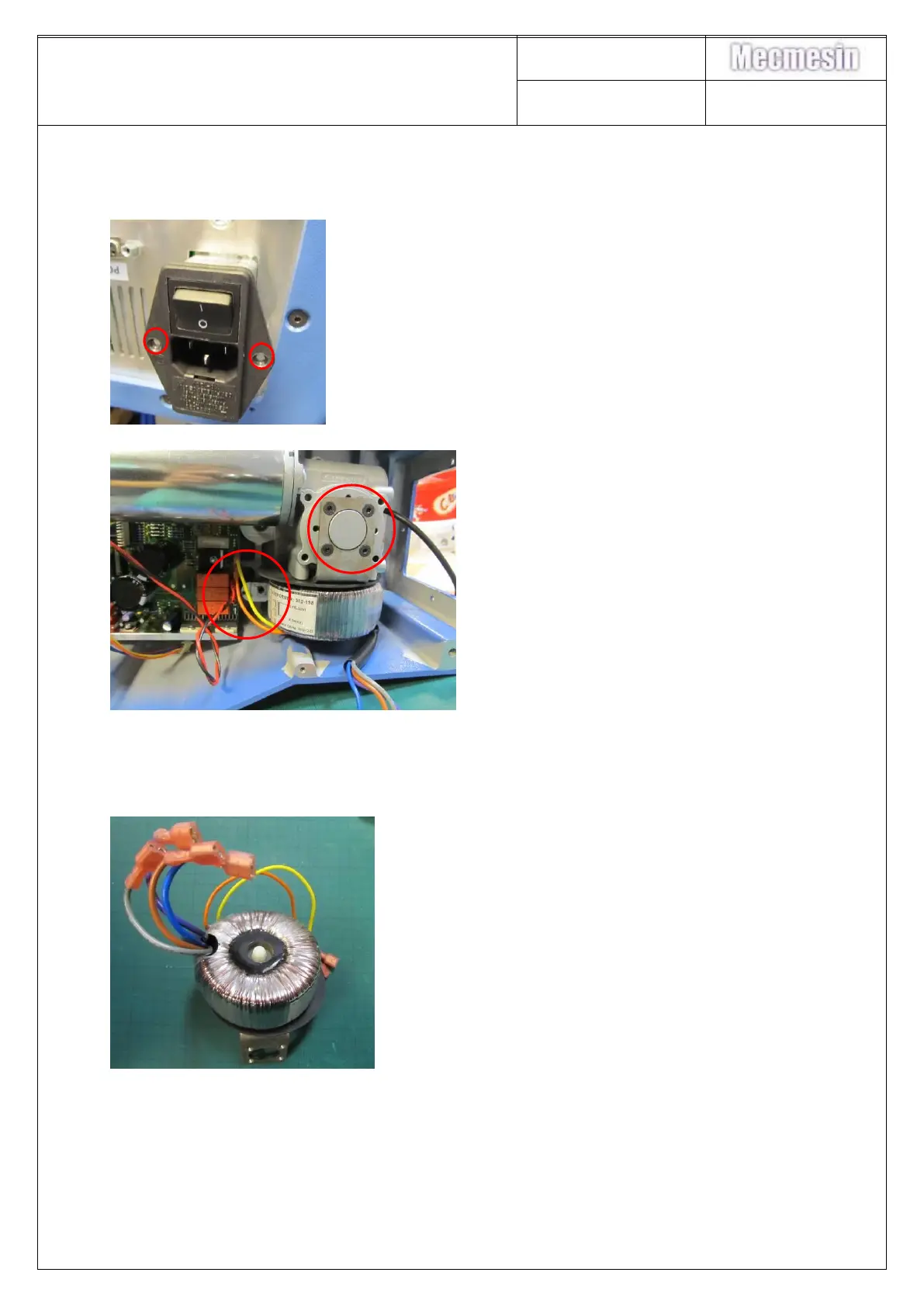
13. Remove the base plate as per 7, Instructions 2 to 5
14. Remove the M3x10
countersunk screws holding
the mains inlet filter and ease
it out of position.
15. Disconnect the
grey/blue/brown/Mauve
transformer connections to
the inlet filter
16. Remove transformer leads:
Yellow-J13, Orange-J12
17. Remove the four M4 x10
screw csk skt holding the
transformer bracket in
position
18. Lift out the transformer. Unscrew nylon nut, Remove transformer from plate.
NOTE: The transformer must be insulated from its mounting plate. An insulating gasket
is supplied with the transformer for this purpose – make sure it is fitted
Refitting of the Transformer is the reverse of the above procedure



 To Next Page