Multitest 0.5d, 1d & 2.5d
Service and Repair Manual
8. Transformer removal and Replacement Parvalux
7. Remove the base plate as per 7, Instructions 2 to 5
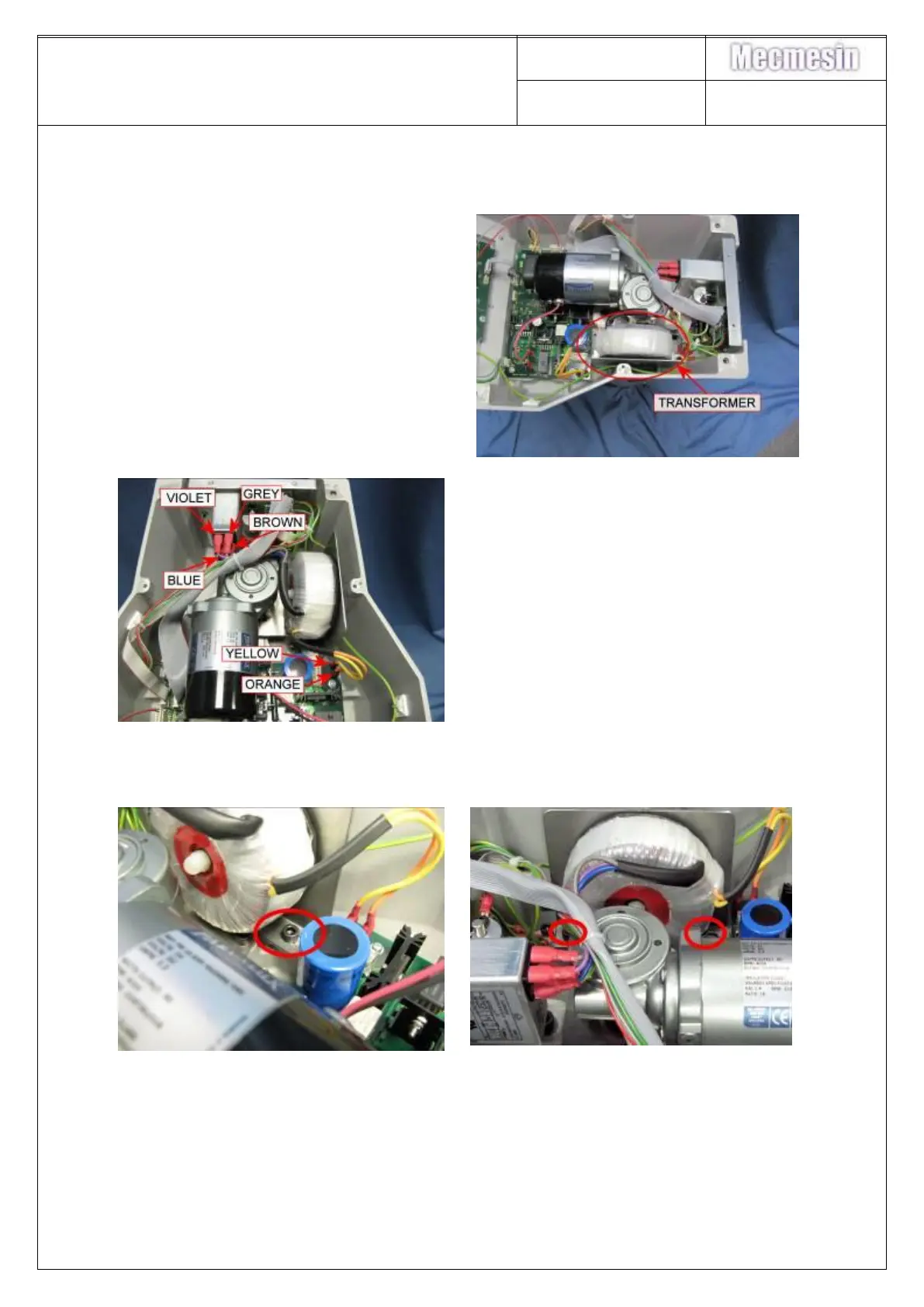
8. Locate the transformer as
identified in the photograph
9. Remove the
grey/blue/brown/mauve
transformer connections to the
mains inlet filter
10. Remove the yellow/orange
transformer connections to the
PCB
NOTE - record the connections before
removing
11. Using a 5mm ball ended allen key remove the 2-off M6x12 socket cap screws
retaining the transformer mounting plate to the base casing
12. Lift out the transformer. Unscrew nylon nut, Remove transformer from plate.
NOTE: The transformer must be insulated from its mounting plate. An insulating
gasket is supplied with the transformer for this purpose – make sure it is fitted
Refitting of the Transformer is the reverse of the above procedure



 To Next Page