Multitest 0.5d, 1d & 2.5d
Service and Repair Manual
5) Error 06 is displayed on screen:
i. Upgrade to latest versions of firmware. See 4
ii. Replace front panel PCB. If the fault persists
iii. Replace MCB.
Firmware upgrade required.
Error code 06 with the old version of code is a memory read error with
either the motor control or front panel PCBs. With the new version of
code the motor control memory read errors are still reported as 'Error
Code 6' but the front panel memory errors are now reported as 'Error
Code 10'. The error occurs due to the hardware memory being
overwritten.
6) Over travelled is displayed on screen:
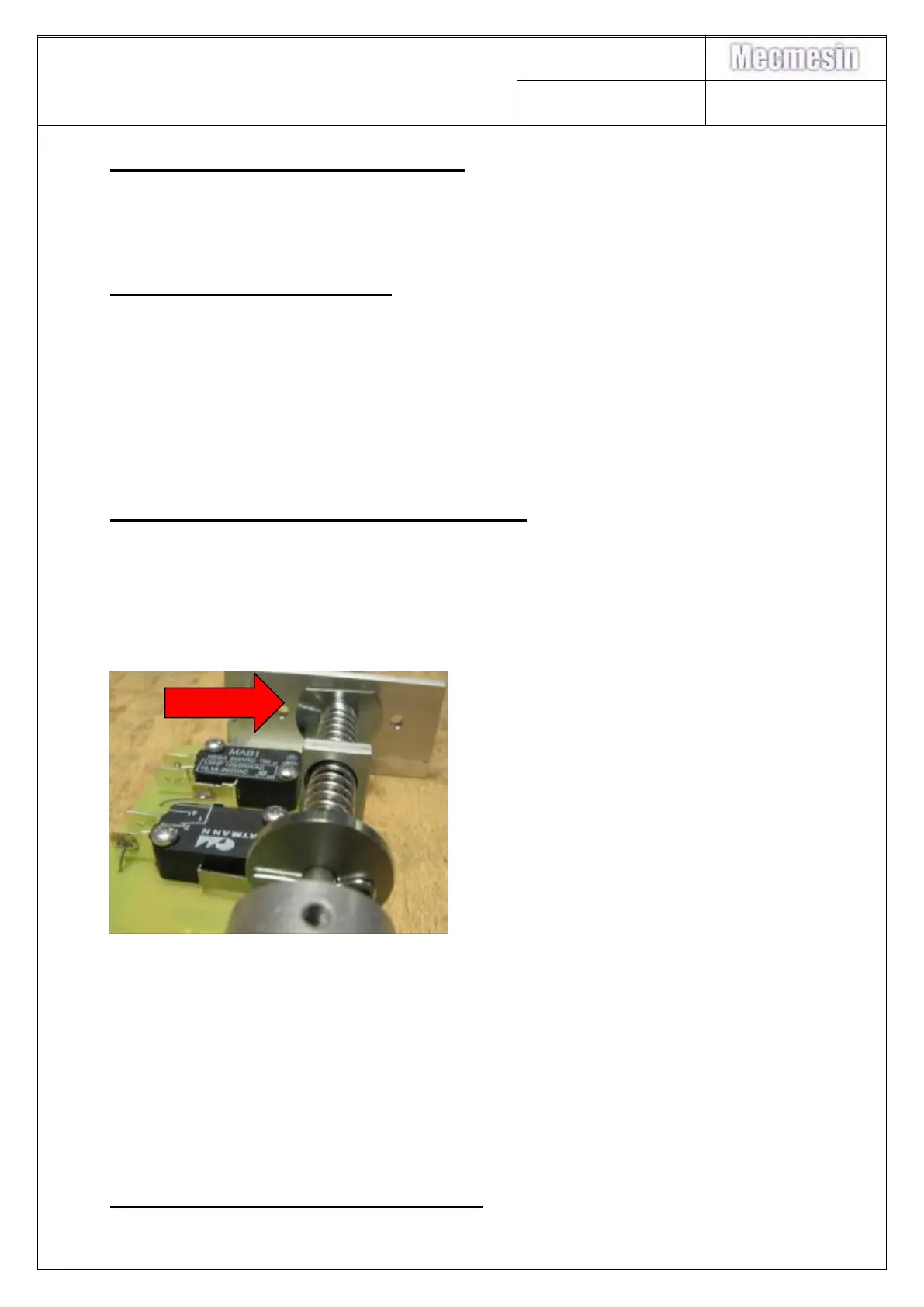
i. Check that the limit switch rod moves freely. If the rod moves freely up
and down do you hear a click in both directions of the micro-switches?
ii. If the limit switch rod doesn’t move freely then remove base from
stand and check that the micro switch spacer closest to the base
casting hasn’t rotated causing it to catch on the base casting.
iii. Check that the limit switch is connected to the motor control PCB.
iv. Check that the limit switch IDC cable does not have a broken cable or
poorly made connector joint – perform a continuity test.
v. Check the emergency stop switch button is securely connected to the
switch loom – perform a continuity test.
vi. Check the emergency stop switch loom – perform a continuity test.
vii. Perform a continuity test on Micro-switches SW1 and SW2 to ensure
that they work
viii.Clean the internal face of the two limit switch PCB optos U1 & U2.
ix. If all of the above are ok then replace the limit switch.
7) Opto on limit switch fails to work:



 To Next Page