The instrument features a variety of preset songs. Please refer to the
Song List for details.
Play the Songs
1. Play all songs in a loop.
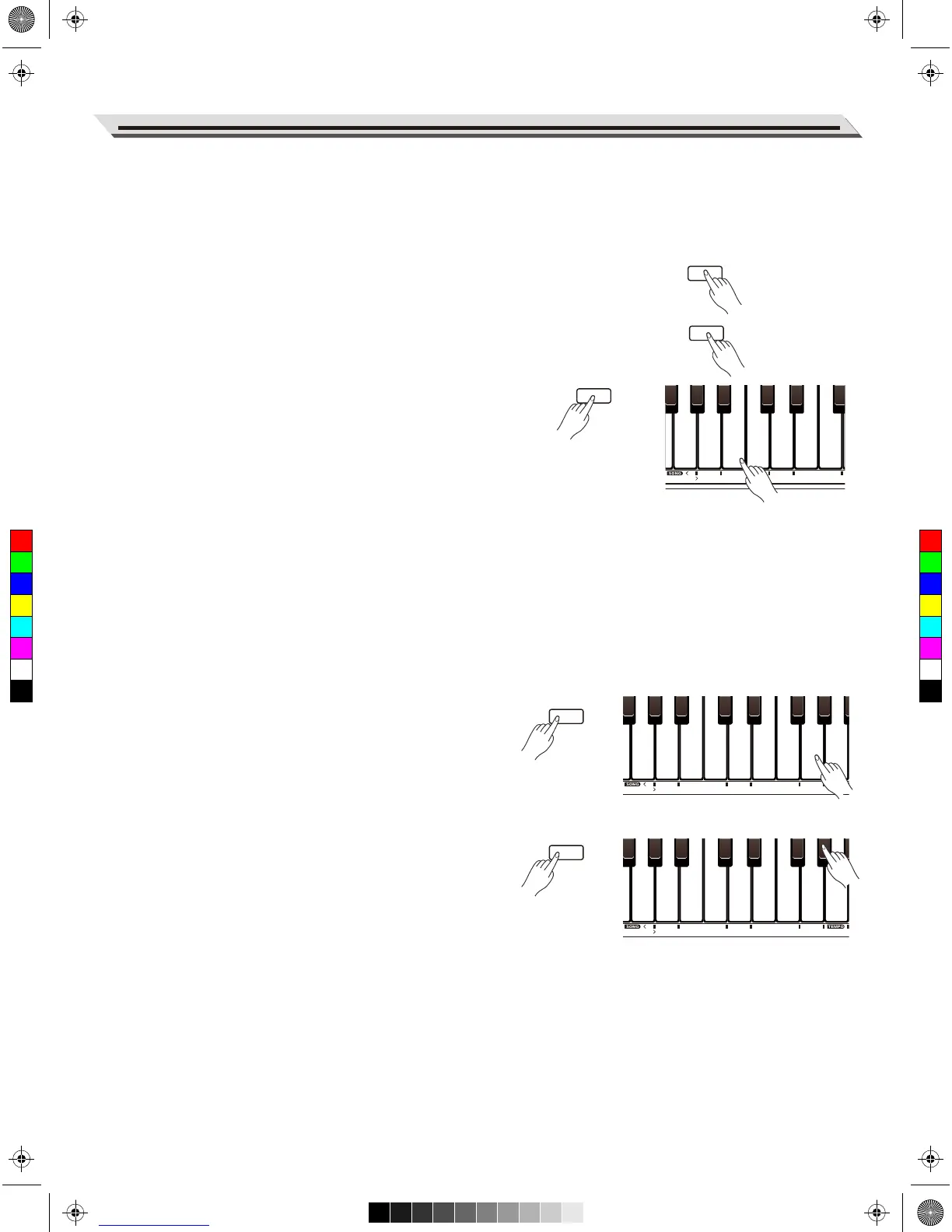
Press the [SONG] button to enter Song mode. The button indicator
will light up. All preset songs start playing in a loop.
2. Play the selected song in a loop.
When the playback stops, press the [START/STOP] button to play
the current song in a loop.
3. Select a song.
Press and hold [FUNCTION], then use the keys marked SONG [<]/[>]
or [0–9] to select a desired song.
Notes:
When using the keys marked SONG [0–9] to select a song, you will
need to press 2 keys total. For example, press 0,8 in sequence to select
the “08” song.
4. Stop the playback.
During song playback, press the [START/STOP] or [SONG] button to
stop playing.
Practice the Songs
All preset songs can be practiced with melody-off.
1. Press and hold [FUNCTION], then press the key marked SONG [L] to
mute the left hand melody. You can practice the left hand melody of
the song. Repeat this operation to activate the left hand melody.
2. In the same way, press and hold [FUNCTION], then press the key
marked SONG [R] to mute the right hand melody. You can practice
the right hand melody of the song.
17
Song
FUNCTION
FUNCTION
FUNCTION



 To Next Page