The Duet function will enrich your performance. Simply play a chord with
your left hand, and the instrument will play a preset duet pattern and
produce a beautiful melody.
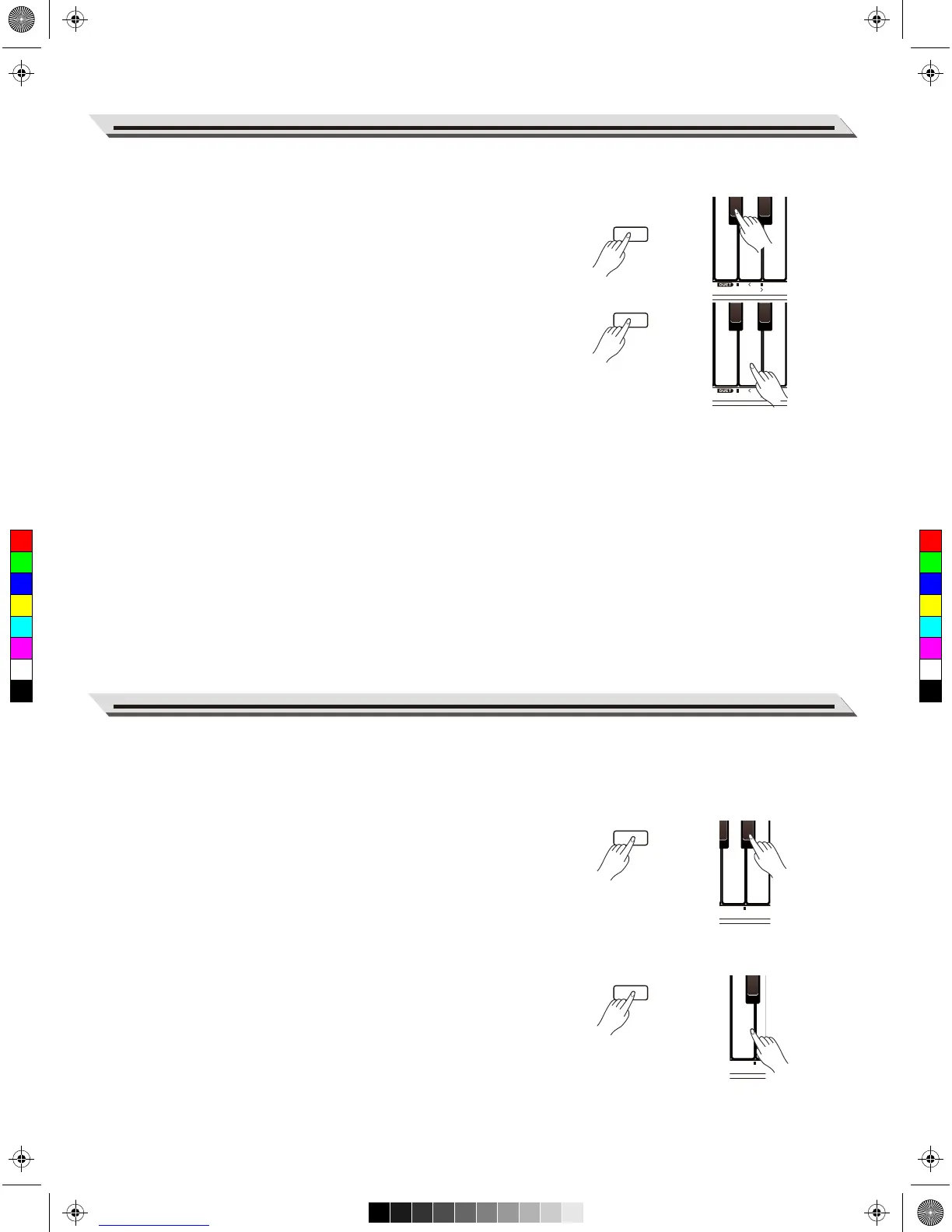
Turn the duet function on or off.
Press and hold [FUNCTION], then press the key marked DUET
[ON/OFF] to turn this function on or off.
Select a duet pattern.
Press and hold [FUNCTION], then press the key marked DUET [<]/[>] to
select a desired duet pattern. There are 32 duet patterns. The default
setting is “01”.
Note:
Each voice is matched with a preset duet pattern, so when you change a
voice, the default duet pattern will change as well.
Set the duet split point
When the Duet function is in use, the keyboard will be split into two
areas. You can play chords in the left hand area, and play melody in the
right hand area. The default split point is the same as in the lower
function: F#3 (34). You can assign the split point to any other key.
1. Press and hold [FUNCTION], then press the key marked [SPLIT] to
edit the split point, and then tap a key on the keyboard to assign the
split point to that key.
2. Release the [FUNCTION] button to exit the edit mode.
The Twinova function splits the keyboard into two areas with the same
pitch and voice, for the convenience of playing together with a friend or
instructor.
Turn the Twinova function on or off.
Press and hold [FUNCTION], then press the key marked [TWINOVA] to
turn this function on or off. The default split point is E3 (32). In Twinova
mode, the Dual and Lower functions are not available.
Select a voice for Twinova.
The upper voice selected before entering Twinova will become the
default voice for both areas. To change the voice, press and hold
[FUNCTION], then press one of the VOICE keys.
Set the split point for Twinova.
In Twinova mode, press and hold [FUNCTION], then press the key
marked [SPLIT] to edit the split point, and then tap a key (range from C3
to C6) to assign the split point to that key.
Release the [FUNCTION] button to exit the split point edit mode.
19
Duet
Twinova



 To Next Page