Accompaniment operation
5
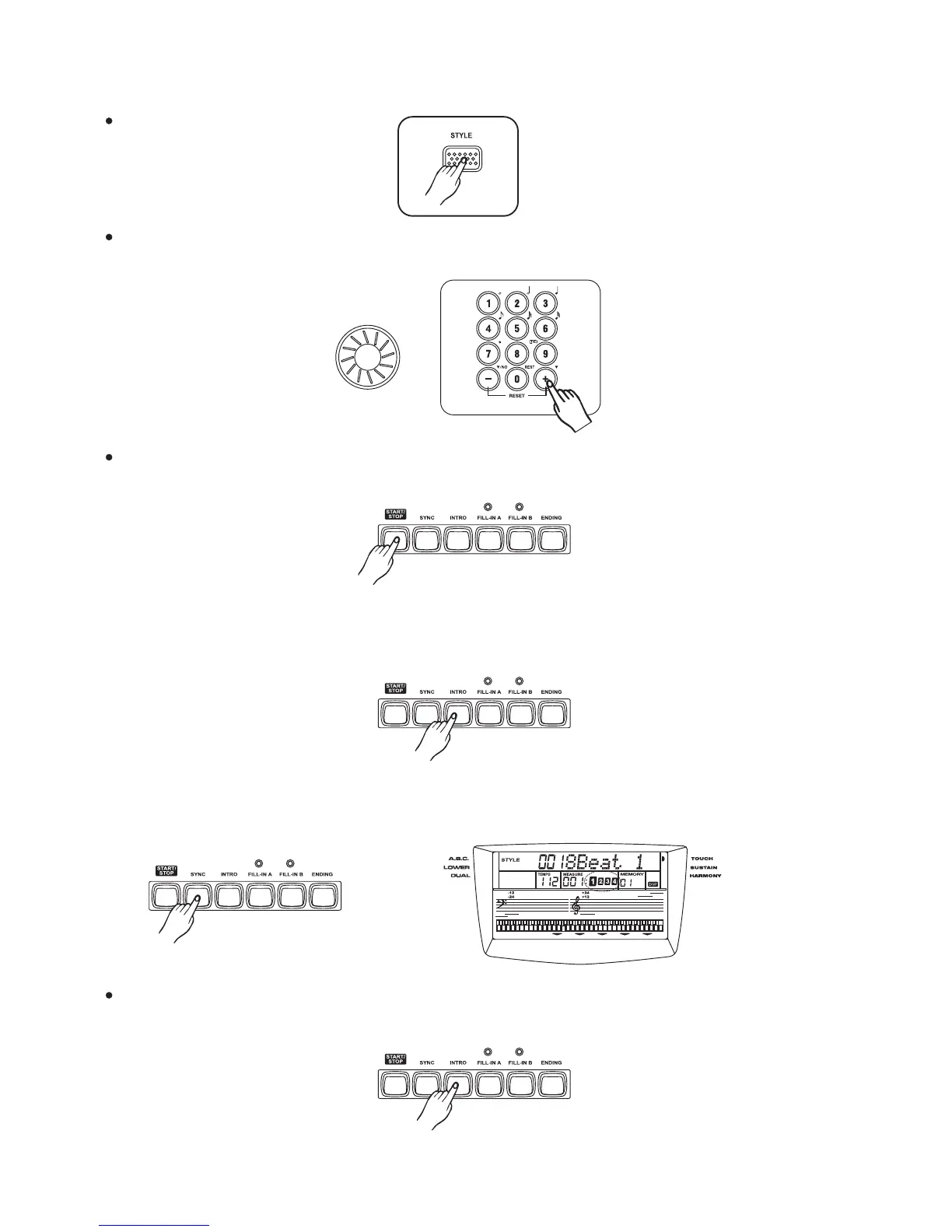
Press the [STYLE] button.
Select a style.
Select the desired style number with , , ,and .dial [+/YES] [-/NO] [0]-[9]
(See the Appendix 2 style list)
Start accompaniment.
Start immediately:Press the button, the rhythm starts playing without bass
and chord accompaniment.
[START/STOP]
To start with an intro section:Press the button to actually start the intro section and
accompaniment. Once the intro section finishs, the
selected main section is currently playing.
[INTRO]
Sync Start:Press the button, The Beat display will flash at the current tempo.
To start the main section and accompaniment ,play any keys on the keyboard.
(When A.B.C is turned on, play a key or chord on the auto accompaniment section of the keyboard).
[SYNC]
Playing the intro section, the LED is flashing above the [FILL] button.
Press the [I ] button, the intro will begin from the first beat of the next measure.NTRO
3
15



 To Next Page