41
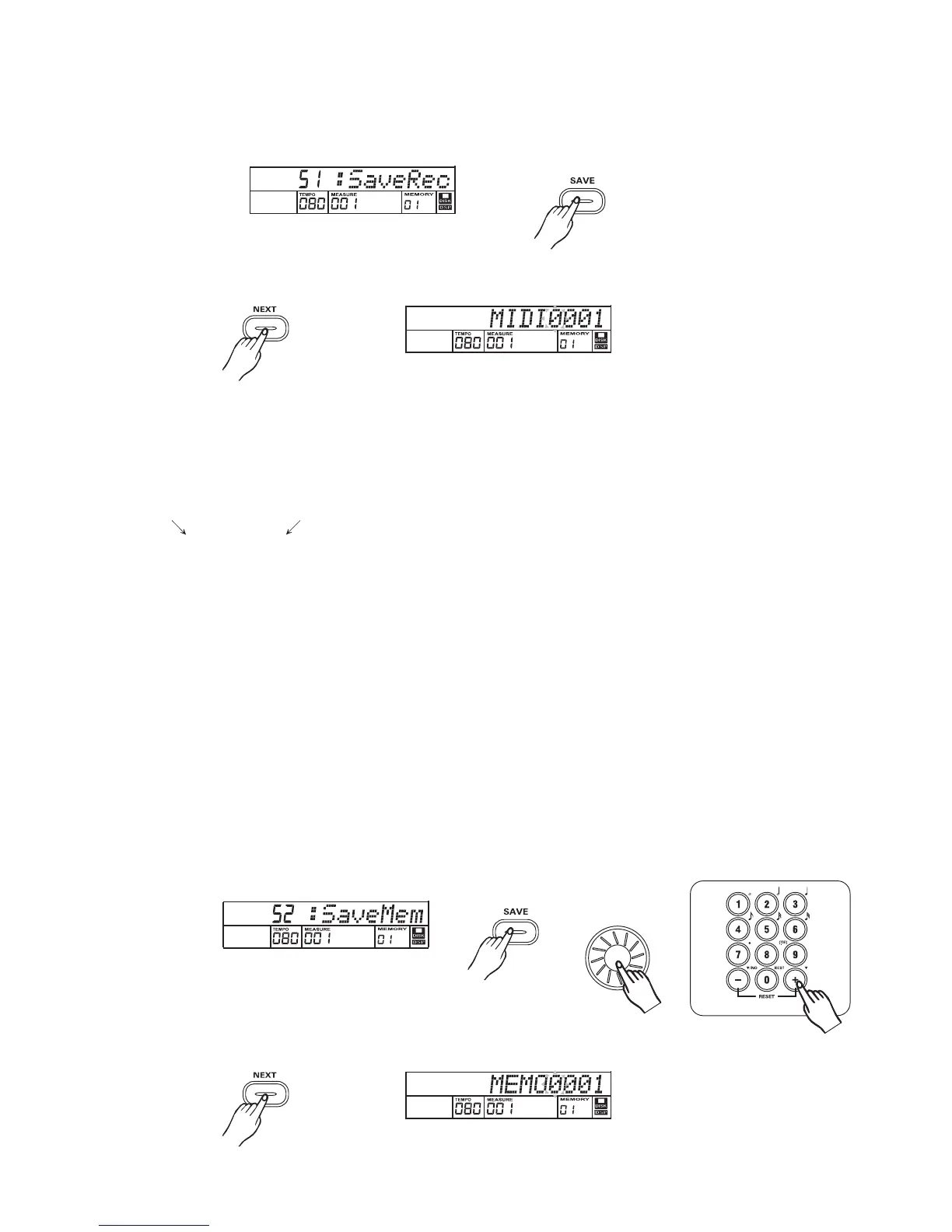
Press button to select Disk Save mid job.[SAVE]
Press button to enter save midi file mode.[NEXT]
"MIDI0001" will appear on the LCD and the character "0" will flash."H" will be changed
by keyboard.You can press some special keyboards to rename or delete it.
A standard midi format file will be saved in the disk. The file is always located in the root of disk.
This mid file can be continued to edit by MIDI function.
Input file name: If you want to enter a new name for the saved song, you can press the
[ ]keyboard want to modify and then
press the other special keyboard to name the song. A song name can consist of up to 8
characters.
or [ ]keyboard to move the position of character you
Press button after entering new song name to confirm. The "OverWri?"[NEXT] will appear on the
LCD when there is a same song name in the disk. Press or button to rename . Press
button to overwrite the original file.
[BACK] [-]
[+]
Note:
The "DISK FUL" will appear on the LCD if there is no more space in the disk.
The LCD will display "Protect! " if a write-protected disk is load. Press number button
or[+]/[-],[BACK] Button to return renaming song.
3
Disk save
Save midi
Save Mem
Press and button to select Save memory file function.[SAVE] [+]
Press button to enter save memory file mode. LCD will display memory name.[NEXT]
3



 To Next Page