10
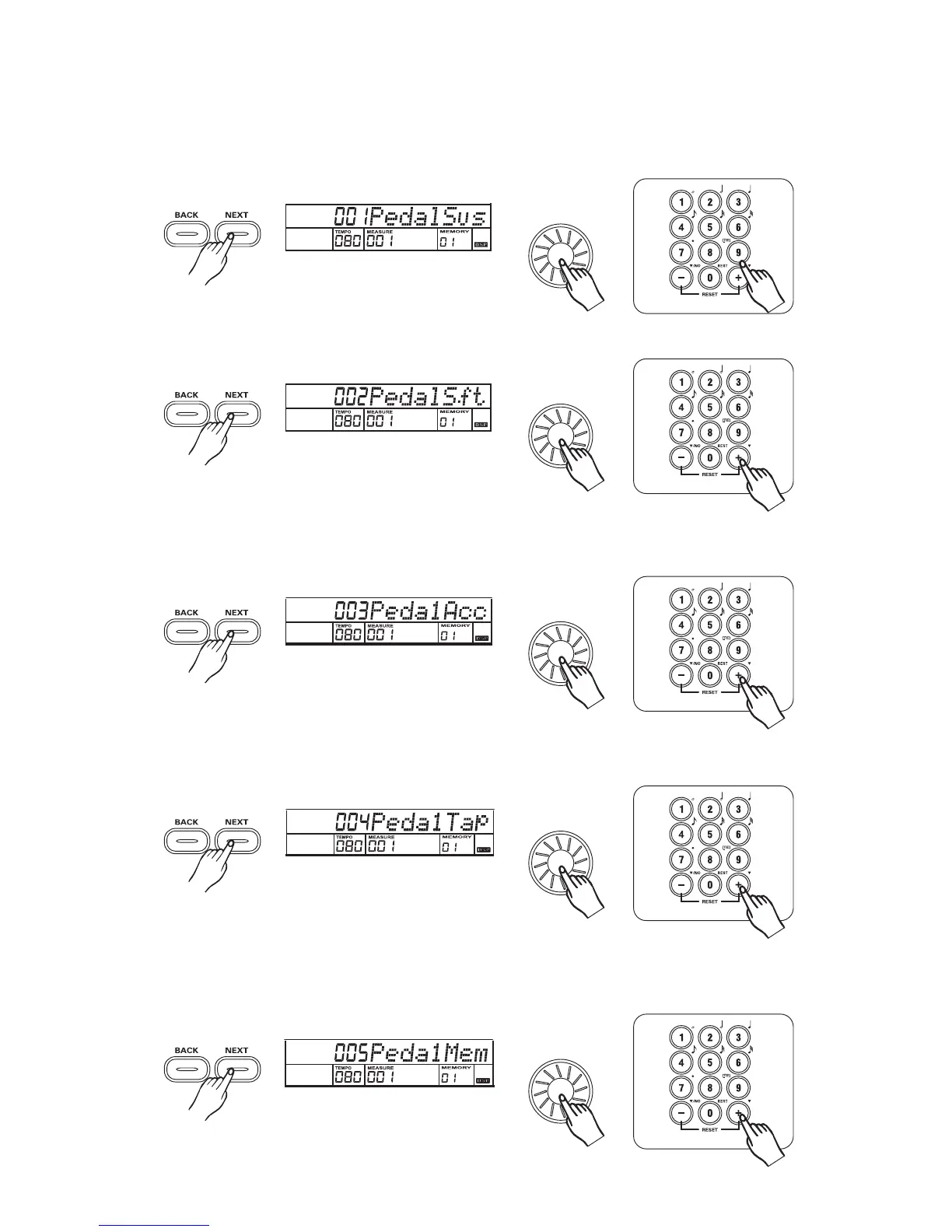
PAD assign
3
3
3
3
3
Press the button to adjust PAD parameter with the , , , -
Parameter Range: from 1 to 5----Sustain, Soft, Accompst, Tempotap, Memory.
[NEXT] dial [+/YES] [-/NO] [0] [9].
All notes played on the keyboard have a soft effect after you select the soft pedal.
Stepping on the pedal after you select the Accomp St pedal, it has the same function
as pressing the .[START/STOP]
You can quickly adjust the tempo of songs, demos, and styles by stepping the pedal four times
continuously after you select the TEMPO TAP pedal.
You can select each memory by stepping on the pedal after you select the MEMORY SELECT pedal.
(A total of 32 memories ).
32
The default pedal is the sustain pedal. All notes played on the keyboard have a sustained effect
after stepping on the pedal.



 To Next Page